-
Notifications
You must be signed in to change notification settings - Fork 0
Expand file tree
/
Copy pathpresentation.qmd
More file actions
637 lines (419 loc) · 23.4 KB
/
presentation.qmd
File metadata and controls
637 lines (419 loc) · 23.4 KB
1
2
3
4
5
6
7
8
9
10
11
12
13
14
15
16
17
18
19
20
21
22
23
24
25
26
27
28
29
30
31
32
33
34
35
36
37
38
39
40
41
42
43
44
45
46
47
48
49
50
51
52
53
54
55
56
57
58
59
60
61
62
63
64
65
66
67
68
69
70
71
72
73
74
75
76
77
78
79
80
81
82
83
84
85
86
87
88
89
90
91
92
93
94
95
96
97
98
99
100
101
102
103
104
105
106
107
108
109
110
111
112
113
114
115
116
117
118
119
120
121
122
123
124
125
126
127
128
129
130
131
132
133
134
135
136
137
138
139
140
141
142
143
144
145
146
147
148
149
150
151
152
153
154
155
156
157
158
159
160
161
162
163
164
165
166
167
168
169
170
171
172
173
174
175
176
177
178
179
180
181
182
183
184
185
186
187
188
189
190
191
192
193
194
195
196
197
198
199
200
201
202
203
204
205
206
207
208
209
210
211
212
213
214
215
216
217
218
219
220
221
222
223
224
225
226
227
228
229
230
231
232
233
234
235
236
237
238
239
240
241
242
243
244
245
246
247
248
249
250
251
252
253
254
255
256
257
258
259
260
261
262
263
264
265
266
267
268
269
270
271
272
273
274
275
276
277
278
279
280
281
282
283
284
285
286
287
288
289
290
291
292
293
294
295
296
297
298
299
300
301
302
303
304
305
306
307
308
309
310
311
312
313
314
315
316
317
318
319
320
321
322
323
324
325
326
327
328
329
330
331
332
333
334
335
336
337
338
339
340
341
342
343
344
345
346
347
348
349
350
351
352
353
354
355
356
357
358
359
360
361
362
363
364
365
366
367
368
369
370
371
372
373
374
375
376
377
378
379
380
381
382
383
384
385
386
387
388
389
390
391
392
393
394
395
396
397
398
399
400
401
402
403
404
405
406
407
408
409
410
411
412
413
414
415
416
417
418
419
420
421
422
423
424
425
426
427
428
429
430
431
432
433
434
435
436
437
438
439
440
441
442
443
444
445
446
447
448
449
450
451
452
453
454
455
456
457
458
459
460
461
462
463
464
465
466
467
468
469
470
471
472
473
474
475
476
477
478
479
480
481
482
483
484
485
486
487
488
489
490
491
492
493
494
495
496
497
498
499
500
501
502
503
504
505
506
507
508
509
510
511
512
513
514
515
516
517
518
519
520
521
522
523
524
525
526
527
528
529
530
531
532
533
534
535
536
537
538
539
540
541
542
543
544
545
546
547
548
549
550
551
552
553
554
555
556
557
558
559
560
561
562
563
564
565
566
567
568
569
570
571
572
573
574
575
576
577
578
579
580
581
582
583
584
585
586
587
588
589
590
591
592
593
594
595
596
597
598
599
600
601
602
603
604
605
606
607
608
609
610
611
612
613
614
615
616
617
618
619
620
621
622
623
624
625
626
627
628
629
630
631
632
633
634
635
636
637
---
title: "Reproducible Data Science Workflows in Climate-Smart Public Health Research<br>🌍🤖📊"
subtitle: "A practical guide for students"
author: "Tinashe M. Tapera, Research Software Engineer"
date: 2025-06-24
format:
nes-revealjs:
theme:
- default
- styles.scss
incremental: true
preview-links: true
reference-location: document
transition: fade
execute:
eval: false
title-slide-attributes:
data-background-image: https://e1.pngegg.com/pngimages/905/302/png-clipart-the-ultimate-patrick-star-thumbnail.png
data-background-size: 10%
data-background-position: 95% 90%
data-background-opacity: "1"
filters:
- include-code-files
---
## Welcome 👋 {.smaller}
### Why we're here
^[https://www.nature.com/articles/533452a]
- Guide you to [sustainable]{.blue}, [reproducible]{.blue}, and [collaborative]{.blue} data science workflows.
- Orient you to cluster computing using [Harvard FASRC]{.blue}, not your laptop.
- Introduce principles and tools that help you [focus on science, not logistics]{.blue}.
---
## Meet Squidward... {.smaller}

- Squidward is a graduate student who is excited to do the science
- Eventually, Squidward becomes tired, overworked, demotivated, and hungry
- Squidward's [work quality suffers as he gets overwhelmed]{.dark-red} by grad school and [he starts to take shortcuts]{.dark-red}
- Not documenting his work
- Manually moving files
- Hard-coding programming loops/recursion
- Running long code on a slow laptop
- Arbitrarily naming files and versions
---
::: {.columns}
::: {.column width="50%"}
### Fragile Workflows ⛓️:
- Stored only on personal machines
- Manual file movements (click-and-drag)
- Impossible to reproduce or share
- Outputs treated as "truth"
:::
::: {.column width="50%"}
### Robust Workflows 🔗:
- Portable across systems and environments
- Can be automated
- Replicable & reproducible
- Source of truth is ["how", not "what"]{.yellow}
:::
:::
- Robust workflows make [doing the right thing the easy thing]{.yellow}
---
## Where is the source of truth? 🧐
^[https://www.mdpi.com/2072-4292/17/9/1482]
::: {.columns}
::: {.column width="50%"}
- Claim: title
- Evidence: data
- Truth: [methods]{.yellow}
:::
::: {.column width="50%"}
- 
:::
:::
---
## Proposing A Data Science Philosophy 💬 {.smaller}
- Prefer [remote + reproducible]{.dark-green} over [local + manual]{.dark-red}
- [Code]{.dark-green}, [not outputs]{.dark-red}, should be the [source of truth]{.dark-green}
- Narrate your thinking with [notebooks]{.dark-green}
- Track your work with [Git]{.dark-green}
- [Save on technical debt]{.dark-green} by investing in robust systems
- ^[https://www.nature.com/articles/sdata201618]
---
## What We'll Cover Today 📋 {.smaller}
| Principle | Tool | What You'll Learn | |
|--------------------|----------------------------------------|------------------------------------------------|---|
| **Efficiency** | FASRC | Remote computing | <i class="nes-icon star is-small"></i> |
| **Transparency** | Notebooks | Narrated and reproducible scientific analysis | <i class="nes-icon star is-small"></i> |
| **Modularity** | `here()` + `renv` | Robust file paths & environment isolation | <i class="nes-icon star is-small"></i> |
| **Traceability** | Git + GitHub | Version control and team collaboration | <i class="nes-icon star is-small"></i> |
| **Flexibility** | `googledrive` + `pins` | Reproducible I/O with shared cloud data | <i class="nes-icon star is-small"></i> |
---
# <i class="nes-icon like is-medium"></i> Let's walkthrough the research process together...<i class="nes-icon like is-medium"></i>
All screenshots and examples are in the google drive folder:
`Climate-Smart-Public-Health/Lab Organization/Meetings & Communications/2024-2025/20250624_Tinashe_DataScienceWorkflows/Screenshots_Examples`
https://drive.google.com/drive/folders/11wpDo_sJ434pPAh8maXA6TbOSke6WHZE?usp=sharing
Check your email!
---
## {background-image="./figs/firstday.png"}
---
## FASRC: Logging In & Launching RStudio 🚀
0. Get on the VPN
1. Go to the Open OnDemand site [https://rcood.rc.fas.harvard.edu](https://rcood.rc.fas.harvard.edu)
2. Log in with FASRC Account details
3. Launch a **RStudio Server** session
4. Create and save an R file (You can also download the example file 1_FASRC_step4_example.r)
---
## {background-image="https://media1.tenor.com/m/E2CbHRInEb4AAAAC/spongebob-speech.gif"}
::: {.fragment style="background: rgba(0, 0, 0, 0.7)"}
> [<i class="nes-icon trophy is-largs"></i> Your work is now on a backed-up, high-performance server.]{.red}
:::
---
## {background-image="https://preview.redd.it/8jwzztybumg71.jpg?width=1080&crop=smart&auto=webp&s=9bc458daf052cb209db9ab50b3558ef7082ee49d"}
::: {.fragment style="background: rgba(0, 0, 0, 0.7)"}
> [OH NO‼️ MY INTERNET WENT DOWN/FIREFOX CRASHED/MY LAPTOP WAS EATEN BY NEMATOADS ‼️]{.yellow}
:::
---
## Workflow Benefit #1: Efficiency with High Performance Compute Clusters<i class="nes-icon star is-medium"></i> <i class="nes-icon star is-empty is-small"></i> <i class="nes-icon star is-empty is-small"></i> <i class="nes-icon star is-empty is-small"></i> <i class="nes-icon star is-empty is-small"></i> {.smaller background-image="https://media.tenor.com/PkFTmY4Ac4MAAAAM/spongebob-squarepants.gif" background-position="95% 90%" background-size="20%"}
> [FASRC is a high performance computing resource whose professional responsibility is to save you (and your data) from yourself ^[https://www.rc.fas.harvard.edu/cluster/publications/] ^[https://docs.rc.fas.harvard.edu]]{.yellow style="background: rgba(0, 0, 0, 0.7)"}
- OpenOnDemand [sessions persist]{.green} as long as the job is specified
- File permissions mechanisms are [specific and deliberate]{.green}
- Software will [(likely) never crash]{.red} due to a mistake on your part
- You will [(likely) never break]{.red} FASRC
---
## {background-image="https://i.ytimg.com/vi/C3u-Mz8-dhQ/maxresdefault.jpg?sqp=-oaymwEmCIAKENAF8quKqQMa8AEB-AH-CYAC0AWKAgwIABABGH8gFygXMA8=&rs=AOn4CLCRDr5lXEtFixn4GXSob5bMlHoeiA"}
::: {.fragment style="background: rgba(0, 0, 0, 0.7)"}
> [Let's go back to our work from yesterday... wait, what was I doing again...?]{.yellow}
:::
---
## {background-image="https://i.imgflip.com/2uz7w6.png?a486048" background-position="20% 50%" background-size="60%"}
::: {.columns}
::: {.column width="50%"}
:::
::: {.column width="50%"}
:::{.fragment}
```{.r include="figs/_example.r"}
```
:::
:::{.fragment}
```{.markdown include="figs/_example.qmd"}
```
:::
:::
:::
---
### Literate Programming with Notebooks 🖼️
0. Reopen RStudio session
1. Convert your RScript to a notebook
2. Add a YAML header to title, date, and sign your notebook
3. Add a story to your script to explain what you're doing (Or download and add `2_LiterateProgramming_step1_example2.qmd` to your project)
---
## Literate Programming with Notebooks🖼️
> "💡Documentation is like a love letter you write to your future self" (Damien Conway) ^[https://www.azquotes.com/quote/1463174]
- (Knuth, 1984 ^[https://www.cs.tufts.edu/~nr/cs257/archive/literate-programming/01-knuth-lp.pdf]) Literate programming is the [intertwining of written and machine language to self-document and explain code.]{.blue}
- A program's source code is made primarily to be [read and understood by other people]{.blue}, and secondarily to be executed by the computer.
- In data science, we use notebook tools like [Quarto, RMarkdown, or JuPyter]{.blue} to combine [narrative, code, and outputs]{.blue}
---
## Workflow Benefit #2: Transparency with Notebooks ^[https://www.nature.com/articles/d41586-018-07196-1] <i class="nes-icon star is-medium"></i> <i class="nes-icon star is-medium"></i> <i class="nes-icon star is-empty is-small"></i> <i class="nes-icon star is-empty is-small"></i> <i class="nes-icon star is-empty is-small"></i>
::: {.columns}
::: {.column width="50%"}

:::
::: {.column width="50%"}
- Notebooks provide [narrative context]{.dark-green}, [code]{.dark-green}, and [outputs]{.dark-green} in one place
- Enable others (and your future self) to [understand and reproduce]{.dark-green} your work
- Great for [supervisor meetings]{.dark-green}, [review]{.dark-green}, and [sharing]{.dark-green}
- Encourage ["writing as thinking"]{.blue}
:::
:::
---
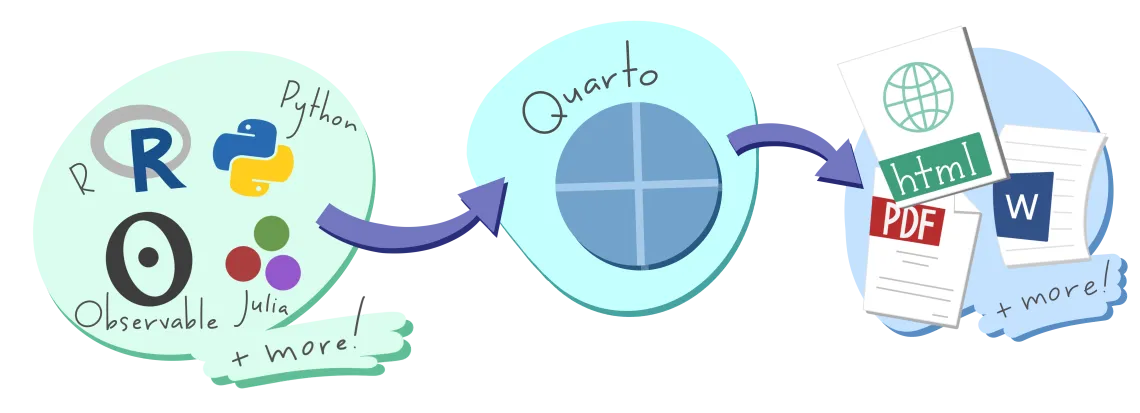
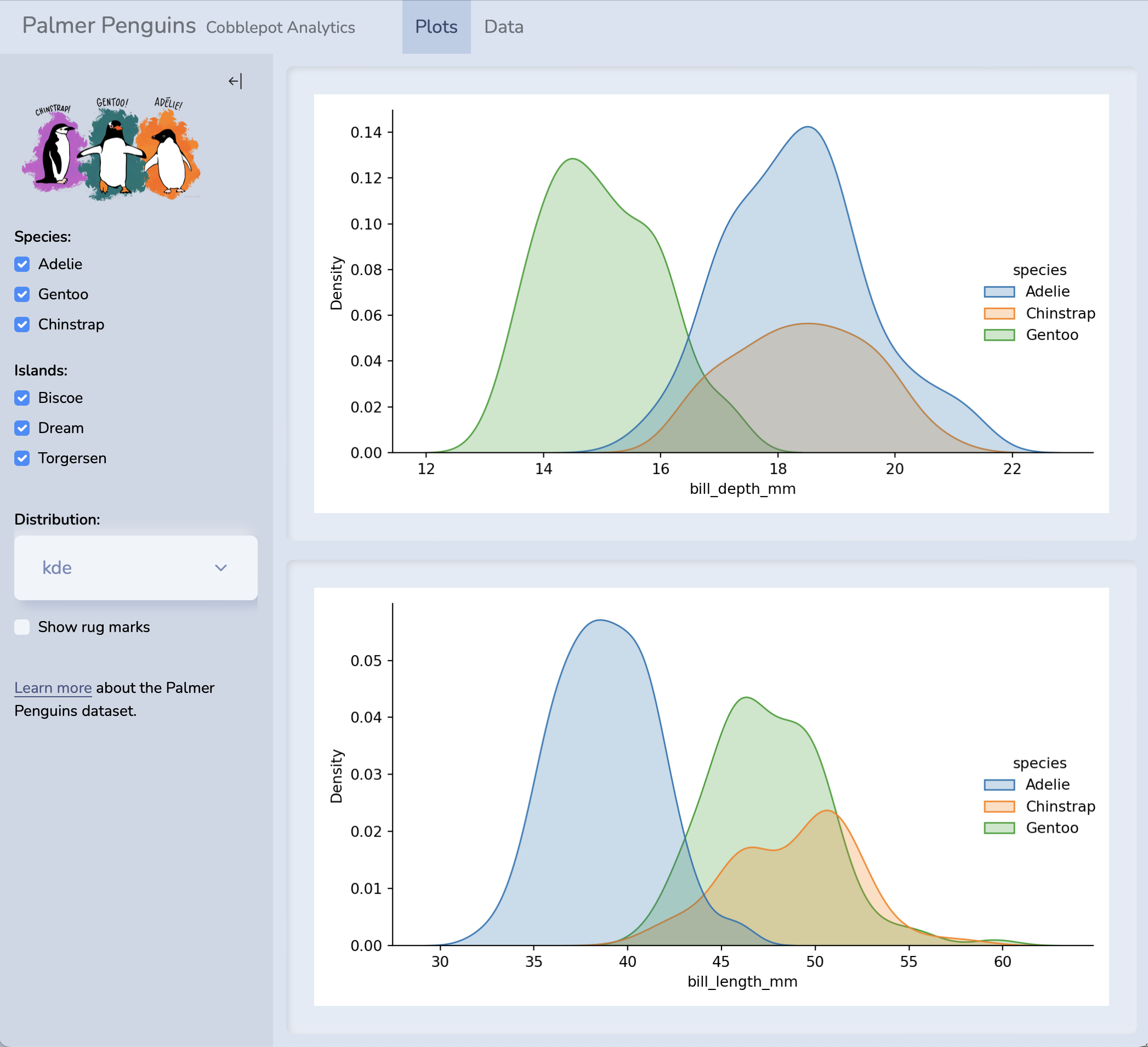
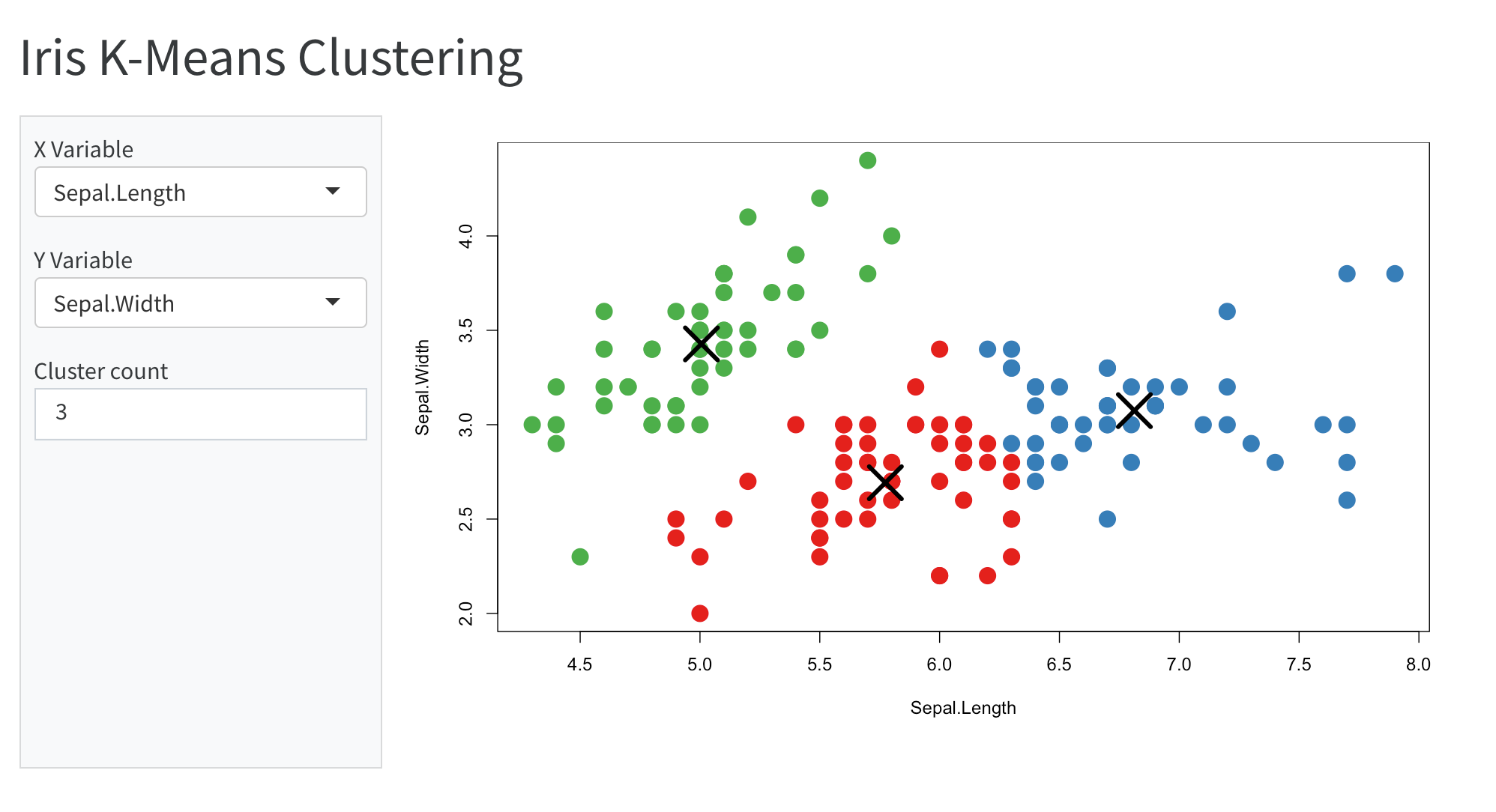
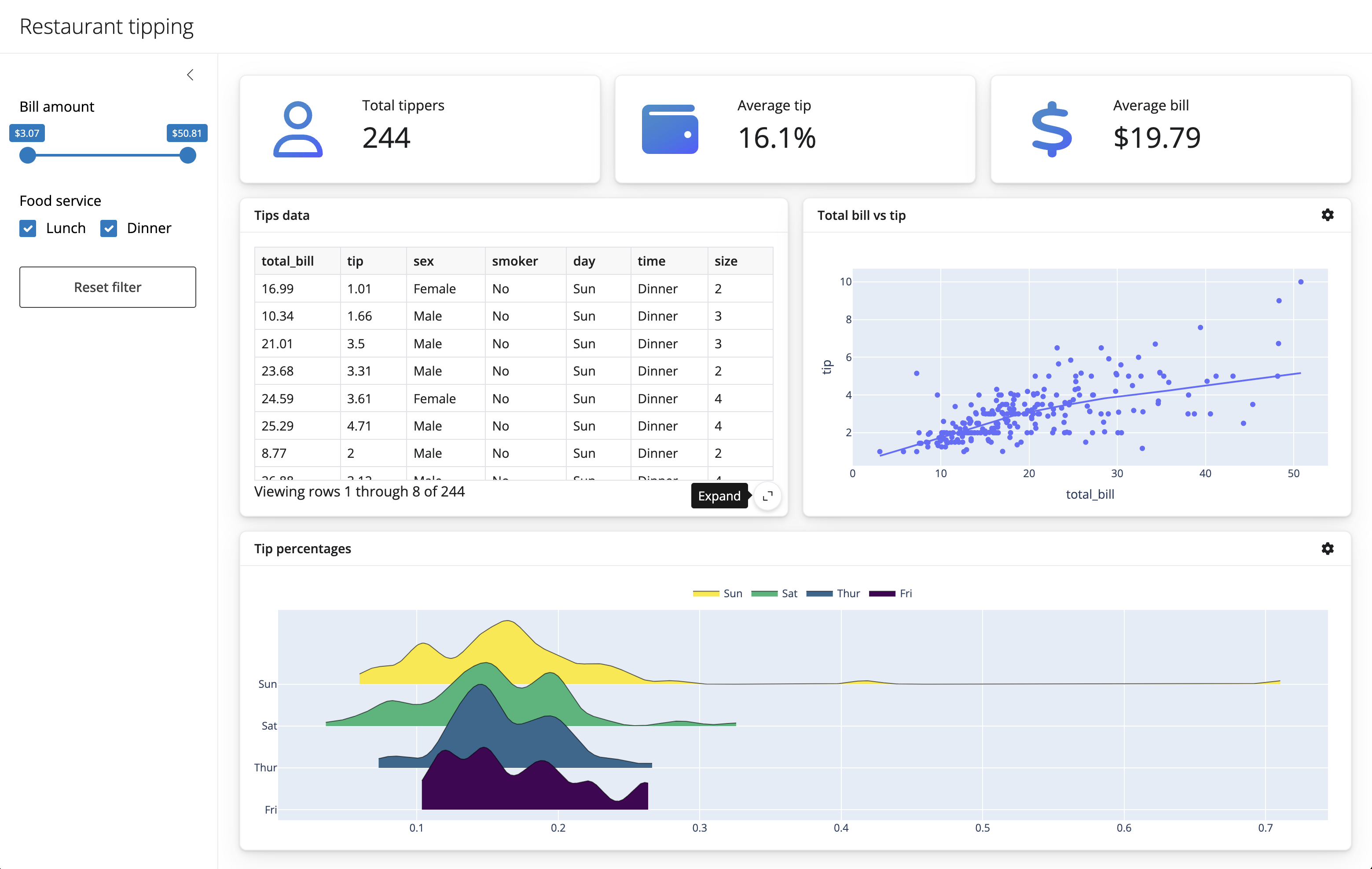
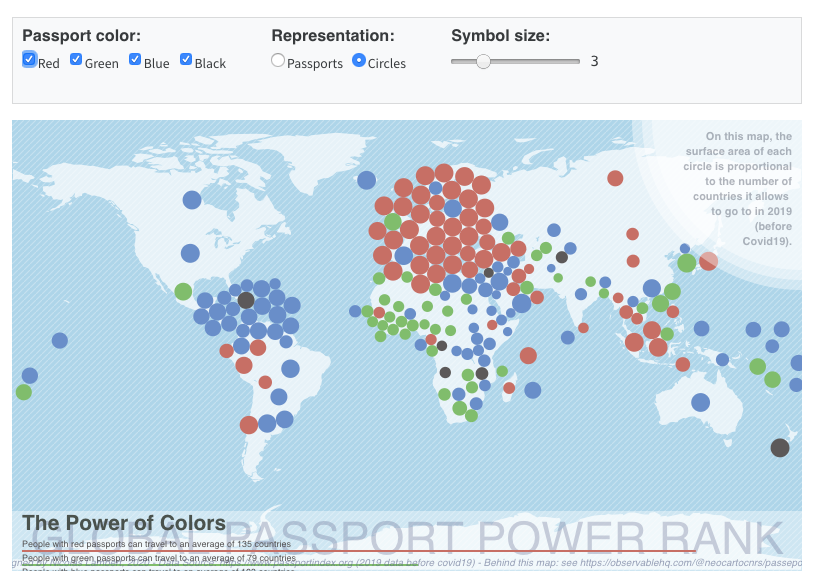
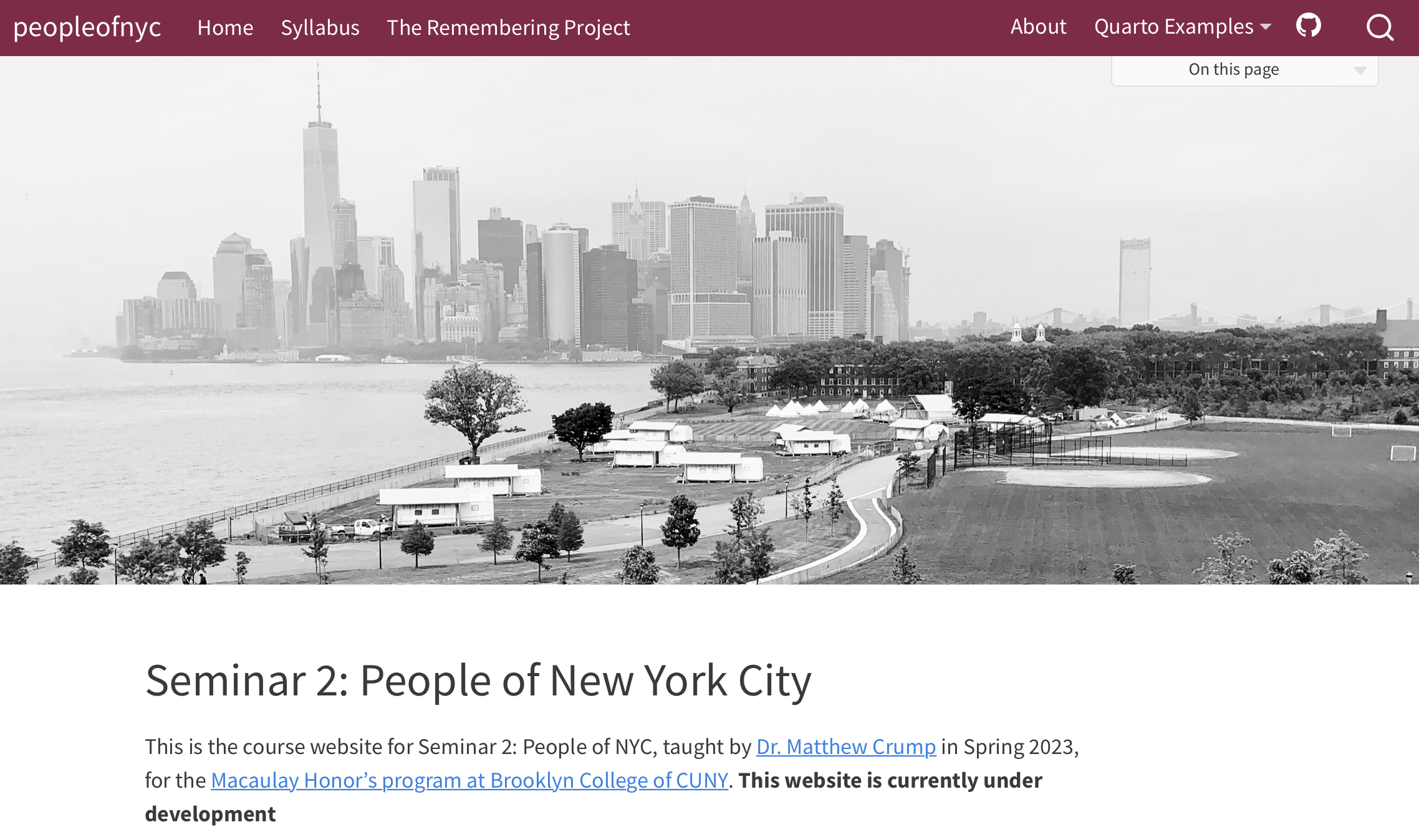
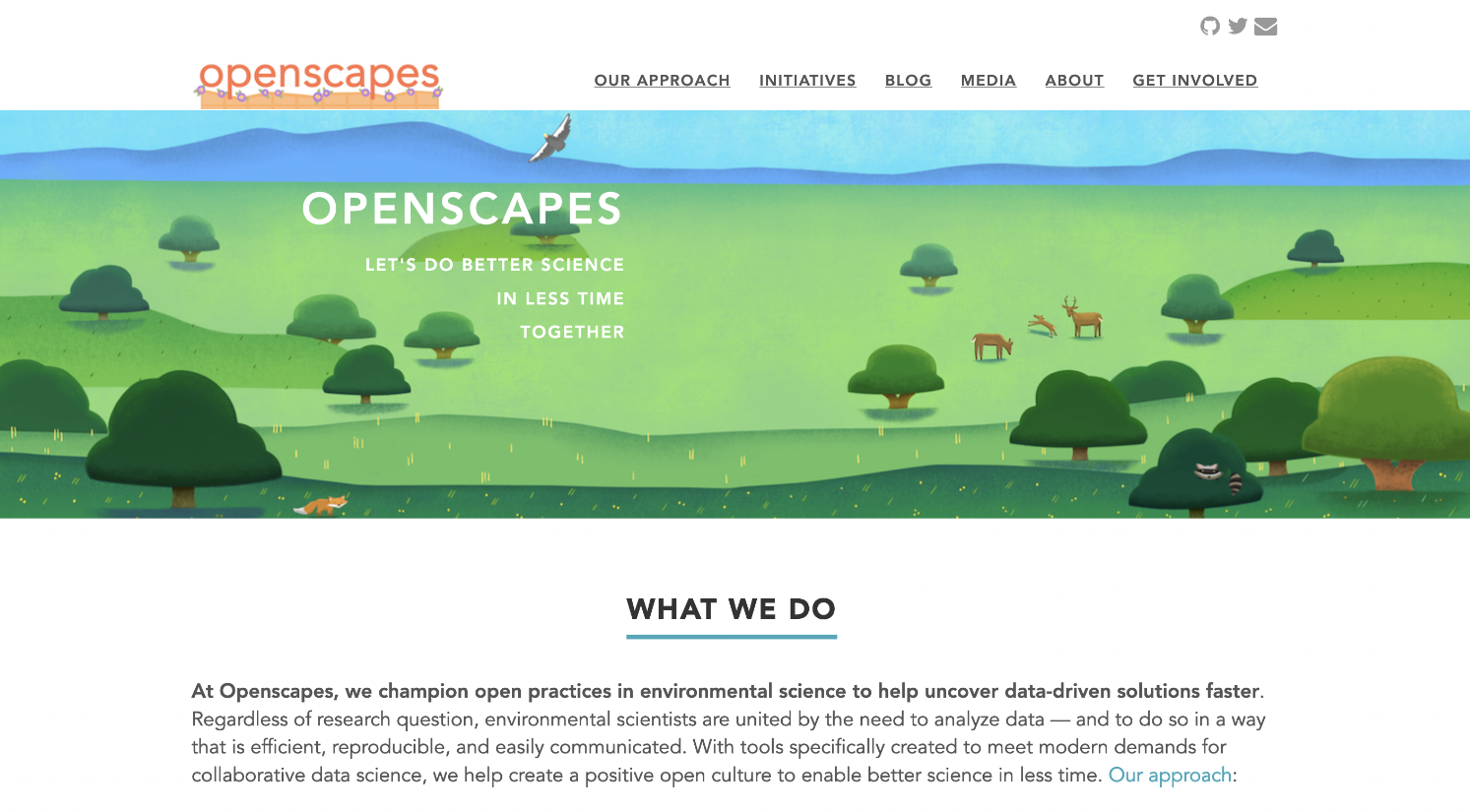
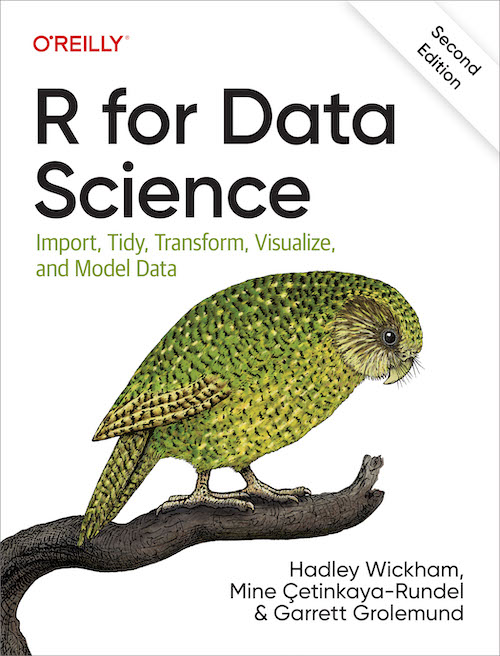
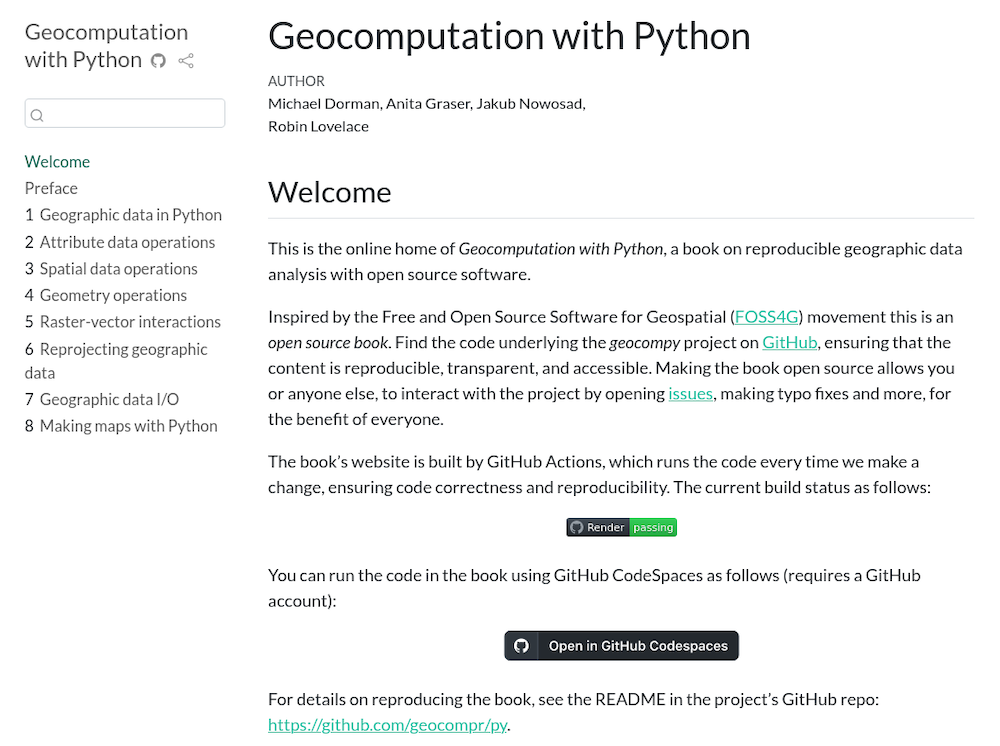
## Notebooks aren't just for code outputs... {background-image="https://media1.tenor.com/m/iI-3M1SYPlwAAAAd/sponge-bob-wow.gif" background-position="50% 70%" background-size="15%"}
::: {.fragment style="position: absolute; top: 15%; left: 5%; width: 20%;"}
:::
::: {.fragment style="position: absolute; top: 10%; left: 60%; width: 25%;"}
:::
::: {.fragment style="position: absolute; top: 75%; left: 70%; width: 20%;"}
:::
::: {.fragment style="position: absolute; top: 35%; left: 85%; width: 18%;"}
:::
::: {.fragment style="position: absolute; top: 40%; left: 2%; width: 20%;"}
:::
::: {.fragment style="position: absolute; top: 30%; left: 37%; width: 20%;"}
:::
::: {.fragment style="position: absolute; top: 30%; left: 15%; width: 25%;"}
:::
::: {.fragment style="position: absolute; top: 70%; left: 10%; width: 15%;"}
:::
::: {.fragment style="position: absolute; top: 65%; left: 30%; width: 40%;"}
:::
::: {.fragment style="position: absolute; top: 5%; left: 40%; width: 20%;"}

:::
::: {.fragment style="position: absolute; top: 50%; left: 38%; width: 40%;"}

:::
::: {.fragment style="position: absolute; top: 40%; left: 50%; transform: translate(-50%, -50%); font-size: 3rem; font-weight: bold; background: rgba(0, 0, 0, 0.7); color: #FFD700; padding: 1rem 2rem; border-radius: 10px; z-index: 1000; text-align: center;"}
🤯🤯🤯
THIS PRESENTATION IS A NOTEBOOK
:::
---
## {background-image="https://s1.dmcdn.net/v/BVezE1Lza7MnyfFWl/x1080"}
::: {.fragment style="background: rgba(0, 0, 0, 0.7)"}
> [Your lab mate is not convinced that lm() and glm() are equivalent in `R`,
so you decide to demo it and share your notebook with them...]{.dark-blue}
:::
---
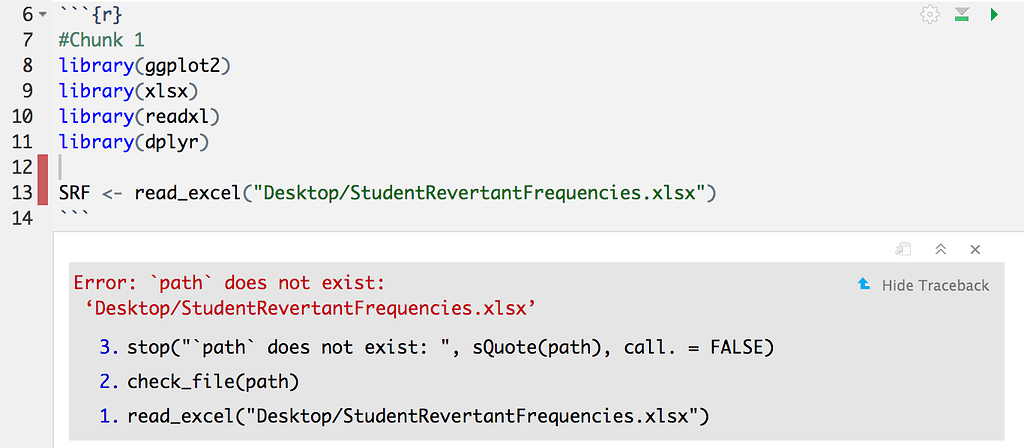
## Modularity in Data Science 🗃️
0. Open your analysis notebook
1. Read data from an external URL
2. Show that the two regression functions are equivalent
3. Share the notebook so that they can try it for themselves (Download and and add `3_Modularity_step1_example3.qmd` to your project and try to run it)
---
::: {.columns}
::: {.column style="align: center; position: absolute; top: 25%; left: 0%"}

:::
::: {.column style="align: center; position: absolute; top: 5%; left: 50%"}
::: {.fragment}

:::
:::
:::
---
## Organize Projects with `here()`, `config`s, and `renv` {.smaller}
::: {.columns}
::: {.column width="50%"}

- Use `here::here()` instead of `"../"` or `"~/Downloads/"`
::: {.fragment}
```r
library(here)
here("data", "input.csv")
```
:::
:::
::: {.column width="50%"}
- Use `config`s to manage paths outside of the project
- Keeps paths [portable]{.dark-green} and [self-documenting]{.dark-green}
- Helps build & maintain [structured]{.blue} projects
::: {.fragment}
```yaml
default:
data_dir: "/nfs/shared/data"
results_dir: "/nfs/shared/results"
madagascar:
shapefile: "https://data.humdata.org/dataset/26fa506b-0727-4d9d-a590-d2abee21ee22/resource/ed94d52e-349e-41be-80cb-62dc0435bd34/download/mdg_adm_bngrc_ocha_20181031_shp.zip"
```
:::
- Use `renv` and/or `conda` to manage packages
- Allows you to [document exact package versions and dependencies]{.dark-green} for each project
- Stores package metadata in a text file that can be [version controlled and shared]{.dark-green} with your project
:::
:::
---
## Workflow Benefit #3: Modularity with path & package managers ^[https://www.mdpi.com/2624-5175/6/1/1] ^[https://link.springer.com/article/10.3758/s13428-020-01436-x]<i class="nes-icon star is-medium"></i> <i class="nes-icon star is-medium"></i> <i class="nes-icon star is-medium"></i> <i class="nes-icon star is-empty is-small"></i> <i class="nes-icon star is-empty is-small"></i> {.smaller background-image="https://i.pinimg.com/474x/0b/f8/26/0bf8260956a55039f792eb382228991a.jpg" background-size="15%" background-position="80% 90%"}
- 👯 [Collaboration]{.dark-green}: Modular code is easier for teams to understand, reuse, and extend.
- How can you make your code more modular?
- 🧭 Portability of [location]{.blue}: Use tools like `here()` to manage file and document paths
- 🏗 Portability of [dependencies]{.blue} Use tools like `renv` or `conda` to manage package dependencies
- 🎁 Portability of [code components]{.blue}: Use functions and modules so that code can be reused and tested independently
- 📈 [Scalability]{.dark-green}: Modular workflows adapt easily to new data, collaborators, or computing environments.
---
## {background-image="https://encrypted-tbn0.gstatic.com/images?q=tbn:ANd9GcSHekKrZLguVOYXueX0CyhyLvNXmyB8V87CA87_RTwQGDc9SKmgi6hYq9JoCSMum8a0umw&usqp=CAU"}
::: {.fragment style="background: rgba(0, 0, 0, 0.7)"}
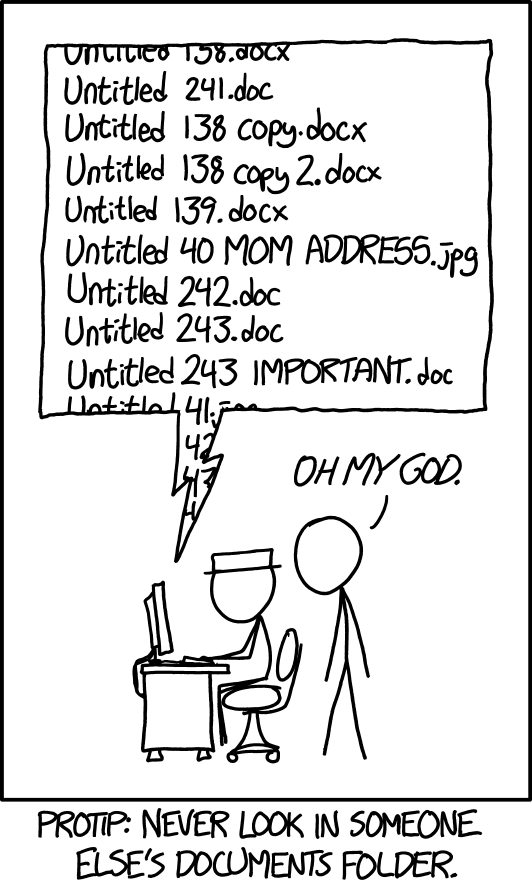
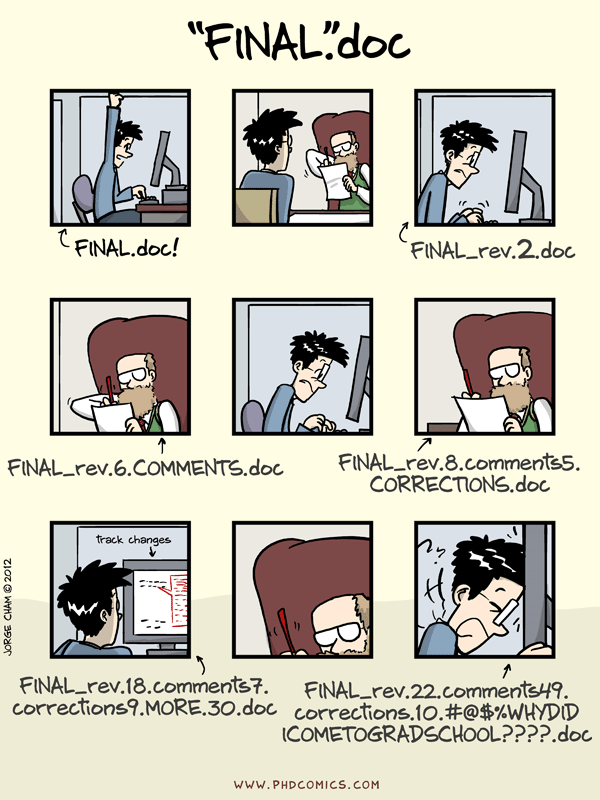
> It's time to publish your groundbreaking paper on the equivalence of [`glm`]{.yellow} and [`lm`]{.yellow}! You’ve run the analysis three times now: `fantastic_analysis_v3.R`, [`final_FINAL.Rmd`]{.yellow}, and [`FINAL_revised_with_comments_v2.qmd`]{.yellow}.
:::
::: {.fragment style="background: rgba(0, 0, 0, 0.7)"}
> During a meeting, the PI asks:
:::
::: {.fragment style="background: rgba(0, 0, 0, 0.7)"}
> _“Can you show me what changed between the version we worked on 6 weeks ago and this one you sent me yesterday?”_

:::
---
:::{.columns}
:::{.column width=40%}
:::
:::{.column width=60%}
:::
:::
---
## Version Control with Git & GitHub <i class="nes-icon github is-medium"></i>
Why Git?
- Track every change you make
- Recover and understand past versions
- Collaborate without fear
:::{.fragment}

:::
---
## Version Control with Git & GitHub <i class="nes-icon github is-medium"></i>
0. Set up your GitHub Account with secure PATs (Personal Access Token = Special Password 😉) with `usethis::create_github_token()`
1. Initialize a git repository for your project with `usethis::use_git()`
2. Track some changes
3. "Push" the changes to GitHub for backup and sharing with `usethis::use_github()`
4. Open GitHub to see your code reflected!
:::aside
By far, the best resource for Git for R users is [HappyGitWithR.com](https://happygitwithr.com/hello-git) [^https://happygitwithr.com/hello-git]
:::
---
## Workflow Benefit #4: Traceability with Version Control ^[https://journals.lww.com/epidem/citation/2025/05000/advancing_reproducible_research_through_version.8.aspx] ^[https://link.springer.com/article/10.1186/1751-0473-8-7]<i class="nes-icon star is-medium"></i> <i class="nes-icon star is-medium"></i> <i class="nes-icon star is-medium"></i> <i class="nes-icon star is-medium"></i> <i class="nes-icon star is-empty is-small"></i> {.smaller background-image="https://www.gtplanet.net/forum/media/gif-the-first-verse-of-the-fun-song.31408/full" background-position="98% 2%" background-size="15%"}
- No more [file clutter]{.dark-red}: Replace `final_v3_revised_REAL_FINAL.Rmd` with clean version tracking
- Precise [change history]{.green}: Git tracks edits line by line — you know what changed, when, and why.
- [Intentional work]{.green}: Use git as a [daily lab notebook]{.blue} where commits encourage reflection (what did I do today, and why?)
- Safe [collaboration]{.green}: Work in parallel without overwriting each other’s code using branches and pull requests. [Experimentation is encouraged]{.blue}
- Work with the garage door up: Share your process early, even if it’s not polished. GitHub lets collaborators see your progress and offer [feedback or help sooner]{.blue}
---
## {background-image="https://i.ytimg.com/vi/1PR-TaL6sGg/maxresdefault.jpg"}
::: {.fragment style="background: rgba(0, 0, 0, 0.7)"}
> You've spent all of this time working on reproducibility, but your collaborators
simply do not care for it...
:::
::: {.fragment style="background: rgba(0, 0, 0, 0.7)"}
> "This is so much overkill for a small analysis"
:::
::: {.fragment style="background: rgba(0, 0, 0, 0.7)"}
> "I'm not a computer scientist I really don't care about any of this! I don't want to
learn a new package"
:::
::: {.fragment style="background: rgba(0, 0, 0, 0.7)"}
> Doing all of this is so slow! I can just use Excel, my old workflow has worked
fine so far
:::
---
## I get it; it's a lot 😰 {.smaller}
:::{.columns}
:::{.column width=35%}
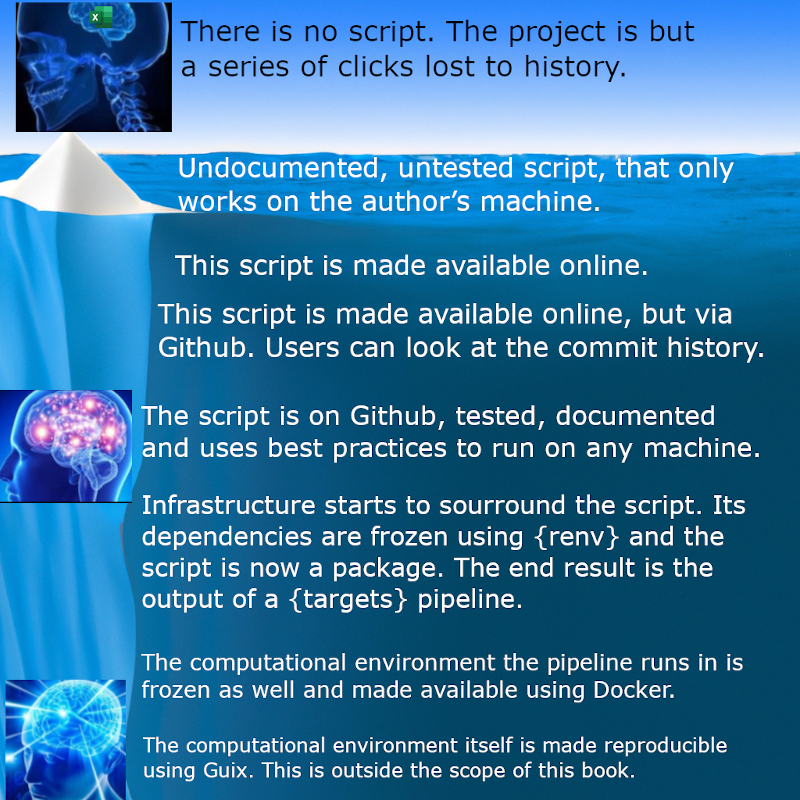 ^[https://www.nature.com/articles/s41597-025-04451-9]
:::
:::{.column width=65%}
- It's a [learning process/investment]{.blue} with benefits accruing over time
- Adopting these principles gradually is fine — [start small, but start now.]{.blue}
- These principles aren’t about using [fancy tools]{.dark-red} — they’re about creating [systems]{.green} that are beneficial to your future self and your collaborators.
- Labs that adopt reproducible workflows produce [cleaner, more sustainable+trustworthy science.]{.green}
:::
:::
---
## {background-image="./figs/excel_error2.png" background-size="40%" background-position="70% 10%"}
Labs that don't...^[https://www.bbc.com/news/magazine-22223190]
---
## Reproducible collaboration requires compromise 🤝
::: {.fragment}
We want reproducibility.
They might want convenience.
:::
::: {.fragment}
You [can't force everyone]{.dark-red} to use Git, FASRC, Quarto, etc. all the time
:::
::: {.fragment}
You can compromise — and still keep your workflow clean — by [finding and implementing creative middle-ground solutions.]{.blue}
:::
::: {.fragment}
For e.g., the **`pins`** package 📌
:::
---
## Accessing Google Drive with `pins`📌
- Google Drive (and friends) don't neatly fit into the workflow (for reasons we've discussed)
- How do you share data with outside Harvard collaborators?🧐
- How do you couple your data science to other academic workflows?
- [`pins` solves this by providing versioned programmatic access to Google, Box, OneDrive etc.]{.dark-green}
- Treats data objects in R/Python/Javascript as "pins" and online locations as "pinup boards"
---
## Accessing Google Drive with `pins`📌
1. Create a board in R from the Google Drive
a) `install.packages("pins")`
b) `install.packages("googledrive")`
c) `drive_id <- googledrive::as_id("https://drive.google.com/drive/folders/1MYoaffvU9ogu7nFo3Whz7XYVG1fq4wHY?usp=share_link")`
d) `board <- board_gdrive(drive_id, versioned=TRUE)`
2. Create and write a pin for your `glm()` results
a) `pin_write(board, salary_glm_model, name="glm results", "Showing that the glm results are identical to the lm results")`
---
## Workflow Benefit #5: Flexibility with `pins` and Google Drive<i class="nes-icon star is-medium"></i> <i class="nes-icon star is-medium"></i> <i class="nes-icon star is-medium"></i> <i class="nes-icon star is-medium"></i> <i class="nes-icon star is-medium"></i>
- `pins` gives you:
- 🚀 Benefits of programmatic [data science in R or Python]{.dark-green}
- 🤝 [Collaboration]{.dark-green} of Google Drive
- 🪢 [Coupling]{.dark-green} between your data science and the rest of your academic responsibilities
- Your laptop is your [personal desk]{.blue} ⌨️
- FASRC is your [wet lab bench]{.blue} 🔬🧪
- GitHub is your collection of [open, organically-growing, precise, lab notebooks]{.blue} 📚
- Google Drive is your [PII-safe vault]{.blue} for data 🗄 or [bulletin board]{.blue} for outputs 📌
---
# <i class="nes-icon like is-medium"></i>[Use the tool that works best for the **file type** & **data restrictions**]{.yellow}<i class="nes-icon like is-medium"></i>
---
## What Belongs Where? {.smaller}
| Type of Data | Go To |
|--------------|-------|
| 🔐 Raw data from collaborators | **Google Drive** & **FASRC** |
| 💻 Analysis code (`.R`, `.Rmd`, `.qmd`, `.py`, plain text files) | **FASRC** & **GitHub** |
| 🖼️ Notebooks, tables, plots, etc. for review (PII-safe) | **GitHub** or **Google Drive** |
| ⚠️ Any form of sensitive intermediate outputs or code | **Google Drive** |
| 🧼 Cleaned/shareable datasets | **FASRC** always; **Google Drive** if PII; **Dataverse** if anonymized |
---
## Recap: Your Sustainable Stack {.smaller}
| Principle | Tool | What We Learned |
|--------------------|----------------------------------------|------------------------------------------------|
| **Efficiency** | FASRC | Remote computing |
| **Transparency** | Notebooks | Narrated and reproducible scientific analysis |
| **Modularity** | `here()` + `renv` | Robust file paths & environment isolation |
| **Traceability** | Git + GitHub | Version control and team collaboration |
| **Flexibility** | `googledrive` + `pins` | Reproducible I/O with shared cloud data |

:::{.fragment .fade-in style="text-align: center;"}
Congratulations! You've earned all 5 stars
<i class="nes-icon star is-medium"></i> <i class="nes-icon star is-medium"></i> <i class="nes-icon star is-medium"></i> <i class="nes-icon star is-medium"></i> <i class="nes-icon star is-medium"></i>
:::
---
## Thanks! Let's discuss... {background-image="https://media1.giphy.com/media/12XDYvMJNcmLgQ/giphy.gif" background-size="35%" background-position="40% 80%"}
- Let’s build workflows that work for robust science — and for you.
- My goal is to enable _you_ to do your best work!