The reset button lives at the bottom of Appearance, but it resets preferences across all of OpenStation. One click can change Appearance, Effects, AI, native-window choices, desktop content, the selected theme, and theme-recommendation history.
There is no confirmation and no undo. It also preserves the underlying Media Library file used for a custom wallpaper, which is sensible but currently unexplained.
How to reproduce
- Change settings in two or more Preferences tabs.
- Go back to Appearance.
- Click Reset to defaults once.
- Revisit the other tabs.
What should change
- Name the action for its real scope: Reset all OpenStation preferences.
- Explain what will be reset and what will be kept.
- Ask for confirmation before making the change.
- Give the person an undo or another clear recovery path.
PR #581 handles the name and explanation. This issue should remain open for confirmation and recovery.
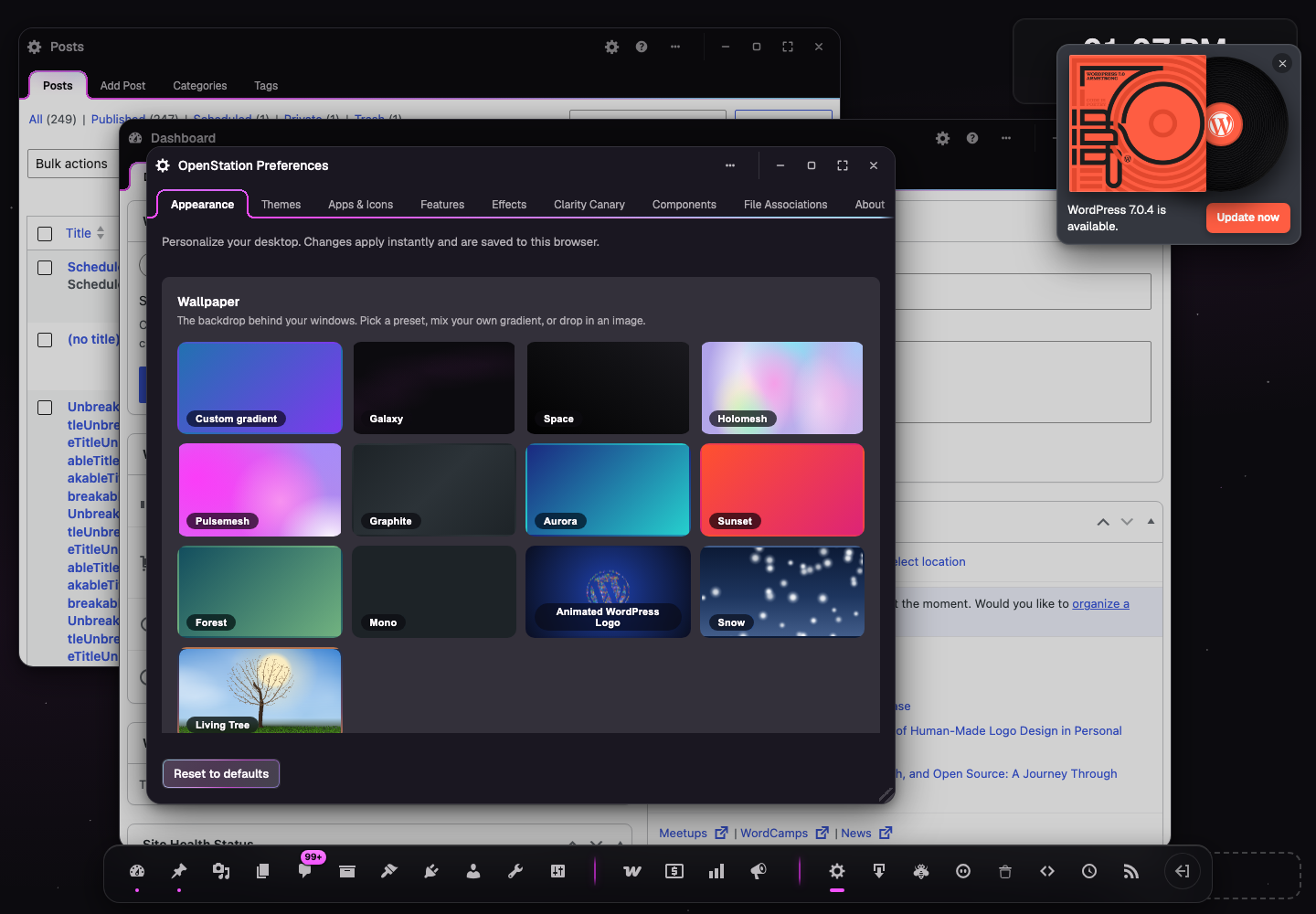
The reset button lives at the bottom of Appearance, but it resets preferences across all of OpenStation. One click can change Appearance, Effects, AI, native-window choices, desktop content, the selected theme, and theme-recommendation history.
There is no confirmation and no undo. It also preserves the underlying Media Library file used for a custom wallpaper, which is sensible but currently unexplained.
How to reproduce
What should change
PR #581 handles the name and explanation. This issue should remain open for confirmation and recovery.