Live-tested with Playwright (headless Chromium, keyboard events, no code-only inference). Part of the #138 audit.
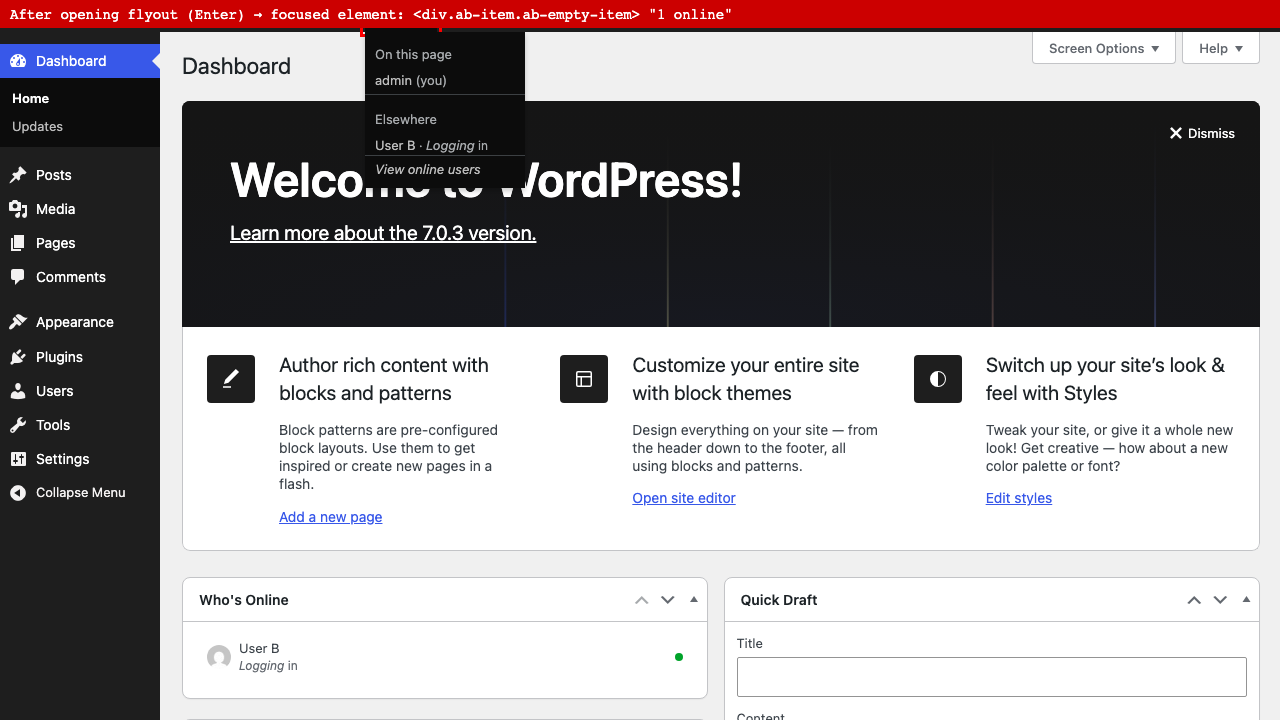
The flyout opens correctly via Enter/Space on the toolbar node. Once open, Tab skips every non-link item (self, "On this page"/"Elsewhere" headers, users without a discoverable screen) and jumps straight to the first real <a> in the flyout.
Before Tab (flyout open, focus on the toolbar node itself):
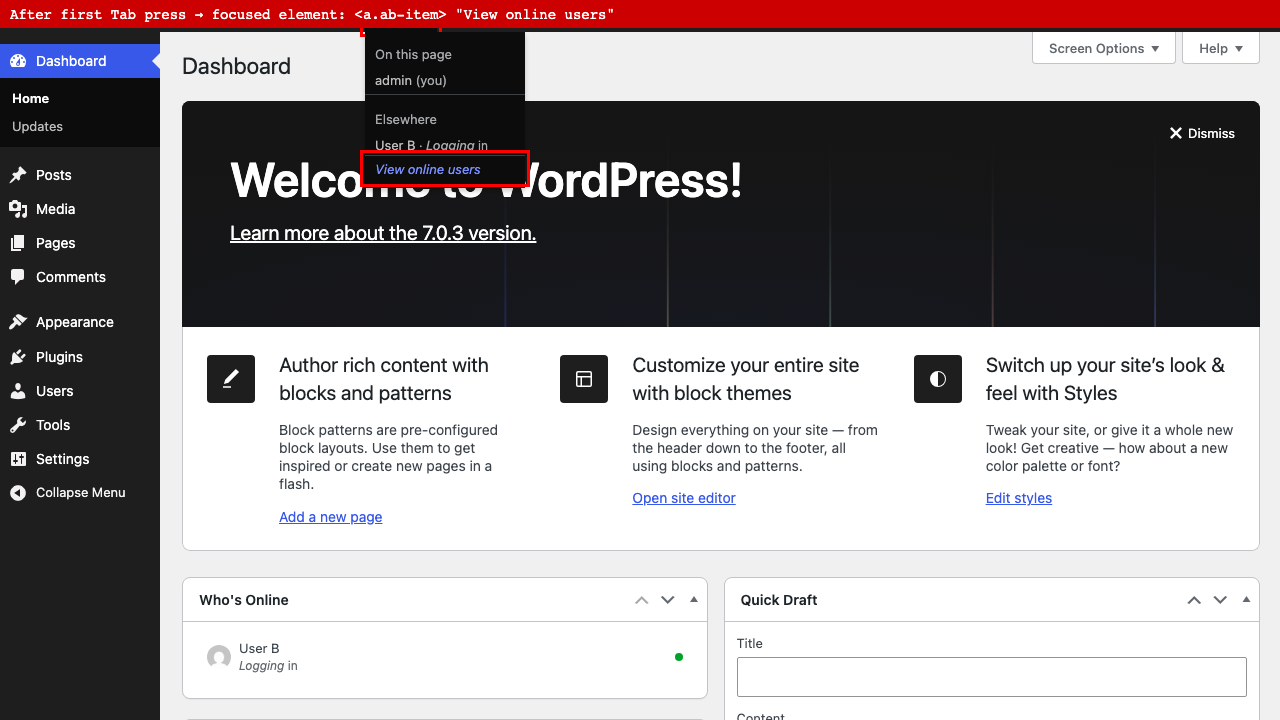
After one Tab press — focus jumps past "On this page," "admin (you)," "Elsewhere," and "User B" straight to "View online users":
A keyboard-only user has no way to read who is online or on which screen; they can only ever reach the one link at the bottom.
Cause: includes/admin-bar.php builds child nodes with href => false for anything without a real destination (self, per-user "here" entries, group headers). WP_Admin_Bar renders those as <div class="ab-item ab-empty-item"> (wp-includes/class-wp-admin-bar.php), which is never in the tab order, unlike <a href>.
Fix direction: give informational-only flyout items a tabindex="-1" (or similar) plus a way for a keyboard user to actually read them in order — e.g. role="none" text nodes read via a wrapping aria-label/aria-describedby on the parent, or restructure so Tab moves through every item in visual order regardless of whether it links anywhere.
Use of AI Tools
AI assistance: Yes
Tool(s): Claude Code
Model(s): Claude Sonnet 5
Used for: Assisting with investigation, live browser verification, and drafting

Live-tested with Playwright (headless Chromium, keyboard events, no code-only inference). Part of the #138 audit.
The flyout opens correctly via Enter/Space on the toolbar node. Once open, Tab skips every non-link item (self, "On this page"/"Elsewhere" headers, users without a discoverable screen) and jumps straight to the first real
<a>in the flyout.Before Tab (flyout open, focus on the toolbar node itself):
After one Tab press — focus jumps past "On this page," "admin (you)," "Elsewhere," and "User B" straight to "View online users":
A keyboard-only user has no way to read who is online or on which screen; they can only ever reach the one link at the bottom.
Cause:
includes/admin-bar.phpbuilds child nodes withhref => falsefor anything without a real destination (self, per-user "here" entries, group headers). WP_Admin_Bar renders those as<div class="ab-item ab-empty-item">(wp-includes/class-wp-admin-bar.php), which is never in the tab order, unlike<a href>.Fix direction: give informational-only flyout items a
tabindex="-1"(or similar) plus a way for a keyboard user to actually read them in order — e.g.role="none"text nodes read via a wrappingaria-label/aria-describedbyon the parent, or restructure so Tab moves through every item in visual order regardless of whether it links anywhere.Use of AI Tools
AI assistance: Yes
Tool(s): Claude Code
Model(s): Claude Sonnet 5
Used for: Assisting with investigation, live browser verification, and drafting