


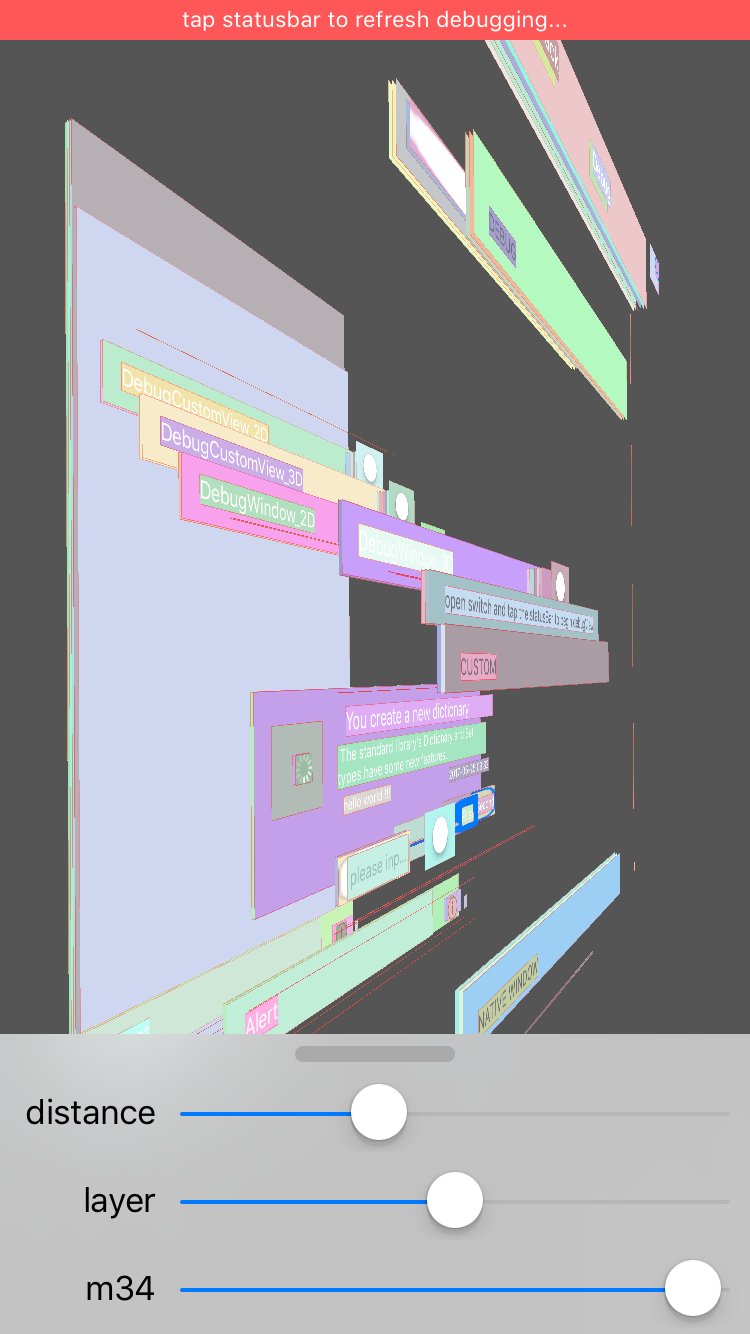
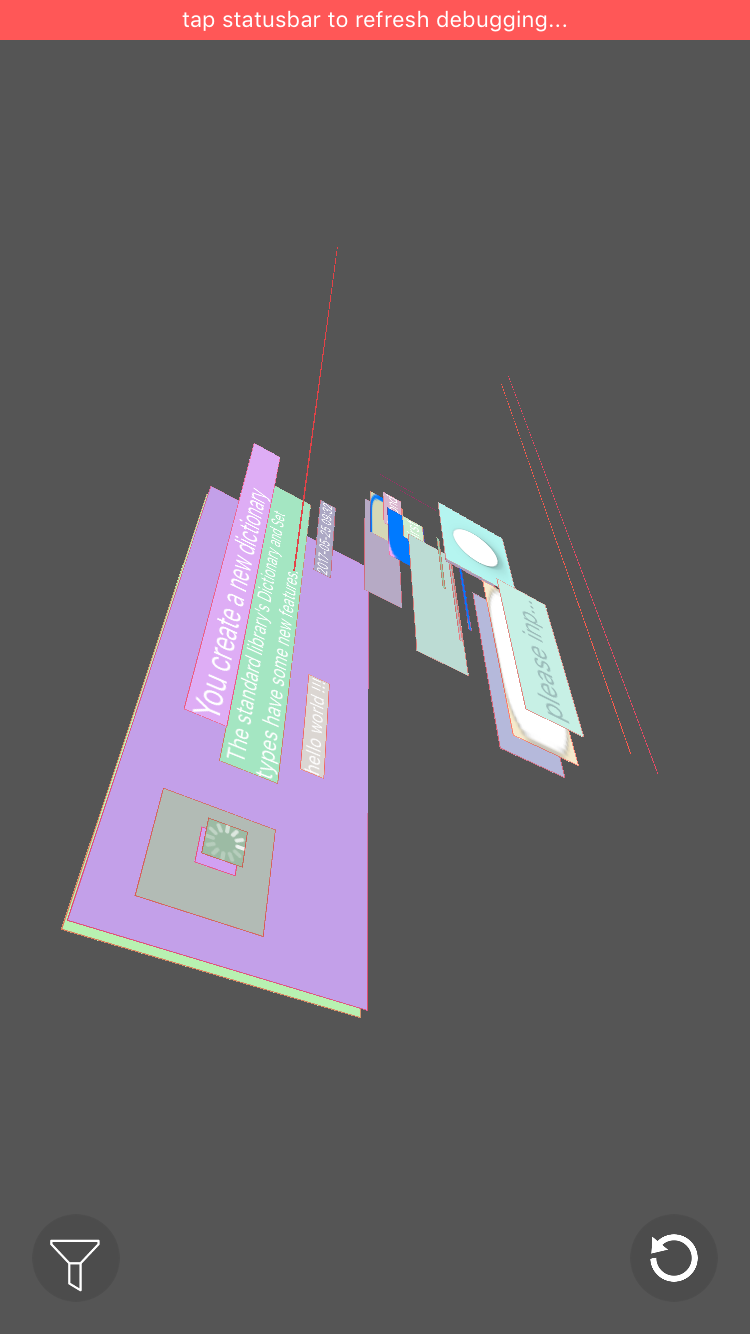
XYDebugView is debug tool to draw the all view's frame in device screen and show it by 2d/3d style like reveal did.


Run in Online iPhone Simulator
Open debug view funtion
tap the red statusBar to show or destroy the debug result
// XYDebugViewManager

/**
 开启debug功能,默认使用XYDebugStyle2D对keyWindow进行debug
 */
+ (void)showDebug;

/**
 debug the keyWindow
 */
+ (void)showDebugWithStyle:(XYDebugStyle)debugStyle;

/**
 debug specific view

 @param View the view to debug layout
 @param debugStyle 2d/3d
 */
+ (void)showDebugInView:(nullable UIView *)View withDebugStyle:(XYDebugStyle)debugStyle;
Close debug view funtion
dismiss red statusBar & remove debugging
// XYDebugViewManager

/**
 close debug function
 */
+ (void)dismissDebugView; 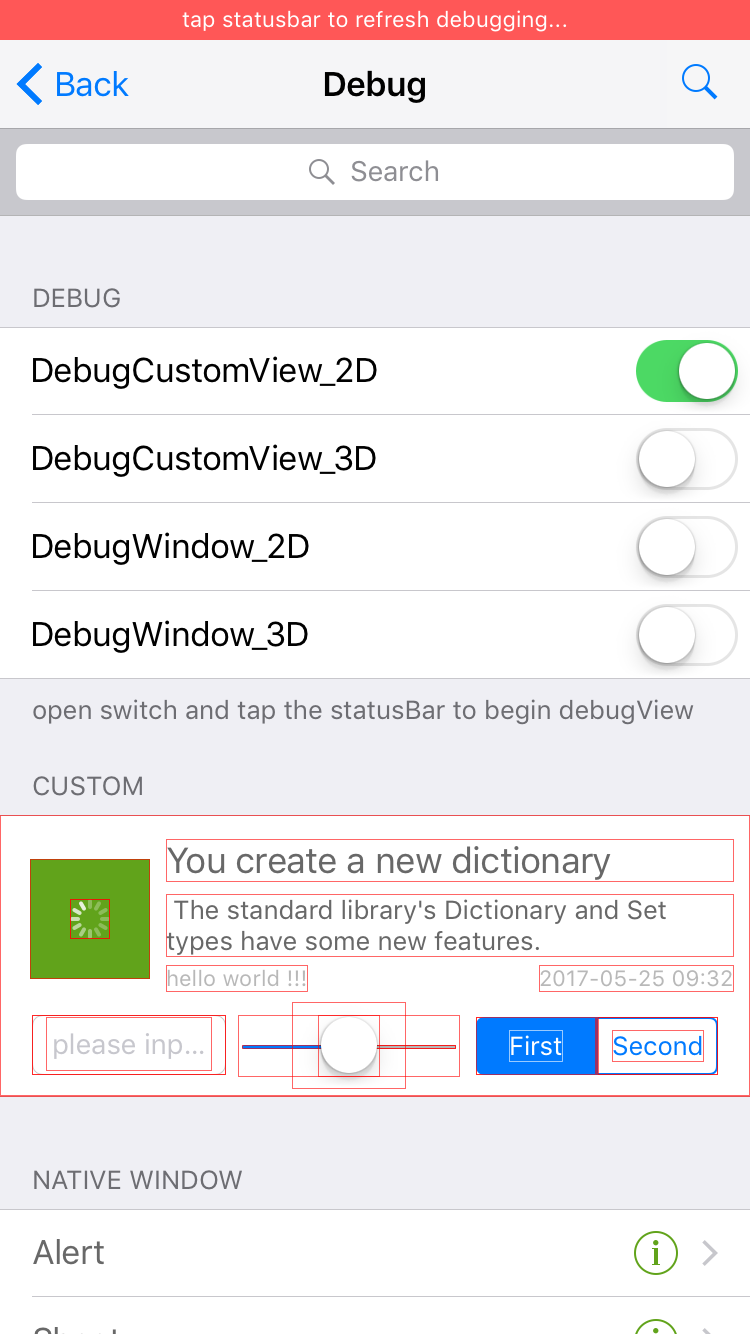
- support gestures
- single touch pan: to rotate view angle
- double touches pan: move the position
- rotation: rotate z axis
- pinch: zoom
- recover to init Transform
- other transform
- change distance between layers (zPosition)
- prominently the specific layer (alpha)
- change perspective effect drawings (m34)



XYDebugView is available through CocoaPods. To install it, simply add the following line to your Podfile:
pod "XYDebugView", '~> 1.0.1'https://zhipingyang.github.io/XYDebugView
XcodeYang, xcodeyang@gmail.com
XYDebugView is available under the MIT license. See the LICENSE file for more info.