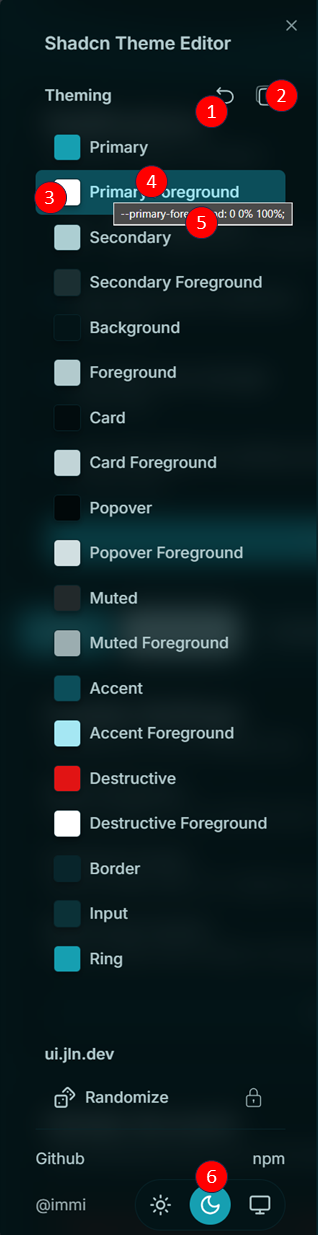
- Click to Reset the Theme.
- Press
⌘ + Clickto delete all themes stored in Local Storage.
- Click to Copy the Current Theme to your clipboard.
- Opens the color picker for the selected theme color.
- Color Name/Title: Displays the name of the color.
- Double-Click: Copy the current color value to the clipboard.
- Hover: Display the current value of the color in a tooltip.