A browser extension that turns Steam browsing into a guessing game! Challenge yourself to guess how many reviews a game has before seeing the actual count.


This extension was directly inspired by this YouTube video by
Jonas Tyroller:

- Navigate to any Steam game store page (e.g.,
https://store.steampowered.com/explore/random/) - The ReviewGuesser interface will appear, hiding the actual review count
- Make your guess by clicking one of the range buttons
- See your results and earn points based on accuracy
- Click "Next Random Game" to continue playing
Install ReviewGuesser ← Link coming soon!
Don't want to wait for the Chrome Web Store? Install it yourself in 3 minutes!
Click the green Code button at the top of this page, then select Download ZIP.
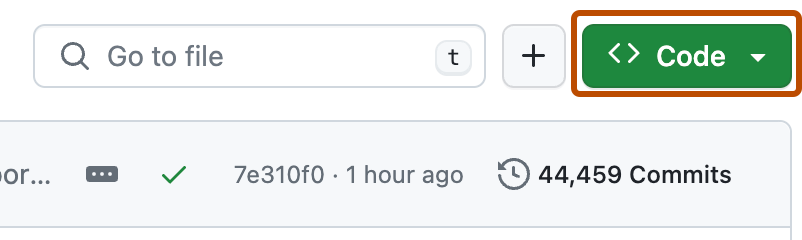
After downloading, unzip the file to a folder on your compute
In Chrome, either:
- Type
chrome://extensions/in your address bar and press Enter, OR - Click the three dots menu (⋮) → Extensions → Manage Extensions
Look for the Developer mode toggle switch in the top-right corner of the page and turn it ON.
Click the Load unpacked button that appears near the top-left after enabling Developer mode.
In the file browser that opens, navigate to and select the reviewGuesser folder you unzipped in Step 1. Click Select Folder.
That's it! 🎉 Visit any Steam game page (try clicking this random game link) and you'll see ReviewGuesser instead of the normal review count.
Troubleshooting:
- Don't see the ReviewGuesser UI? Try refreshing the Steam page after installing
- Extension disappeared after restarting Chrome? This is normal for unpacked extensions - just leave it installed and it will keep working
- Need help? Open an issue
Track your progress with:
- Games Played: Total number of guesses made
- Correct Guesses: How many you got right
- Accuracy: Your success percentage
- Current Streak: Consecutive correct guesses
- Best Streak: Your longest streak ever
- Total Points: Cumulative points earned
Click the 📊 button (bottom-right) to view your stats anytime.
- Open Chrome and navigate to
chrome://extensions/ - Enable "Developer mode" (top-right toggle)
- Click "Load unpacked" and select the
reviewGuesserdirectory - Navigate to any Steam store page (e.g.,
https://store.steampowered.com/explore/random/) - The ReviewGuessr UI should appear where reviews normally display
After code changes:
- Click the refresh icon on the extension card in
chrome://extensions/ - Reload any Steam store page to see updates
View stored stats:
- Open DevTools on a Steam store page (F12)
- Go to Application > Storage > Local Storage > chrome-extension://[extension-id]
- Look for the
statskey containing the JSON object
- Website: ReviewGuesser.com
- Chrome Web Store: Coming soon!
- GitHub: github.com/AndyCarnevale/reviewGuesser
Love ReviewGuesser?
- ⭐ Star this repo
- 🐛 Report bugs
- 💡 Suggest features
- 📢 Share with friends