

Backup and save your contact form emails (including Contact Form 7) to your database with this fast, lightweight plugin (under 140kb in size!)

- Zero setup required - just install and away you go
- Minimalistic - no overbloated features you never use weighing your site down - under 140kb in size!
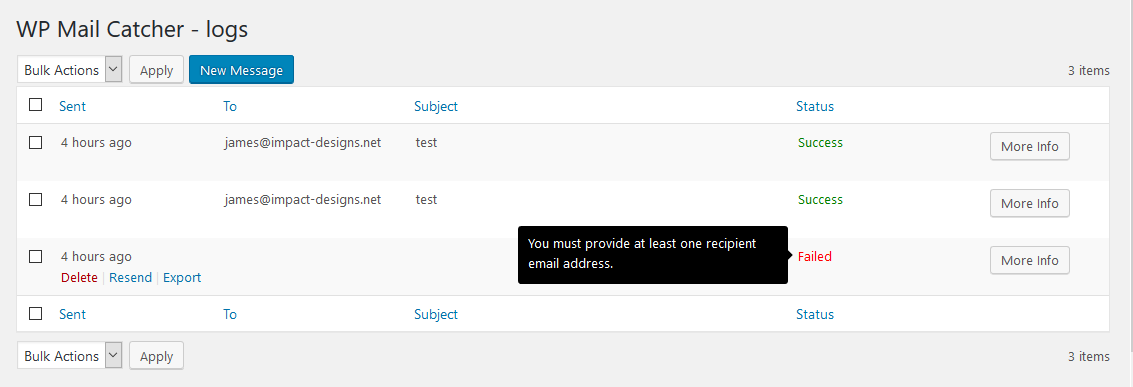
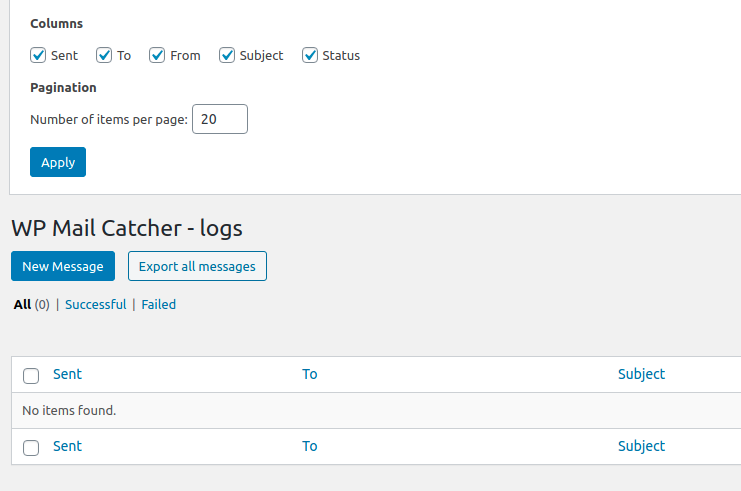
- Bulk export emails to CSV for easy inclusion into Excel or any other program
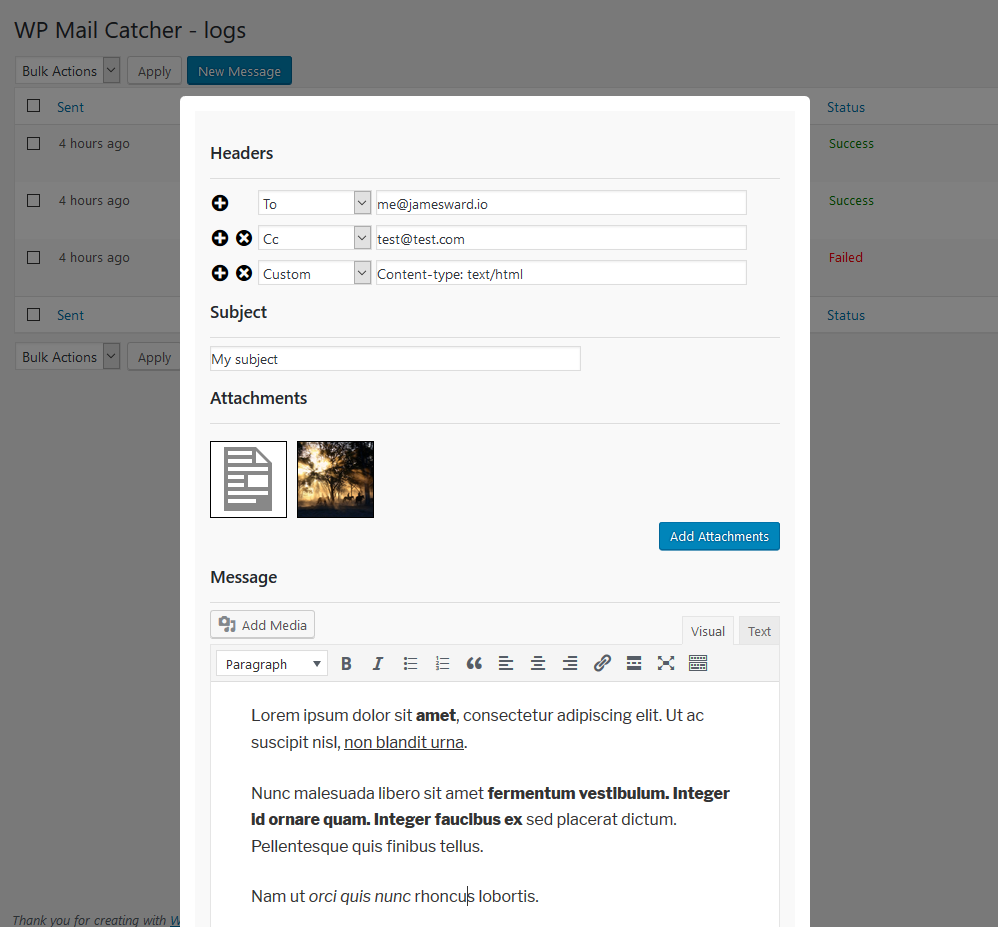
- Compose new emails with the WordPress controls you're already familiar with
- Resend your emails in bulk
- Debugging - see exactly which file and code line was responsible for sending the email, along with any errors encountered
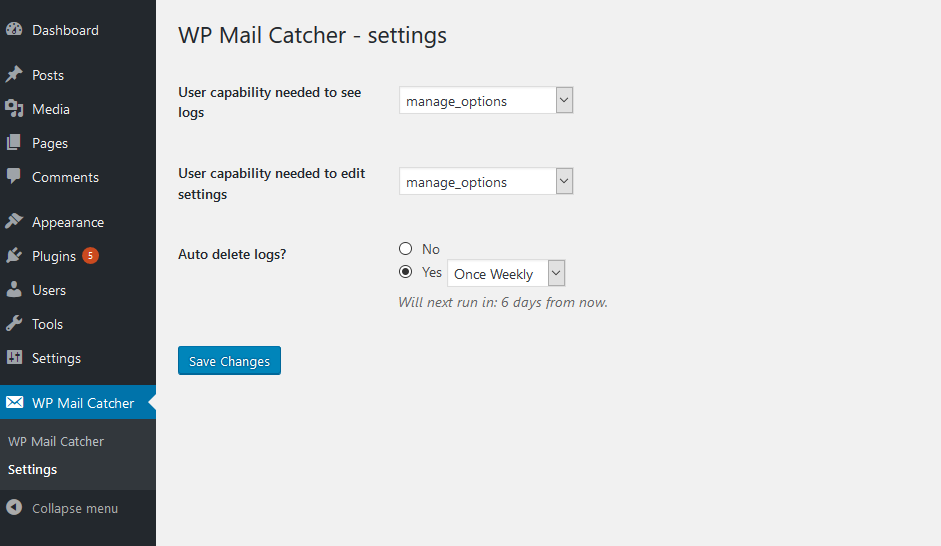
- Manage what user permissions can see the logs
- Routinely have your logs cleared out at a specified time - or keep them forever
- Need to be notified when there's a problem sending your mail? We've got hooks that allow you to do just that
- Completely free
- wp_mail
- WooCommerce
- Contact Form 7
- MailGun
- SparkPost
- Easy WP SMTP (excluding their test email function)
- SendGrid
- BuddyPress
- Anything that uses wp_mail!
- WP Mail Bank (unhooks wp_mail filters)
- Post SMTP (overrides wp_mail function and doesn't implement the same actions/filters)
wp_mail_catcher_mail_successis triggered when a message is sent and logged successfully. It has a single argument that is an array containing the logidrelated to the id in themail_catcher_logsMySQL tabletimerelative, readable time to when the log was savedemail_tothe email address(es) that the message was sent tosubjectthe subject line of the messagemessagethe contents of the messagestatusan integer depicting if the message was sent successfully or not (1 = sent successfully. 0 = sending failed)errorthe error that occurred - if anybacktrace_segmenta json_encoded object that shows which file and line the mail was initially triggered fromattachmentsa list of any attachments that were sent along with the emailadditional_headersa list of any headers that were sentattachment_file_pathsa list of the location of any attachments that were senttimestampa unix timestamp of when the email was sentis_htmla boolean, that will be true if the message is a html email and false if notemail_fromthe from value of the email
wp_mail_catcher_mail_failedis triggered when a message failed to send and logged successfully. It has a single argument that is an array containing the log (same as the arguments forwp_mail_catcher_mail_success)wp_mail_catcher_deletion_intervalsis a filter that should return an array where each key is an amount of time in seconds, and the value is the label. Used to determine when a message has expired and should be deletedwp_mail_catcher_before_success_log_saveis a filter that is called just before a successful log is saved. It has a single argument that is the transformed log that will be saved - use this to alter the log before it's saved. Returningfalsewill stop the log from being saved. Also note that this is fired even when an email has errored, because all logs are initially saved as "successful" before being possibly updated with an error (if applicable). This is because of the way thewp_mailandwp_mail_failedare implemented in WordPress.timea unix timestamp of when the email was sentemail_tothe email address(es) that the message was sent tosubjectthe subject line of the messagemessagethe contents of the messagebacktrace_segmentan array that shows which file and line the mail was initially triggered from
wp_mail_catcher_before_error_log_savetimea unix timestamp of when the email was sentemail_tothe email address(es) that the message was sent tosubjectthe subject line of the messagemessagethe contents of the messagebacktrace_segmentan array that shows which file and line the mail was initially triggered fromerrorthe error that occurred
- Download the repo
- Install Docker and Docker compose
- Allow entrypoint script to be executable
chmod +x ./entrypoint.sh - Run
./entrypoint.sh up - Go to
http://localhost:8080and configure WordPress - Login to the admin panel and activate the plugin
- Run
./entrypoint.sh grunt compileto compile assets - Run
./entrypoint.sh phpunitto run unit tests - Run
./entrypoint.sh phpstanto run static analysis - Run
./entrypoint.sh phpcsto check linting - Run
./entrypoint.sh composer XYZto run composer (replaceXYZwith your composer command)
- Update the WordPress/PHP versions in the
entrypoint.shfile. Ensure the corresponding Docker image exists - Destroy existing containers and their volumes
- Run
./entrypoint.sh up
Let us know in our GitHub tracker!
Contributions are always welcome, to get started do the following:
- Complete "Developing locally steps", make any changes you need
- Ensure unit tests pass (
./entrypoint.sh phpunit) - Ensure static analysis pass (
./entrypoint.sh phpstan) - Ensure code conforms to PSR-12 standard (
./entrypoint.sh phpcs) - Submit your pull request!
See the differences between versions here