Repository navigation
Lidarr API should display the release group cover art from MusicBrainz instead of random release cover art #250
Description
Activity
- changed the title
[-]Albums should default to release group image from MusicBrainz instead of random release[/-][+]Lidarr API should display the release group cover art from MusicBrainz instead of random release cover art[/+]on Jul 22, 2026 Thank you for your report. With the help of @mynameisbogdan we've sorted it out now. You should now be seeing the same image as the Musicbrainz release-group shows.
Reacted by Bogdan and VitorAmazing work. Out of curiosity, where was the fix pushed?
I'm really happy all my albums have the right cover now.
For others reading this, make sure to delete all the cached album covers and force an update of the artists.Edit: don't do this, see @mynameisbogdan's point below
For others reading this, make sure to delete all the cached album covers and force an update of the artists.
Make sure to do nothing like this, Lidarr knows how to download new covers.
@RelicCornhusk Please removing this suggestion, as grabbing changed covers vs downloading everything is going to take longer and increase traffic to CAA, if they're not already cached by Lidarr's image caching service.
Make sure to do nothing like this, Lidarr knows how to download new covers.
Yeah, I only resorted to this because it clearly didn't. Maybe if I waited another day or so? Anyways, I updated my comment.
Where is the code for this portion, just for my education? This repo doesn't seem to have much activity from what I checked on the branches.
Refreshing the artist should fetch the new images.
The metadata server has been rewritten in a new repo which is not yet public. This version is no longer maintained.
Reacted by VitorYeah, I only resorted to this because it clearly didn't. Maybe if I waited another day or so? Anyways, I updated my comment.
You won't see any radical changes at the moment as the API endpoints are still cached by cloudflare, but you'll see them for all albums eventually as they're going to be refreshed or expire in max 30 days (or whatever the TTL is).
Where is the code for this portion, just for my education? This repo doesn't seem to have much activity from what I checked on the branches.
If you're curious, you can see the fix on my fork of the python implementation here.
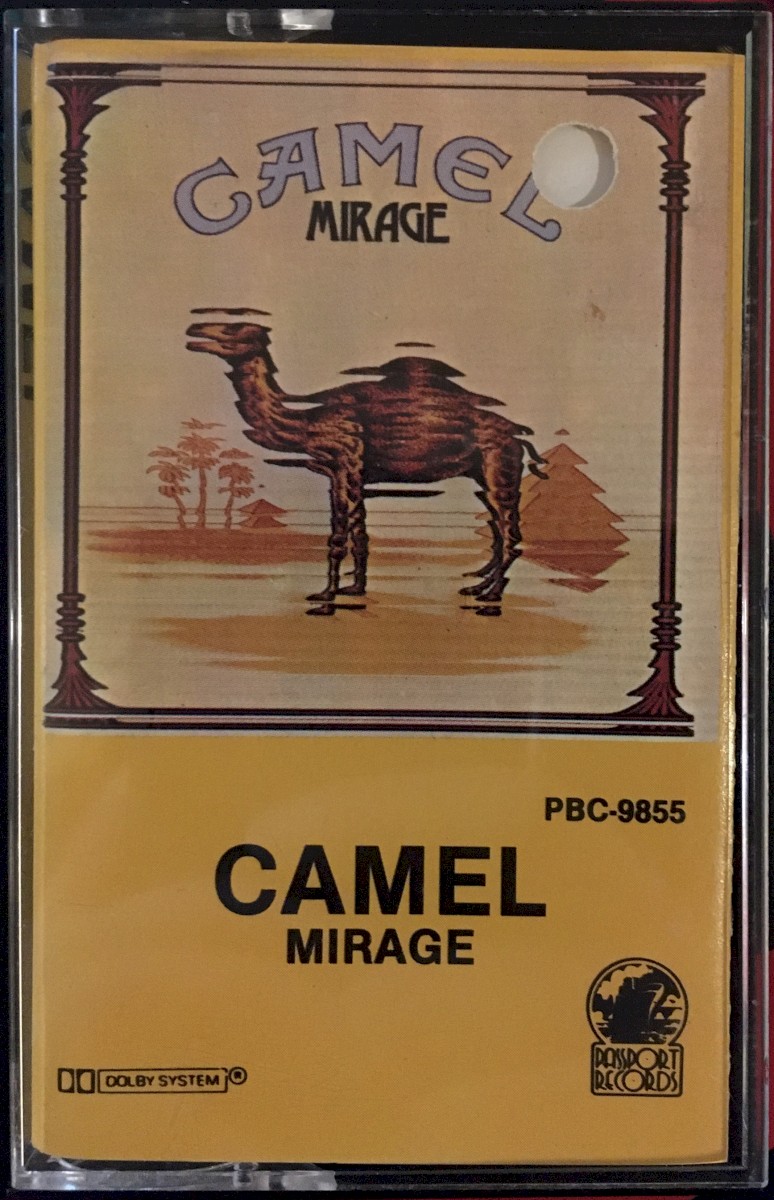
Reacted by VitorThe release group for Camel - Mirage still has the wrong image (https://musicbrainz.org/release-group/e7f41fc7-d659-3d80-b605-205a54367f04) -> (https://api.lidarr.audio/api/v0.4/album/e7f41fc7-d659-3d80-b605-205a54367f04) -> (https://images.lidarr.audio/cache/https://coverartarchive.org/release/a054d403-3961-4646-a633-14864ffe7868/35390970463-1200.jpg)
Or is this not fixed on the v0.4 API yet?Or is this not fixed on the v0.4 API yet?
It was fixed on v0.4, but the issue for this particular release group is that there's no data in cover_art_archive.release_group_cover_art regarding any releases for e7f41fc7-d659-3d80-b605-205a54367f04 (aka release group id 168363).
We used data existence in that table to order them.
@augustuen mynameisbogdan@02437c5 as per CAA.
Fixed, appreciate it
Reacted by Bogdan


Forgive me if I'm saying something that doesn't make sense, I'm new to Lidarr.
Curent Behaviour
I noticed a lot of albums will have the cover set to a random release instead of being the default release group image. One example, if you look up the album "Forever Howlong" from "Black Country, New Road", even before you've started monitoring the album, you will notice it shows the image of a japanese release of the vynil with details about the pressing, instead of simply showing the album art. For reference, here is the album info when you query the release group ID on the lidarr metadata API https://api.lidarr.audio/api/v0.4/album/23a9b1c2-3dd1-408e-89cb-ca0b81429176.
Currently, I don't see a way to force Lidarr to use the release group image instead, which would be what users would want in their digital library 99% of times. It uses whatever comes from the metadata API, which in this case seems to default to the cover art of the first release in the list of releases, leading to some weird results (like low quality scans, or obscure releases). Even after changing the release on the "Edit" menu, it still keeps the same image coming from the metadata API.
Expected Behaviour
If you go to MusicBrainz for this same album (here, you will notice the release group has an image of the album art itself, not of a release, which I believe should be the default for Lidarr before users select which release to monitor/download (or even after they've selected honestly). Lidarr doesn't seem to have much control over the album art, it just gets whatever is on the Metadata API, so I thought here would be the right place to create this issue.