LeakHunter is a lightweight, high-performance, and 100% offline security scanner designed to detect sensitive credentials hidden inside local project files.
Stop secrets from reaching production or version control.
LeakHunter is your final local defense line, ensuring API keys, bot tokens, and environment files stay exactly where they belong — on your machine.


LeakHunter is built for developers, DevOps engineers, and security students who want a fast and private way to audit repositories.
- 🔒 Privacy First — No cloud processing, no API calls, no internet required
- 🔍 Deep Scanning — Recursive directory scanning for hidden leaks
- 🧠 Heuristic Regex — Detects high-entropy strings and known token formats
- 🛡️ Defensive Only — Designed for internal audits and education
- 🤖 AI-Powered Fixes — Intelligent analysis with remediation suggestions
- AI-powered detection for 15+ vulnerability types
- Risk scoring (0–100) with priority recommendations
- Automated and step-by-step security fixes
- Context-aware detection beyond simple regex
- Batch processing for 10,000+ files
- Supports 50+ programming languages
- Memory-optimized to avoid browser crashes
- Smart filtering of non-sensitive files
- 100% offline — zero network requests
- Local processing only
- No data collection
- Fully open-source and transparent
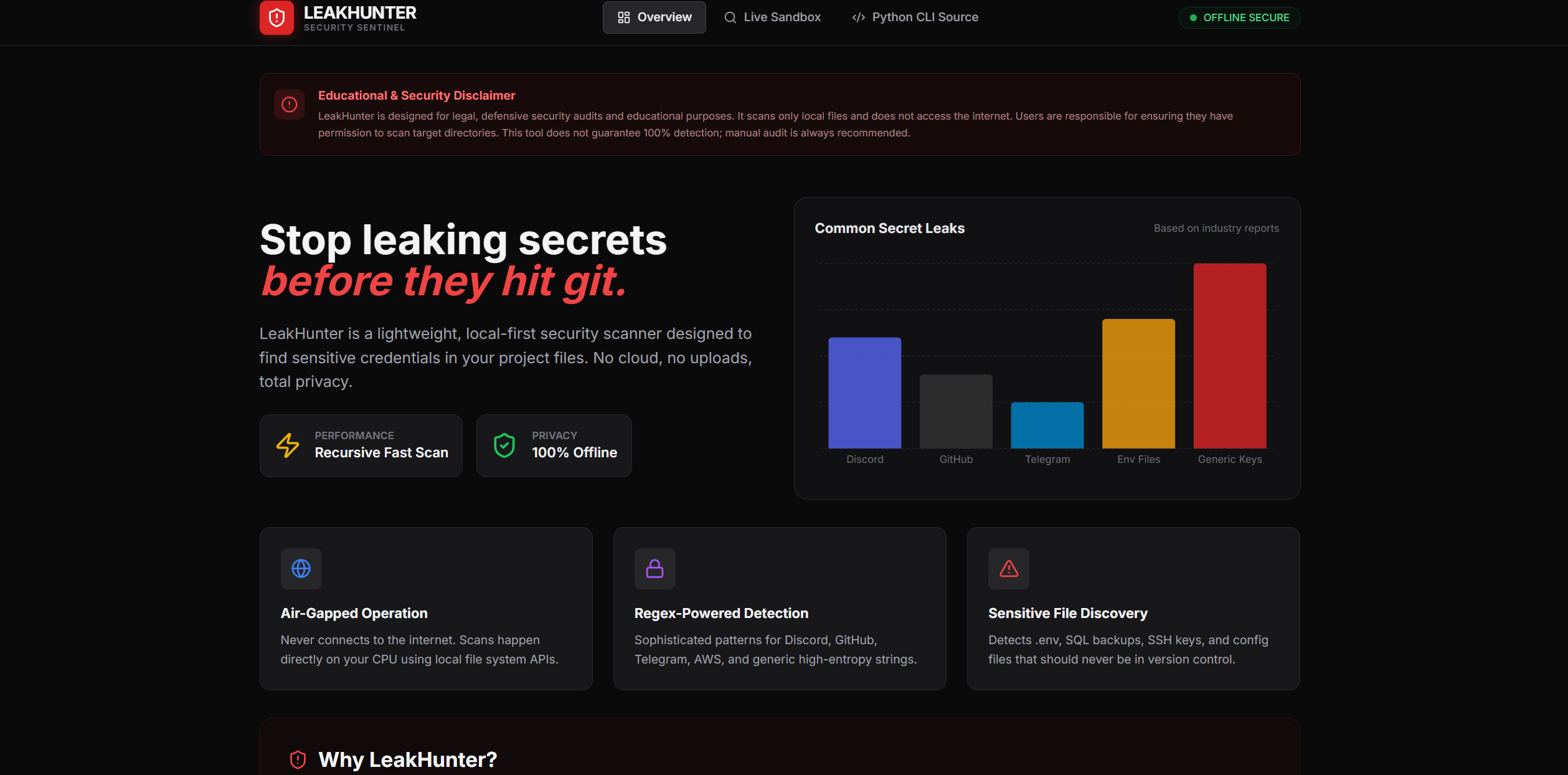
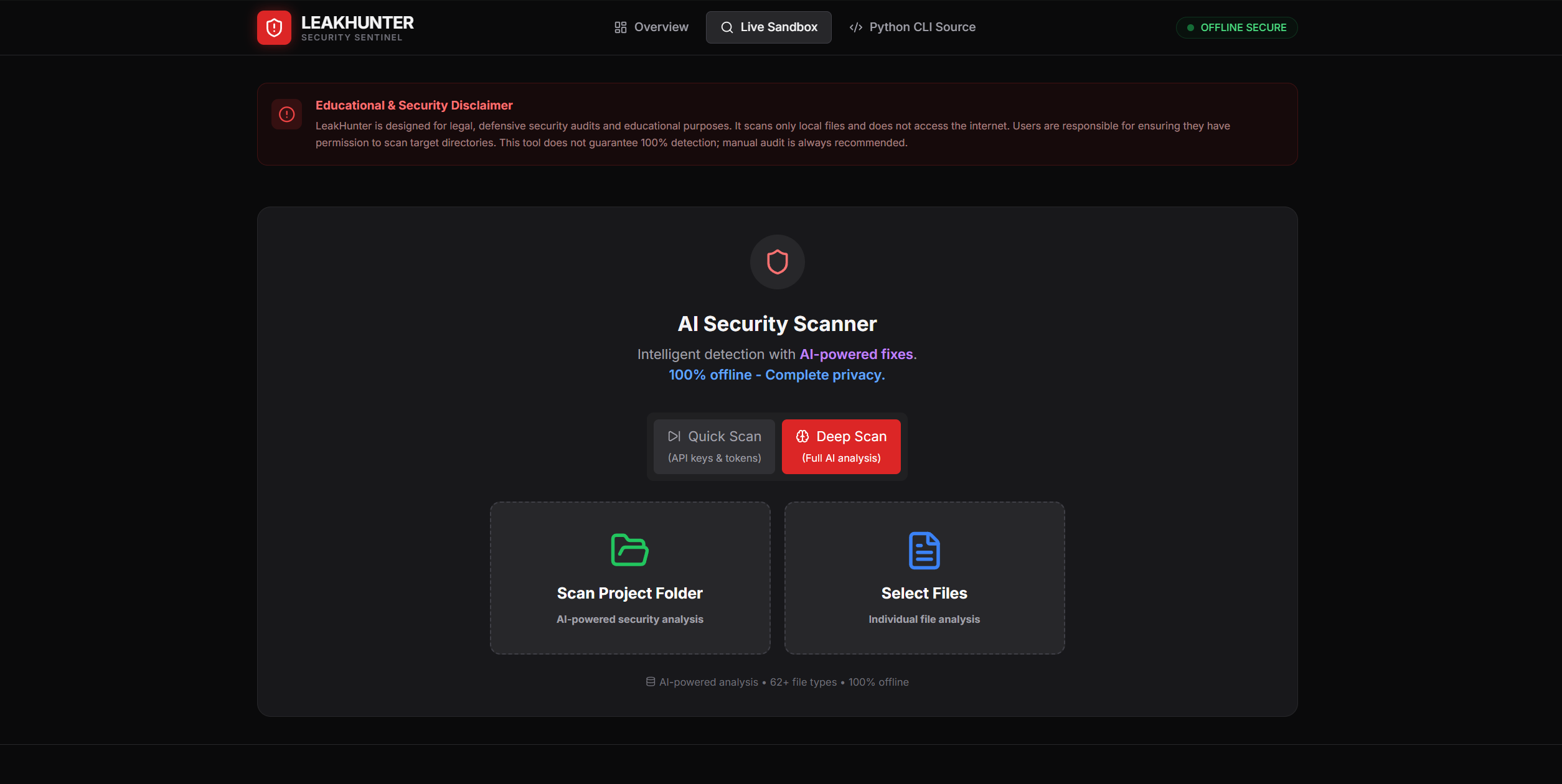
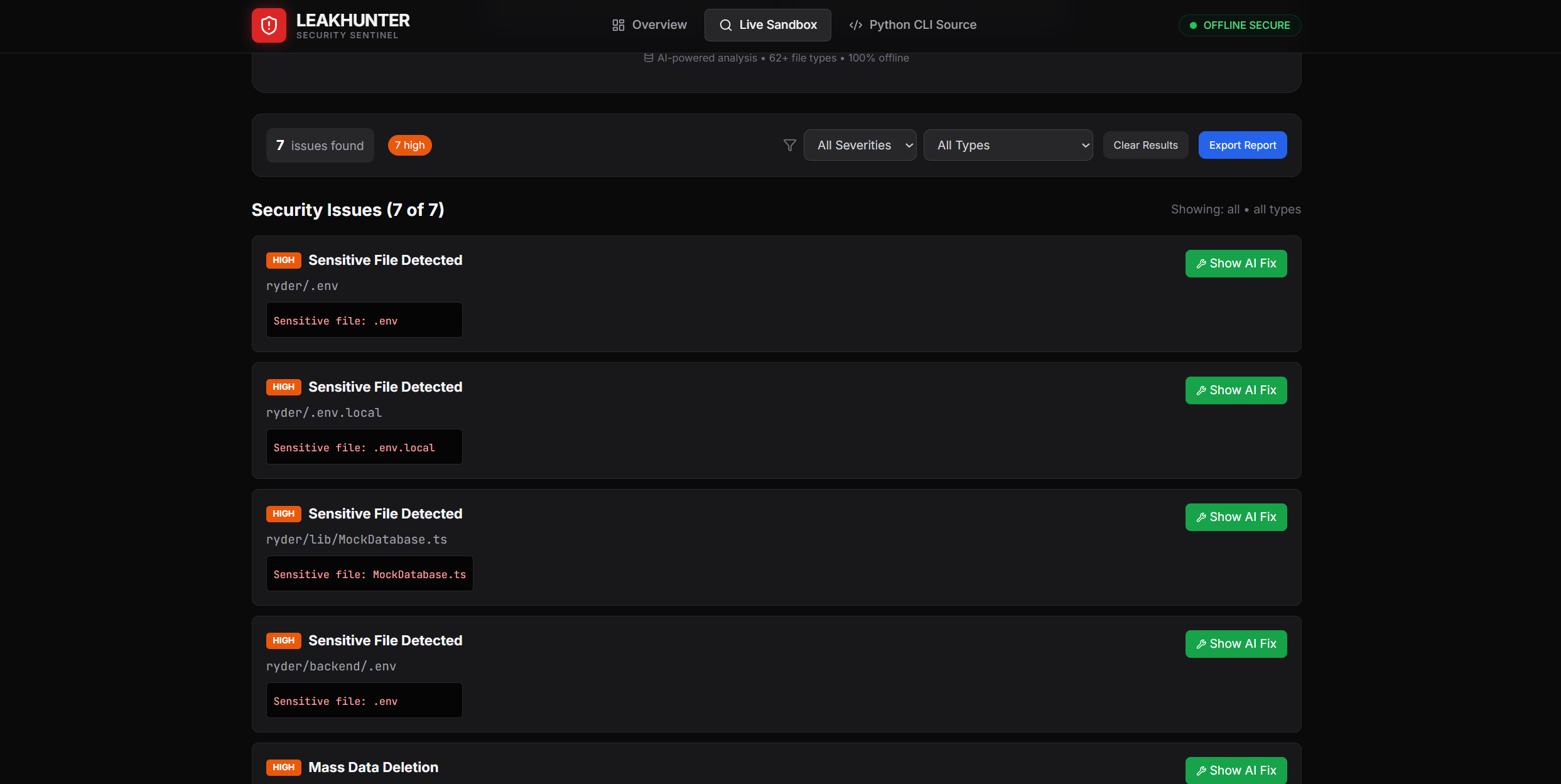
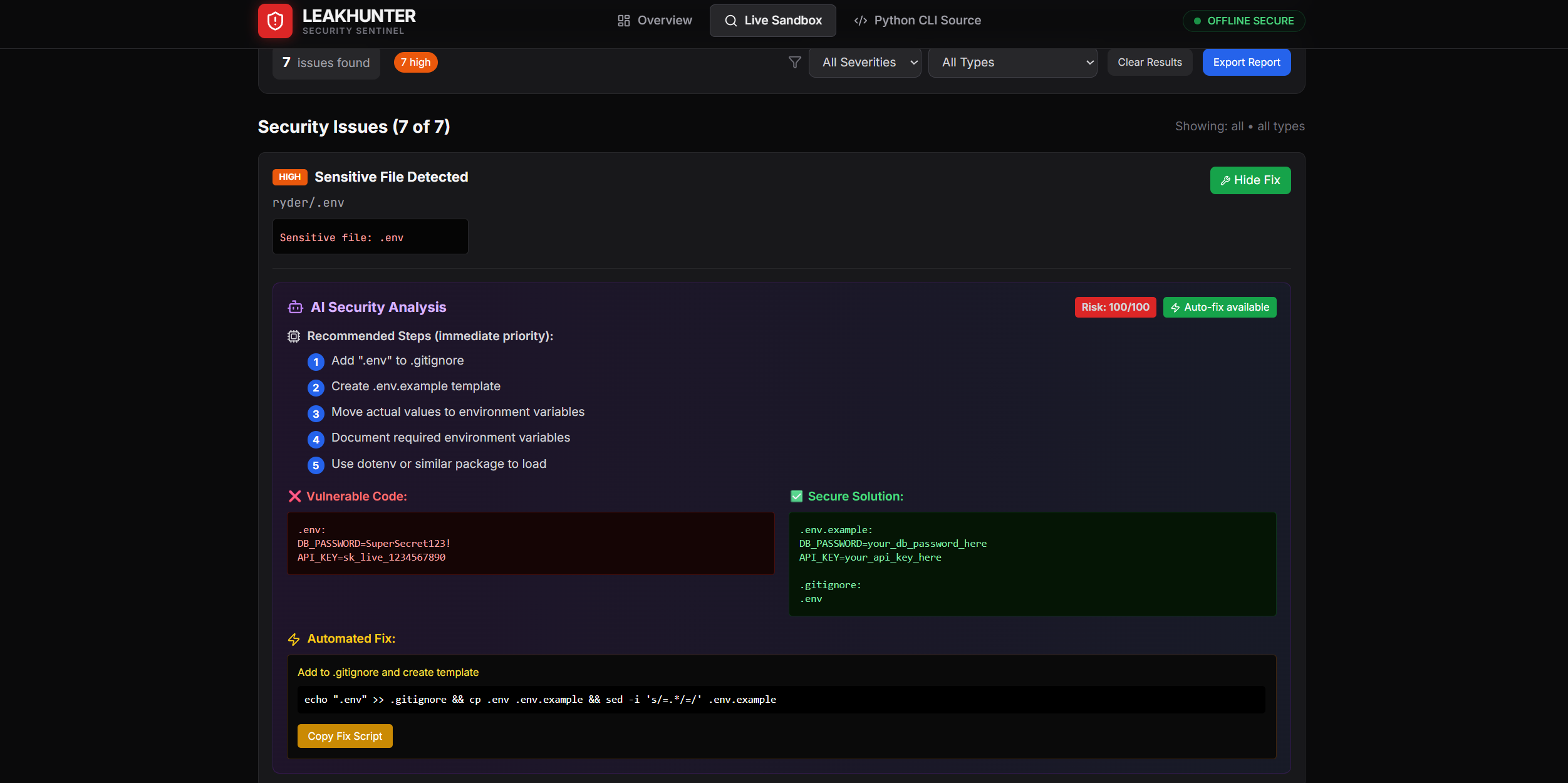
A clear side-by-side comparison showing insecure code patterns alongside secure AI-generated fixes, helping developers quickly understand and remediate security risks.
- Intelligent Discovery — Identifies high-risk files
- Recursive Crawling — Skips irrelevant directories
- Multi-Layer Analysis
- Regex pattern matching
- Semantic context analysis
- AI-based risk scoring
- AI-Powered Reporting
- Vulnerable code snippets
- Secure code examples
- Automated fixes
- Step-by-step remediation guides
| Vulnerability Type | Severity | Auto-Fix | AI Analysis |
|---|---|---|---|
| Discord Bot Tokens | 🔴 Critical | ✅ Yes | ✅ Advanced |
| GitHub PATs | 🔴 Critical | ✅ Yes | ✅ Advanced |
| API Keys | 🟠 High | ✅ Yes | ✅ Advanced |
| .env Files | 🟠 High | ✅ Yes | ✅ Basic |
| Hardcoded Credentials | 🔴 Critical | ❌ Manual | ✅ Advanced |
| JWT Secrets | 🔴 Critical | ✅ Yes | ✅ Advanced |
| Sensitive Files | 🟠 High | ✅ Yes | ✅ Basic |
git clone https://github.com/yourusername/leakhunter.git
cd leakhunter
npm install
npm run dev
Open: http://localhost:3000

🐍 Python CLI Tool
python leakhunter.py --path ./your-project
💻 Usage Examples
Scan Entire Project
Open http://localhost:3000

Click Scan Entire Project

Select your project folder

View AI-powered security analysis

Quick File Scan
Choose Select Files to Scan

Upload files or folders

Get instant feedback

Apply AI-recommended fixes

Severity Filters
🔴 Critical

🟠 High

🟡 Medium

🟢 Low

🏗️ Project Structure
leakhunter/
├── src/
│   ├── components/
│   │   ├── Dashboard.tsx
│   │   ├── FileScanner.tsx
│   │   ├── Header.tsx
│   │   └── CodeOutput.tsx
│   ├── utils/
│   │   └── securityModel.ts
│   ├── types.ts
│   └── constants.ts
├── public/
├── leakhunter.py
├── package.json
└── README.md
🧱 Tech Stack
Frontend

React 19

TypeScript 5.8

Vite 6

Tailwind CSS

Lucide React Icons

Recharts

Backend / CLI

Python 3.6+

No external dependencies

AI Engine

Custom offline security knowledge base

🤝 Contributing
Contributions are welcome ❤️

Fork the repository

Create a feature branch

Make your changes

Add tests if applicable

Submit a pull request

📄 License
MIT License — see the LICENSE file for details.

⚖️ Security & Privacy Disclaimer
LeakHunter is for educational and defensive security use only.

Scan only directories you own or have permission to audit

Detection is not guaranteed to be 100%

Not a replacement for professional audits or penetration testing

The authors assume no responsibility for misuse.

Built with 🛡️ for a safer web.
Happy (and secure) coding!

---

## Desktop App (Windows .exe)

This repo includes an Electron wrapper + `electron-builder` to ship LeakHunter as a Windows installer.

1) Put your taskbar icon here: `assets/icon.png`
2) Unblock Windows-downloaded executables (helps with EPERM): `npm run unblock:win`
3) Build the installer: `npm run package:win`

Output goes to `release/` (e.g. `LeakHunter-Setup-1.0.0.exe`).

If you still see `spawn EPERM` on Windows, it’s usually Defender/AV or “Controlled folder access” blocking `node_modules/.../*.exe` (run PowerShell as Admin and add an exclusion for the project folder).