
Library of User Interface Elements of the Investprojects project
- run console command:
npm install- ready
- Server
- You can use this working environment in an HTTP server like NGinx/Apache by simply placing the project in the webroot of your server.
- You can also use your IDE's LiveServer instead of an HTTP server (this behavior is enabled by default for VSCode).
Here's how stackblitz opened this repository: https://stackblitz.com/~/github.com/Qsppl/no-build-typescript-project
(stackblitz may not work, but this does not mean that the project will not work for you locally.)
No additional actions were required, it just works:
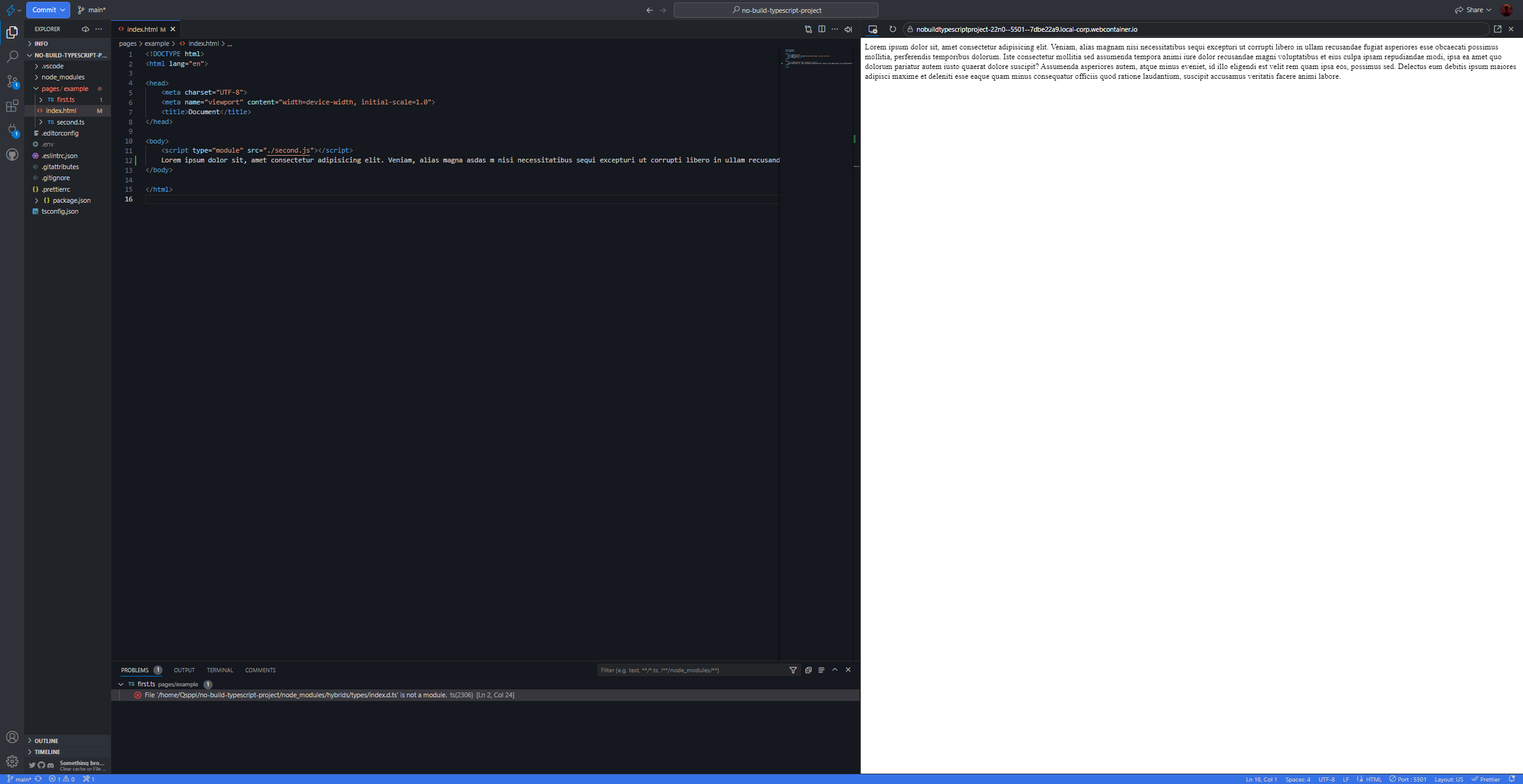
Your project should also just work without any settings.
ES6 Modules, Typescript, Prettier, Live-Server, Docsify
The project root is the same as the HTTP server root, so you can use 'ES6 Modules' to link the code. The IDE will find matching files in the file system and display Intelephence/Typescript/JSDoc hints. The browser will be able to receive files from these paths and display your site correctly without any linking of code and assembling it into bundles.
You can also move your source code to /src, /web, etc, but to do this you will need to change the basePath in .tsconfig so that the IDE will correctly read the new paths.
Just write code, everything works natively.
TS files are compiled into JS files. The path and name of the source and compiled files are identical - this is necessary for native linking of source code using ES6 Modules.
Just write code, everything works natively.
VSCode and JetBrains support typescript building.
The Typescript compiler is located in node_modules/typescript - it will work after running npm install.
If something doesn't work, restart the IDE.
Typescript & Prettier are executed by your IDE, with the built files (my-module.js) placed in the same place as the source code files (my-module.ts), so no path resolution is required. Note that the built my-module.js file and the source code file my-module.ts have different file extensions. However, the browser imports . ts file will cause an error. In order not to rewrite the paths, we initially write the paths to .js files, but the IDE understands that we mean the corresponding file with the .ts extension.
Your IDE sees that the project contains Prettier and formats the code according to the standards defined by Prettier.
Just write code, everything works natively. VSCode and JetBrains support Prettier formatting. If something doesn't work, restart the IDE.
The local HTTP server monitors changes to files in the project and reloads pages opened from it. When you open a project, Live-Server will launch on its own and you will soon be presented with the project's main page.
Just write code, everything works natively.
Live-Server is launched via npm-script serve.
The project is configured so that VSCode itself runs this task.
The executable file is located in node_modules/live-server - it will work after running npm install.
If something doesn't work, restart the IDE.