


English | 简体中文
Documentation · Try the playground · React · Get help
Zero-dependency frequency capping for Web, mini-programs, React Native and Node.js.
fatigue-kit answers one question: should this popup / toast / guide / coupon be shown now?
Compose rules, bring your own UI and storage, and check and count synchronously within one JavaScript context.
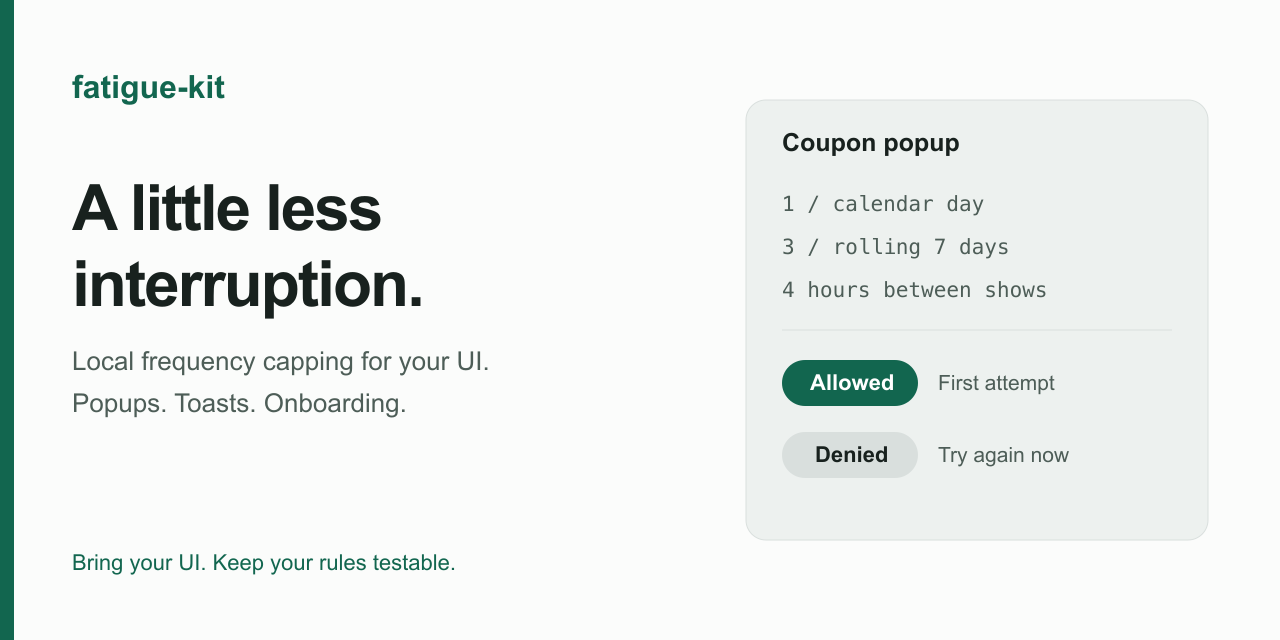
- Composable rules — calendar day / week / month (custom cutoff), sliding window, cooldown, lifetime cap. Stack any number of rules; the strictest wins.
- Synchronous
tryConsume— check and count in one step within a single JavaScript context. Cross-tab and cross-process coordination require a separate solution. - Every environment, on demand — zero-dependency core with storage adapters as subpath exports:
localStorage,sessionStorage, React NativeAsyncStorage, WeChat / Alipay mini-programs, Node.js file. Bundlers ship only what you import. - Testable — inject the clock, inject the storage, inspect and seed records.
- Small & safe — zero runtime dependencies, a versioned self-pruning record format, and corrupt-record recovery. The core measures 2.06 kB minified + Brotli with
npm run size(1.0.1); the CI budget is 3.5 kB using that same compression.
npm install fatigue-kitimport { createFatigue } from 'fatigue-kit'
import { localStorageAdapter } from 'fatigue-kit/adapters/local-storage'
const fatigue = createFatigue({ storage: localStorageAdapter() })
const result = fatigue.tryConsume('coupon-popup', [
{ max: 1, every: 'day' }, // once per calendar day
{ max: 3, window: '7d' }, // at most 3 times in any rolling 7 days
{ cooldown: '4h' }, // at least 4 hours between two showings
])
if (result.allowed) {
showCouponPopup()
}Without a storage option, the engine uses memory and forgets records when recreated. The Web example above uses localStorage to survive reloads. Records belong to your chosen namespace and key; partition keys by user or campaign when needed. tryConsume records an allowed attempt before your UI is shown, so call it close to the display action.
React 18/19 applications can use fatigue-kit-react for explicit actions and key-scoped state subscriptions.
| Environment | Adapter | Import |
|---|---|---|
| Web / H5 (persistent) | localStorageAdapter() |
fatigue-kit/adapters/local-storage |
| Web / H5 (per tab visit) | sessionStorageAdapter() |
fatigue-kit/adapters/session-storage |
| React Native | asyncStorageAdapter(AsyncStorage) |
fatigue-kit/adapters/async-storage |
| WeChat mini-program | weappAdapter() |
fatigue-kit/adapters/weapp |
| Alipay mini-program | alipayAdapter() |
fatigue-kit/adapters/alipay |
| Node.js (persistent) | fileAdapter('./state.json') |
fatigue-kit/adapters/node-file |
| Tests / SSR / default | memoryAdapter() (built in) |
— |
Anything with three synchronous functions is a valid adapter:
import type { SyncStorage } from 'fatigue-kit'
const custom: SyncStorage = { get(key) { … }, set(key, value) { … }, remove(key) { … } }import AsyncStorage from '@react-native-async-storage/async-storage'
import { AppState } from 'react-native'
import { createFatigue } from 'fatigue-kit'
import { asyncStorageAdapter } from 'fatigue-kit/adapters/async-storage'
const handle = asyncStorageAdapter(AsyncStorage)
await handle.ready // hydrate the cache once
const fatigue = createFatigue({ storage: handle.storage })
AppState.addEventListener('change', (state) => {
if (state === 'background') handle.flush() // don't lose the last writes
})Enable 构建 npm in the devtools, then require('fatigue-kit/adapters/weapp') — CommonJS subpaths are shipped for exactly this. No DOM assumptions anywhere in the core.
| Option | Default | Description |
|---|---|---|
storage |
memoryAdapter() |
Any SyncStorage. Built-in adapters report storage failures via onError instead of throwing; wrap your own implementation in try/catch if it can throw |
clock |
system time | { now(): number }, inject in tests |
namespace |
'fatigue-kit' |
Prefix for storage keys |
maxHits |
100 |
Hits kept per record; older ones are pruned |
tryConsume(key, rules)— atomically check and consume. Returns{ allowed, remaining, nextAvailableAt?, deniedBy? }.remainingdescribes the state after the call:remaining === 0means "that was the last allowed consumption".peekreports the current state. Two details:remainingisInfinitywhen no count-based rule applies (e.g. cooldown-only) — beware when JSON-serializing — anddeniedByis the same rule object you passed in, so you can match it with===.peek(key, rules)— same result, without consuming.reset(key?)— forget one key, or all keys (needsstorage.keys()).exportRecord(key)/importRecord(key, record)— inspect and seed records (migrations, debugging).
| Rule | Meaning |
|---|---|
{ max: 1, every: 'day' } |
Once per calendar day (local time) |
{ max: 1, every: 'day', cutoff: '04:00' } |
Calendar day that starts at 04:00 |
{ max: 3, window: '7d' } |
At most 3 in any rolling 7 days |
{ cooldown: '4h' } |
At least 4 hours between two occurrences |
{ max: 5 } |
At most 5 times, ever |
every: 'week' / 'month' / 'year', weekStartsOn |
Calendar periods |
Durations accept '45s' / '30m' / '12h' / '7d' or milliseconds. Calendar math uses local date components, so DST transitions never shift a boundary.
Coming from a legacy { times, date, duration, todayCount } store?
import { migrateLegacyRecord } from 'fatigue-kit/legacy'

const migrated = migrateLegacyRecord(rawLegacyValue)
if (migrated) {
  fatigue.importRecord(key, migrated.record)
  // Keep the old "cooldown after last show" behaviour:
  const rules = [{ max: 1, window: '7d' }]
  if (migrated.cooldownMs !== null) rules.push({ cooldown: migrated.cooldownMs })
}import { createFatigue, memoryAdapter } from 'fatigue-kit'
const clock = { current: 0, now: () => clock.current }
const fatigue = createFatigue({ storage: memoryAdapter(), clock })
fatigue.tryConsume('popup', [{ max: 1, every: 'day' }])
clock.current = Number.MAX_SAFE_INTEGER // travel to the end of time
expect(fatigue.peek('popup', [{ max: 1, every: 'day' }]).allowed).toBe(true)- Check-and-count is atomic within one JS context when storage operations succeed; cross-tab / cross-process races are last-write-wins (a
BroadcastChannel-based mode is on the roadmap). - Calendar rules use device local time; IANA timezone support is planned.
- Await RN hydration and flush pending writes on app-background; termination or storage failures can still prevent persistence.
- Clearing local storage or changing devices resets local history. Lifetime caps apply while the record is retained. Storage failures are reported but can weaken frequency caps; local state is not an authoritative cross-device quota.
The roadmap describes direction, not promised release dates.
- Available — v1.x: packed-package tests, bilingual documentation, website, changelog, roadmap, shareable playground and React 18/19 bindings with Strict Mode, SSR and hydration coverage.
- Exploring: cross-tab coordination (eventual consistency), IANA timezones, explain/debug APIs and asynchronous atomic consumption.
- Later — v2 candidates: shared budgets, priority arbitration, mutual exclusion and visual debugging tools.
- Not planned: distributed server-side rate limiting, an A/B testing platform or remote policy management.
See CONTRIBUTING.md. Design decisions and the full migration plan (中文): docs/design.zh-CN.md.