- Overview
- What resources are deployed?
- Requirements
- Deployment steps
- Limitations
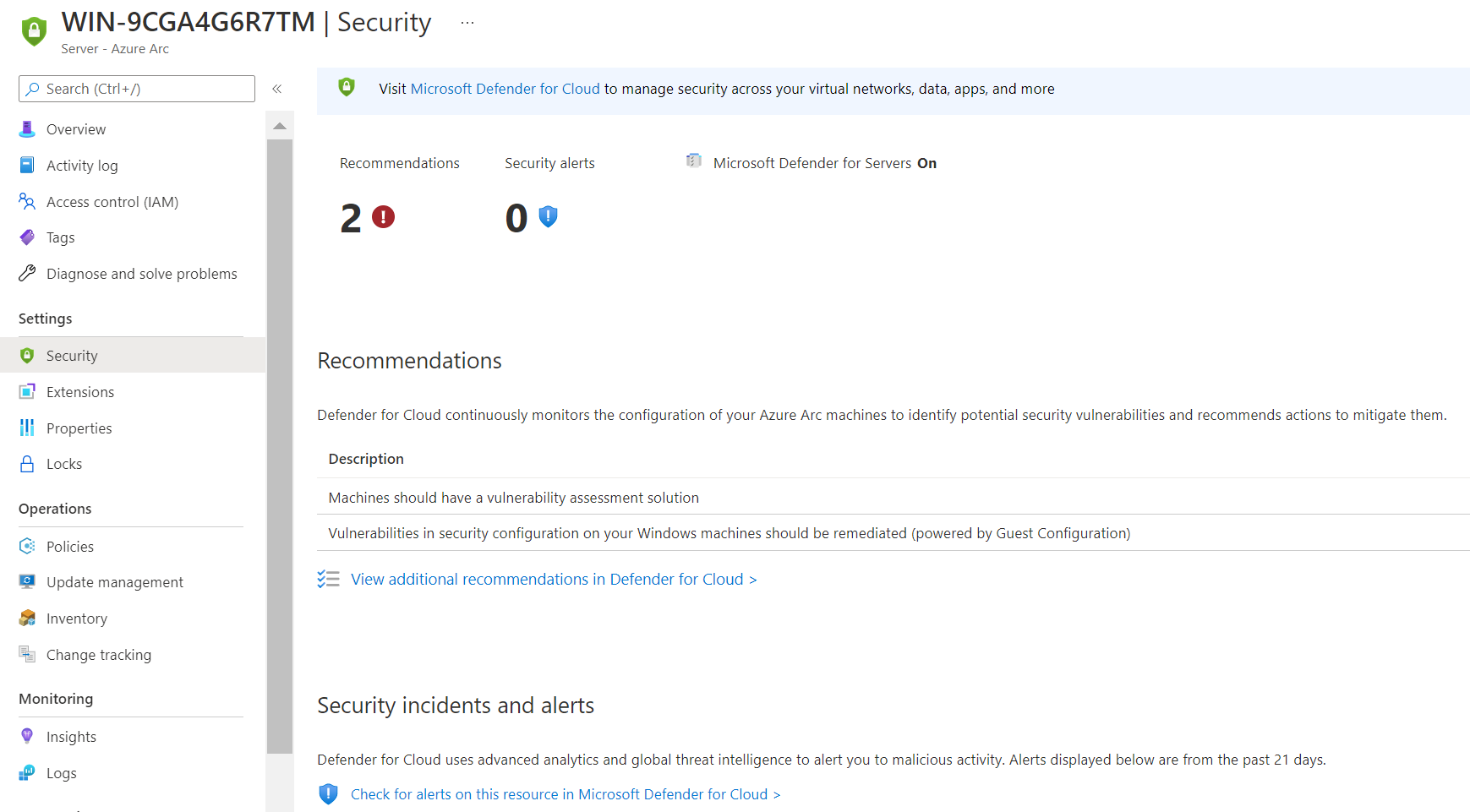
- Screenshots
- References
Azure Arc enables you to manage your entire environment, with a single pane of glass, by projecting your existing non-Azure, on-premises, or other-cloud resources into Azure Resource Manager. The first step is to onboard your on-premises servers into Azure Arc. Once your on-premises servers are onboarded, you can benefit from native Azure services like Azure Policy, Azure Monitor, Azure Automation and Microsoft Defender for Cloud. This project helps you on automating the deployment of these Azure Services.
Note: the Azure Services deployed in this project could also be used for Azure VMs as long as they are connected to the Log Analytics Workspace for Azure Monitor.
- Log Analytics Workspace for Azure Monitor
- Data Sources in the Log Analytics Workspace for Azure Monitor
- Windows Events: System, Application
- Windows Performance Counters: LogicalDisk()% Free Space; LogicalDisk()\Avg. Disk sec/Read; LogicalDisk()\Avg. Disk sec/Write; LogicalDisk()\Current Disk Queue Length; LogicalDisk()\Disk Reads/sec; LogicalDisk()\Disk Transfers/sec; LogicalDisk()\Disk Writes/sec; LogicalDisk()\Free Megabytes; Memory()% Committed Bytes In Use; Memory()\Available MBytes; Memory()\Pages/sec; Network Adapter()\Bytes Received/sec; Network Adapter()\Bytes Sent/sec; Network Adapter()\Bytes Total/sec; Process()% Processor Time; Processor()% Processor Time; System(*)\Processor Queue Length
- Linux Performance Counters: Logical Disk()% Used Inodes; Logical Disk()% Used Space; Logical Disk()\Disk Reads/sec; Logical Disk()\Disk Writes/sec; Logical Disk()\Disk Transfers/sec; Logical Disk()\Free Megabytes; Memory()% Used Memory; Memory()% Used Swap Space; Memory()\Available MBytes Memory; Network()\Total Bytes Received; Network()\Total Bytes Transmitted; Processor()% Privileged Time; Processor(*)% Processor Time
- Syslog: daemon; kern
- VM insights in the Log Analytics Workspace for Azure Monitor
- Automation Account, links it to the Log Analytics Workspace for Azure Monitor, and includes:
- Change Tracking with "Enable on all available and future machines" enabled
- Inventory with "Enable on all available and future machines" enabled
- Update Management with "Enable on all available and future machines" enabled
- Runbook called AutoRemediatePolicyLAAgentAzureArcServers.ps1, that triggers a remediation task for the policies "Configure Log Analytics extension on Azure Arc enabled Windows/Linux servers" and "Configure Dependency agent on Azure Arc enabled Windows/Linux servers" when there are pending resources to be remediated
- Schedule to trigger the runbook once per day at 23:00:00 local time
- Managed Identity with Resource Policy Contributor permissions at subscription/resource group level to trigger the remediation task
- Azure Monitor action group with an email action
- Azure Monitor alerts: heartbeatMissed; logicalDiskAvgDiskSecRead; logicalDiskAvgDiskSecWrite; logicalDiskCurrentQueueLength; logicalDiskFreeSpacePercent; logicalDiskIdleTimePercent; memoryAvailableMBytes; memoryCommitedBytesInUsePercent; memoryPagesPerSec; processorTimePercent; unexpectedSystemShutdown
- Azure Workbooks: AlertsConsole; OSPerformanceAndCapacity; WindowsEvents; WindowsUpdates
- Azure Dashboard that provides a monitoring overview for your Azure Arc-enabled servers
- Azure Policies, with auto-remediation enabled and a system managed identity assigned:
- Configure Log Analytics extension on Azure Arc enabled Windows servers
- Configure Log Analytics extension on Azure Arc enabled Linux servers
- Configure Dependency agent on Azure Arc enabled Windows servers
- Configure Dependency agent on Azure Arc enabled Linux servers
- Configure Arc-enabled machines running SQL Server to have SQL Server extension installed
- Required settings for Microsoft Defender for Cloud & Azure Arc-enabled servers
- Deploys a Log Analyics Workspace for Security data
- Enables the Security insights solution in the Log Analyics Workspace for Security data
- Enables the collection of Security Events in the Log Analytics Workspace for Security data
- Enables Microsoft Defender for Cloud for Servers at subscription level
- Enables the notification settings at subscription level
Note: for Microsoft Sentinel deployment, please, refer to the project Azure Sentinel All In One (https://github.com/Azure/Azure-Sentinel/tree/master/Tools/Sentinel-All-In-One). You could deploy it on the previous Log Analytics Workspace for Security Data.
- Tested in Powershell 5.1 and Azure Az 7.0.0 PowerShell module
- Azure Permissions: Owner
- Role required to assign the Resource Policy Contributor role to the Automation Account managed identity
- Required at subscription level if Microsoft Defender for Cloud is deployed. Otherwise, at resource group level
- Azure AD Permissions: User
- Provide the required parameters in the Parameters.csv file:
- Subscription: name of your Azure Subscription
- ResourceGroup: name of an existing or new resource group where the framework is deployed
- NamingPrefix: three letters lowercase prefix used in the name of the deployed resources
- Location: Azure Region where the framework is deployed
- Email: email account used in the Action Group for alerts and in the Microsoft Defender for Cloud notification settings
- Scope: scope at which the Azure Policies and the Automation Account managed identity permissions are assigned. Allowed values: "subscription", "resourcegroup"
- SecurityCollectionTier: SecurityEvent logging level. Allowed values: "All", "Recommended", "Minimal", "None"
- Open PowerShell and change your working directory to the project directory
- Run Login-AzAccount
- Run DeployAzureArcServices.ps1
Note: you can enable/disable what's deployed in this framework by using the deployment variables within DeployAzureArcServices.ps1.
- The following two Azure Policies will not work if the servers already have a connection to a Log Analytics workspace (multi-homing is not supported in the MMA extension)
- Configure Log Analytics extension on Azure Arc enabled Windows servers
- Configure Log Analytics extension on Azure Arc enabled Linux servers
- The framework does not deploy a second log analytics connection from the Azure Arc-enabled servers to the Security Log Analytis Workspace. (Work in Progress)



- Azure Arc-enabled servers: https://docs.microsoft.com/en-us/azure/azure-arc/servers/
- Azure Arc Jumpstart: https://azurearcjumpstart.io/
- Jumpstart ArcBox: https://azurearcjumpstart.io/azure_jumpstart_arcbox/