
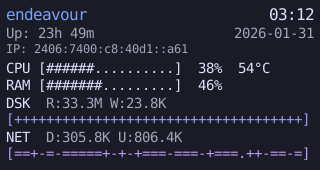
Front-panel display and LED control for mini PCs with HT32-based LCD and RGB LEDs (Skullsaints Agni, AceMagic S1, etc.).
| ASCII | Arcs | Clocks |
|---|---|---|
 |
 |
 |
| Digits | Professional |
|---|---|
 |
 |
| Arcs | Clocks | Digits |
|---|---|---|
 |
 |
 |
| ASCII | Professional |
|---|---|
 |
 |
Faces support color themes: Ember, Hacker, Nord, Solarized Dark, Solarized Light, and Tokyo Night.
Complications are optional display elements: Time, Date, IP Address, Network activity, Disk I/O, CPU Temperature, and Hostname.
- Daemon (
ht32paneld): D-Bus service with HTMX web UI - CLI (
ht32panelctl): D-Bus client for daemon control - Applet: System tray for GNOME/KDE
- Web UI: Monitor and control the panel from a browser
| Component | Interface | Details |
|---|---|---|
| LCD Display | USB HID | VID:PID 04D9:FD01, 320x170 RGB565 |
| LED Strip | Serial | CH340, 10000 baud |
Download the latest release from GitHub Releases.
chmod +x ht32-panel-*-x86_64.AppImage
./ht32-panel-*-x86_64.AppImagetar -xzf ht32-panel-*-x86_64-linux.tar.gz
./ht32paneld config/default.toml{
inputs.ht32-panel.url = "github:ananthb/ht32-panel";
}{ inputs, ... }:
{
imports = [ inputs.ht32-panel.nixosModules.default ];
services.ht32-panel = {
enable = true;
};
}Run the daemon as a user service with the session D-Bus bus.
Add the input to your flake:
{
  inputs.ht32-panel.url = "github:ananthb/ht32-panel";
}In your Home Manager configuration:
{ inputs, ... }:
{
  imports = [ inputs.ht32-panel.homeManagerModules.default ];

  services.ht32-panel = {
    enable = true;
    applet.enable = true;  # optional system tray applet
  };
}
For hardware access, also add to your NixOS configuration:
{ inputs, ... }:
{
  imports = [ inputs.ht32-panel.nixosModules.udevRules ];

  services.ht32-panel.udevRules = {
    enable = true;
    group = "users";  # grant access to users group
  };
}nix run github:ananthb/ht32-panelgit clone https://github.com/ananthb/ht32-panel
cd ht32-panel
cargo build --release# Start daemon
ht32paneld config/default.toml
# CLI (requires daemon)
ht32panelctl lcd orientation landscape
ht32panelctl led set rainbow --intensity 3 --speed 3The daemon includes a web UI for monitoring and controlling the panel.
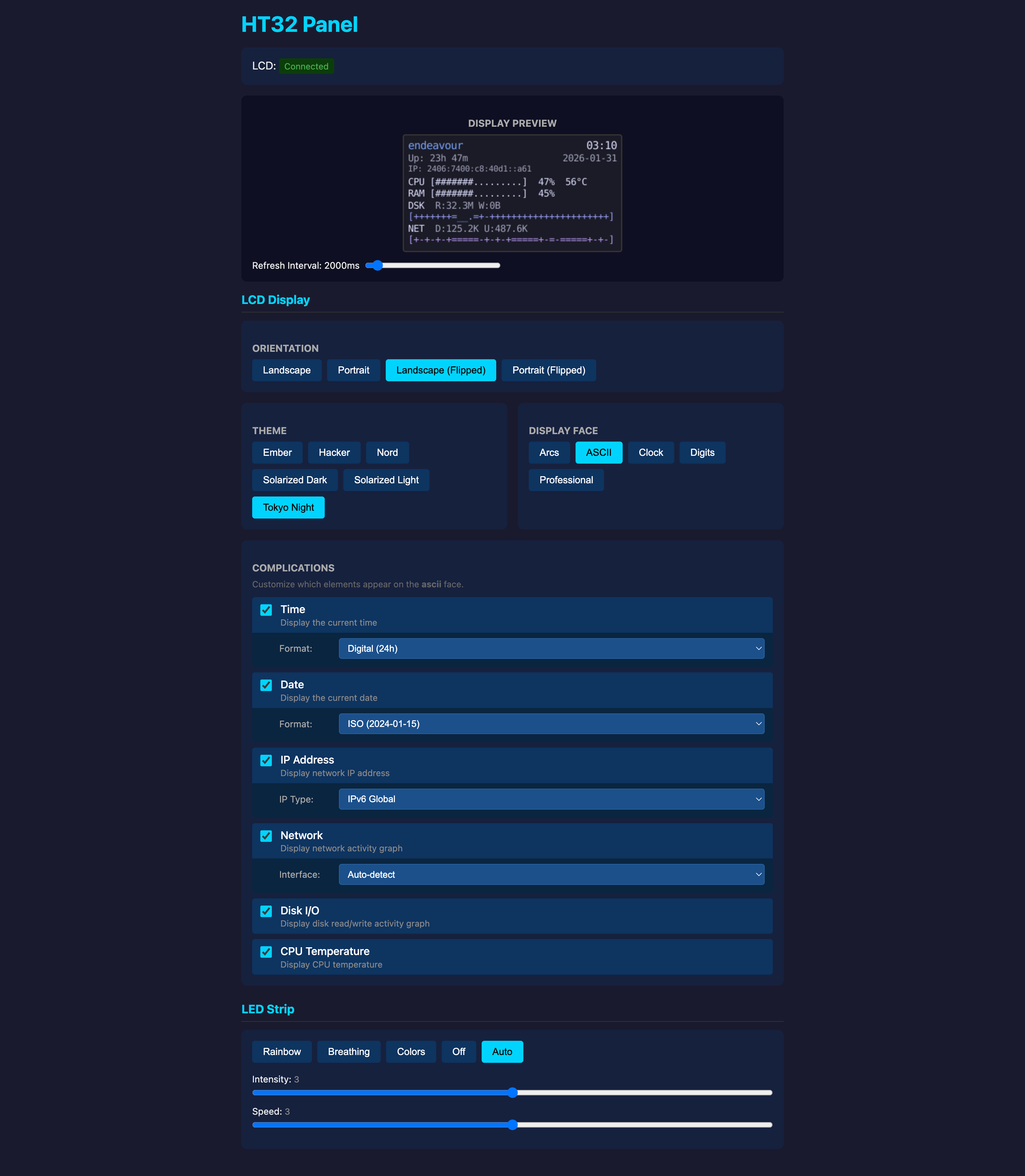
To enable the web UI, set web.enable = true in the config file.
The daemon exposes org.ht32panel.Daemon1. By default:
- NixOS module: Uses the system bus
- Home Manager module: Uses the session bus
Configure with services.ht32-panel.dbus.bus ("system", "session", or "auto").
My thanks for the ideas and source code from github.com/tjaworski/AceMagic-S1-LED-TFT-Linux.
ht32-panel is licensed under the terms of the AGPL license. See LICENSE for the full license text.
Copyright © Ananth Bhaskararaman 2026