

Summarise YouTube videos in your terminal. Local-first, zero runtime dependencies, bring your own OpenAI-compatible API key.
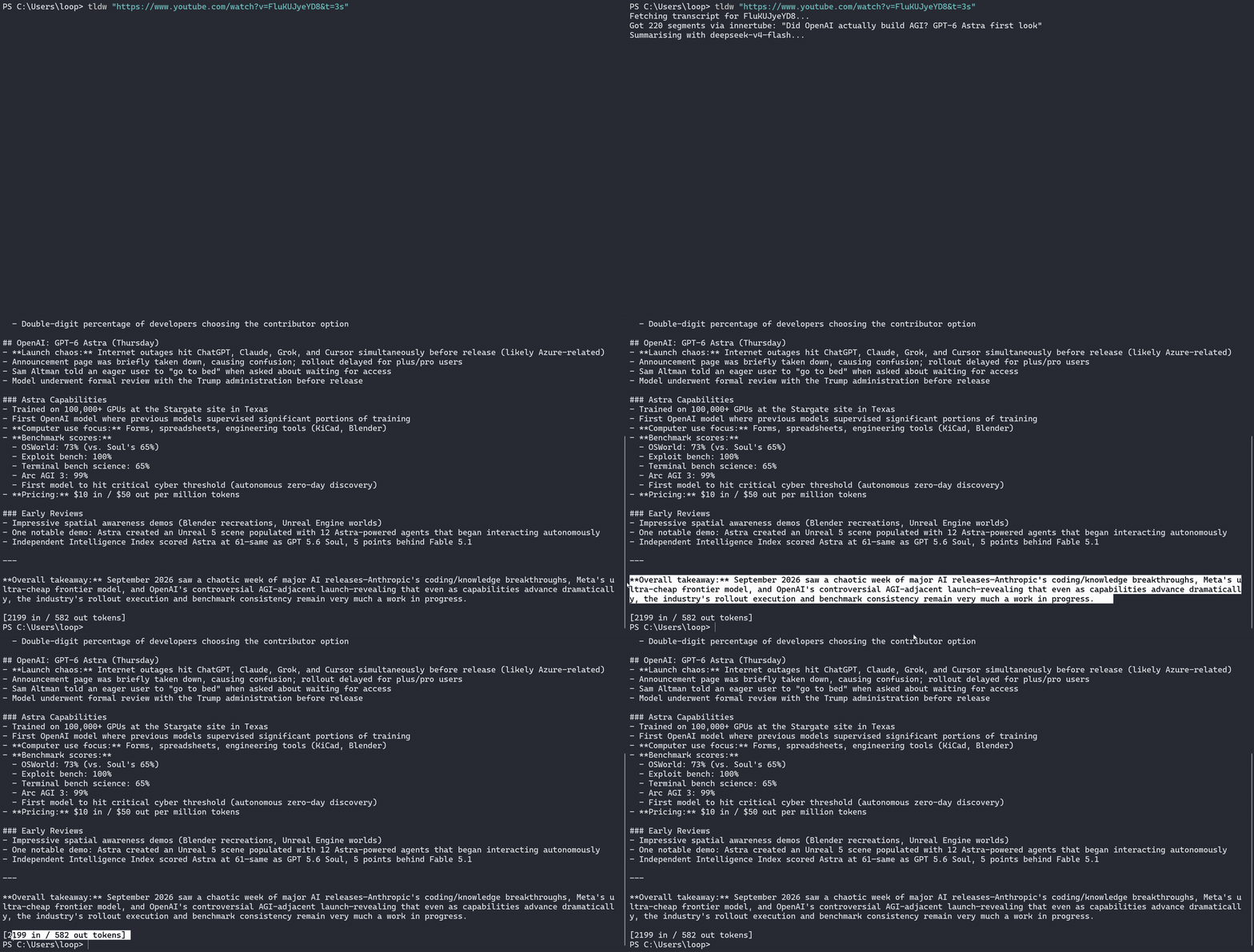
Most videos are a two-minute read stretched over twenty minutes of footage. TLDW fetches the transcript and gives you the TL;DR, or the whole thing rewritten as clean, readable prose.
- Local-first: runs entirely on your machine, on your own IP and your own LLM API key. No accounts, no telemetry, no middleman server.
- Zero dependencies: the published package ships with no runtime dependencies at all.
- Provider-agnostic: works with any OpenAI-compatible API. Use NeuralWatt (cheap open models, energy-based pricing), OpenRouter, or anything else that speaks
/chat/completions.
npm install -g @angusgee/tldwRequires Node 18.17+. Installs the tldw command.
TLDW reads three settings. Only the API key is required:
TLDW_API_KEY=sk-...                            # required for summaries
TLDW_BASE_URL=https://api.neuralwatt.com/v1    # default; any OpenAI-compatible URL works
TLDW_MODEL=deepseek-v4-flash                   # default, recommended - fast, cheap, smart
There are three ways to supply them. If the same setting appears in more than one place, real environment variables win, then a local .env, then the global file.
Option 1: global config file (recommended). Create ~/.tldw.env once and tldw works from any directory:
# macOS / Linux
echo "TLDW_API_KEY=sk-..." > ~/.tldw.env
# Windows PowerShell
Set-Content "$HOME\.tldw.env" "TLDW_API_KEY=sk-..."Option 2: local .env file. Put a .env in the directory you run tldw from. Handy for trying a different provider or model in one project without touching your global config:
TLDW_API_KEY=sk-or-...
TLDW_BASE_URL=https://openrouter.ai/api/v1
TLDW_MODEL=anthropic/claude-haiku-4-5
Option 3: environment variables. Standard shell configuration, and it overrides both files:
# macOS / Linux (add to your shell profile to persist)
export TLDW_API_KEY=sk-...
# Windows PowerShell (persists for your user account)
[Environment]::SetEnvironmentVariable("TLDW_API_KEY", "sk-...", "User")tldw <url-or-video-id> # stream a TL;DR summary
tldw <url> --full # also rewrite the full transcript as clean prose
tldw <url> --transcript # raw transcript only - no LLM call, no key needed
tldw <url> --save # write .json/.txt/.md files to ./outputs
tldw <url> --json # machine-readable output for piping
tldw <url> --lang de # prefer a caption language
tldw <url> --model x --base-url y # per-run provider overridesQuote the URL. YouTube links often carry extra parameters (&t=3s, &list=...), and an unquoted & is a shell operator in every shell — PowerShell and bash will split the command and background half of it before tldw ever runs. Quoted, tldw handles any URL shape and extracts the video id itself.
Two layers, tried in order:
- YouTube's InnerTube player API (Android client), the same data the apps use
- Caption tracks from the watch page's embedded player response
Both are plain fetch calls from your machine, on your IP, for the single video you asked about. TLDW runs no external programs, scrapes nothing in bulk, and writes nowhere but your own disk, and then only with --save.
TLDW is an independent open-source tool for personal use. It is not affiliated with or endorsed by YouTube or Google. It accesses only publicly available caption data, for individual videos, at your explicit request. Whether that use is permitted under YouTube's Terms of Service in your situation is your responsibility, as with tools like yt-dlp. Summaries are generated by whichever LLM you configure and may contain mistakes.
npm install
npm test          # vitest unit tests
npm run dev -- <url> --transcript
npm run build
MIT © Angus Girvan