A tiny, zero-dependency meme generator for coding agents and CI. No API
key, no signup, stdlib-only — it wraps the free
memegen.link API and hands back a public image URL you
can embed anywhere with .

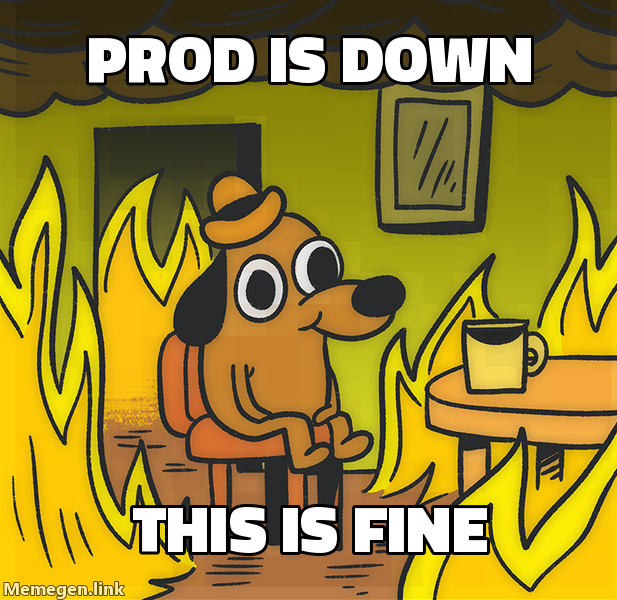
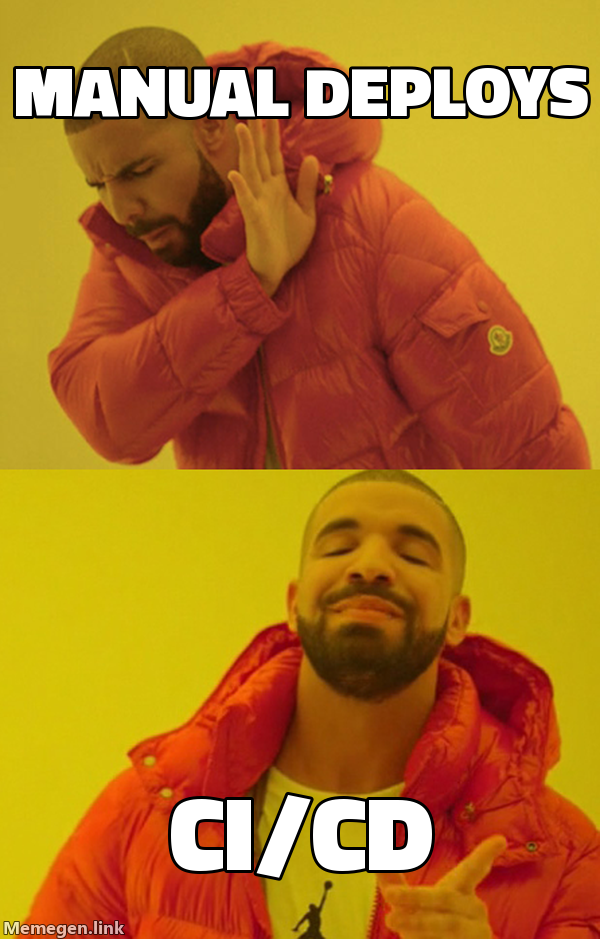
Give your coding agent a meme button. Two commands, then just ask:
uv tool install makememe          # or: pipx install makememe  /  pip install makememe
meme --install-skill              # installs the bundled Claude Code skill
Restart Claude Code and talk to it normally:
you:   make a "this is fine" meme about prod being down
Claude: → https://api.memegen.link/images/fine/prod_is_down/this_is_fine.png
The skill teaches the agent to pick the template that fits the joke (not just
drake), write the caption, and keep any names you mention — then hand back a URL
that renders inline in a PR, Slack, or anywhere. (Codex and other agents work
out of the box via meme --help / meme --list — no skill needed.)
Prefer to drive it yourself? It's a normal CLI too.

meme drake "manual deploys" "ci/cd"                       # saves a PNG to a temp folder
meme -t fine "prod is down" "this is fine" --print-url    # or just print a shareable URL
meme --list                                               # browse all template ids
No install needed to try it: uvx --from makememe meme drake "a" "b".
Next: meme your CI on every PR with a copy-paste GitHub Action.
# install (pick one)
uv tool install makememe          # recommended — isolated, puts `meme` on PATH
pipx install makememe
python3 -m pip install makememe

# install the bundled Claude Code skill, then restart Claude Code
meme --install-skill              # ~/.claude/skills/meme/ (all projects)
meme --install-skill --project    # ./.claude/skills/meme/ (this repo only)
Upgrading:
uv tool upgrade makememe          # pipx: pipx upgrade makememe | pip: pip install -U makememe
meme --install-skill              # ⚠️ re-run this so the skill updates too
⚠️ Upgrading the package does not refresh the skill already copied into~/.claude/skills/meme/. Re-runmeme --install-skillafter every upgrade (then restart Claude Code), or the agent keeps using the old skill.
Skip the approval prompt (optional). Claude Code asks once before running
meme. To never be prompted, add this to the permissions → allow list in
your Claude Code settings.json:
"Bash(meme:*)"Verify:
meme --version                    # CLI version
meme --list                       # CLI runs and reaches templates
ls ~/.claude/skills/meme/SKILL.md # skill is installedmeme <template> "top line" "bottom line" [-o out.png]| Flag | Meaning |
|---|---|
-t, --template |
template id as a flag (alternative to the positional). Agents should use this so a single permission approval covers every template |
-o, --out |
output file (default: a unique file in a temp folder, so it never writes into your current directory) |
--bg URL |
use a custom background image instead of a template |
--ext |
png (default), jpg, webp, or gif |
--style / --font |
template style variant / font override |
--open |
open the finished image in your default viewer |
--print-url |
print the image URL, don't download |
--json |
machine-readable output (for scripts/agents) |
--list |
list available template ids |
meme drake "manual deploys" "ci/cd"
meme same "after I sold" "if I held" "same picture"
meme --bg https://example.com/pic.png "_" "DODGED"
meme regret "SOLD @ 620" "NOW 780 (+26%)" --print-url
meme --list
meme --list --jsonFor sharing (CI, chat, comments) you usually want the public URL, not a
local file — --print-url returns a permanent memegen.link URL you can embed
anywhere with . No download, no image hosting.
Drop this in .github/workflows/pr-meme.yml, change the one test line to your
command, and every PR gets a success / "this is fine" meme based on whether
tests passed. That's the whole setup — no secrets (GITHUB_TOKEN is built in):
name: pr-meme
on: pull_request
permissions:
pull-requests: write # to post the comment
jobs:
meme:
runs-on: ubuntu-latest
steps:
- uses: actions/checkout@v4
- name: Run tests
id: tests
run: echo "replace this with your test command (e.g. pytest, npm test)"
- name: Comment a meme with the result
if: always() # run even when tests fail
run: |
pip install --quiet makememe
if [ "${{ steps.tests.outcome }}" = "success" ]; then
url=$(meme -t success "tests" "passed" --print-url)
else
url=$(meme -t fine "tests failed" "this is fine" --print-url)
fi
gh pr comment "${{ github.event.pull_request.number }}" --body ""
env:
GH_TOKEN: ${{ secrets.GITHUB_TOKEN }}(Also saved at examples/pr-meme.yml.)
Celebrate a tag with a meme in the release notes or a Slack announcement — just feed it the version:
ver=$(git describe --tags --abbrev=0)
url=$(meme -t success "shipped" "$ver" --print-url)
# drop $url into your GitHub Release body, changelog, or a Slack post
Or just ask your agent: "create a meme about this release" — it reads the version/changelog and picks a fitting template.
Slack/Discord: post a --print-url URL to a channel; it auto-unfurls into a
preview.
url=$(meme -t success "build" "passed" --print-url) # -> public URL, embed it anywhereIf a caption line begins with - (e.g. "-26%"), put -- before your lines so
it isn't parsed as a flag:
meme regret --json -- "-26%" "WHY"(Put flags like --json/-o before the --.)
The tool is designed to be parsed:
-
Plain mode prints only the output path to stdout (status goes to stderr), so
path=$(meme drake "a" "b")just works. -
--jsonmode prints a single JSON object:{ "path": "/tmp/makememe/meme-ab12cd.png", "bytes": 12345, "url": "https://api.memegen.link/..." }--list --jsonreturns the template catalog as JSON;--print-url --jsonreturns{"url": "..."}; failures return{"error": "...", "url": "..."}with a non-zero exit code.
Typical agent flow:
meme --list --json                       # discover template ids
meme drake "old way" "new way" --json # generate, capture the pathThe package bundles a Claude Code skill. After installing, run one command to make Claude Code auto-discover the tool:
meme --install-skill              # installs into ~/.claude/skills/meme/ (all projects)
meme --install-skill --project    # or into ./.claude/skills/meme/ (this repo only)
Restart Claude Code, then just talk to it. You don't name templates or flags — the skill picks the template that fits the joke, writes the caption, and keeps any names you mention. Things you can say:
| You say… | What Claude does |
|---|---|
| "make a 'this is fine' meme about prod being down" | fine template → returns a shareable URL |
| "drake meme: manual deploys vs CI/CD" | drake (reject A / prefer B) |
| "a meme about choosing between fixing the bug and shipping the feature" | picks ds (two-buttons dilemma) on its own |
| "meme about my plan to refactor that keeps breaking tests" | picks gru (plan backfires) |
| "make a meme ragging on Raj for force-pushing to main" | keeps the name Raj in the caption |
| "a 'change my mind' meme that tabs beat spaces" | cmm one-liner |
| "meme that staging and prod are the same picture" | same template |
| "make me a success-kid meme for fixing the flaky test, and save it as a png" | success → downloads a file with --open |
| "drop a meme on this PR based on whether CI passed" | wires up --print-url + gh pr comment |
| "create a meme about this release" | reads the version/changelog → picks a fitting template |
It's conversational — "funnier", "use the two-buttons template instead", or "now make the bottom line shorter" all work as follow-ups.
(Other agents like Codex don't use this skill format — they discover everything
through meme --help and meme --list, which already works out of the box.)
The CLI is built to fail gracefully, never with a raw traceback:
- Network errors, dead hosts, bad template ids (404), oversized text (414), and non-image backgrounds (415) all exit non-zero with a one-line message — and no partial/garbage file is written.
Ctrl-Cexits cleanly (code 130); piping intoheadetc. won't spew aBrokenPipeError.- Arbitrary text — emoji, CJK,
% # & / ? " \, tabs, control chars, 10k-char lines — is escaped safely.
Run the test suite (stdlib only, no network needed):
python -m unittest discover -s testsIt builds a memegen.link URL from your template + text (handling all the fiddly
path-segment escaping — spaces, _, -, ?, /, %, etc.), downloads the
image, and saves it. That's the whole trick.
MIT