
//TODO: Description...
git clone https://github.com/herodev1337/this_is_it.git
or
git clone git@github.com:herodev1337/this_is_it.git
--> Starting the Server <--
cd this_is_it/clientnpm installornpm i(only after the first pull/clone)npm start- Wait for Webpack to compile the development-server.
this_is_it/
├─ client/           // REACT WEBSERVER
│  ├─ public/	     <-- files generated by react, you shouldn't need to touch these
│  ├─ src/
│  │  ├─ components/ <-- secondary react components
│  │  ├─ routes/     <-- primary react components, included in index.tsx
│  │  ├─ static/     <-- static assets (e.g. images)
│  │  ├─ styles/     <-- SCSS files
│  │  ├─ utils/      <-- JS-files like contexts, hooks, config files, etc.
│
├─ server/           <-- TypeScript Rest API server
│  ├─ config/        <-- Configuration files
│  ├─ src/
│  │  ├─ controller/ <-- Handles requests coming from express
│  │  ├─ middleware/ <-- Each request goes through it. A middleware e.g. logs a request or validates inputs from forms
│  │  ├─ model/      <-- Defines on how a "Document" looks for mongoose (e.g UserDocument)
│  │  ├─ schema/     <-- Defines a schema for zod. Zod validates the input the user gives
│  │  ├─ service/    <-- Creates a connection between database and controller
│  │  ├─ utils/      <-- Small functions that get called often
│  │  ├─ routes.ts   <-- Defines all routes for express
│  │  ├─ app.ts      <-- Starts the express server, connects with the database and initializes some more components
To find out how to configure the server look into Configuration For testing, just contact me and I will send you a fully set up configuration file.
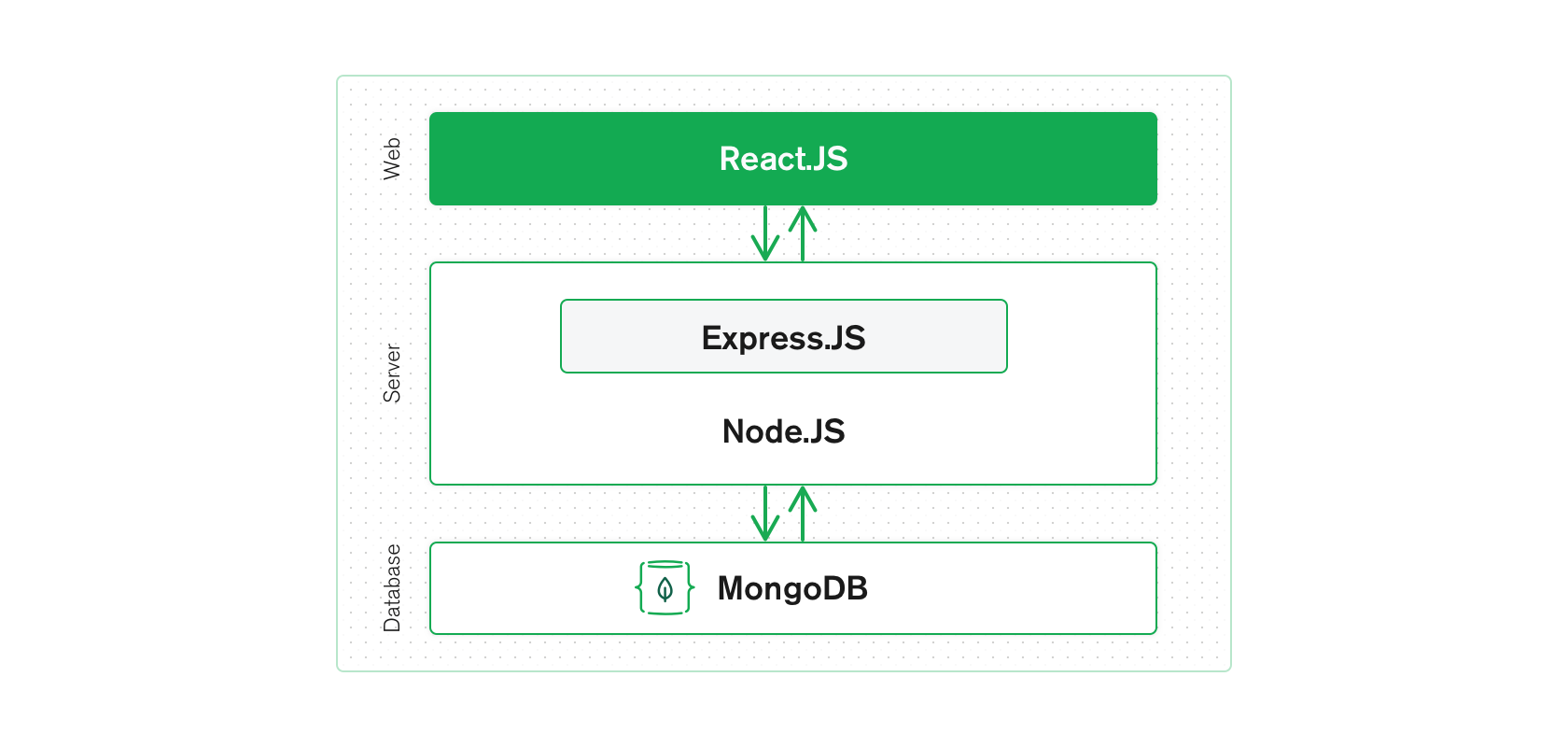
The website is a single-page-application, i.e. no separate HTML-files will be loaded. Rather, react will render and re-render the necessary components on the same page. To still enable URL based navigation we use the React Router v6 library.
Create a new route by adding a respective entry to client\src\index.js:
import { BrowserRouter, Routes, Route } from 'react-router-dom';
// ...
import ParentComponent from './routes/ParentComponent';
import ChildComponent from './routes/ChildComponent';
<BrowserRouter>
  {
    <Routes>
      ...
      <Route path="/parent" element={<ParentComponent/>}>
        <Route path="child" element={<ChildComponent/>} />
      </Route>
    </Routes>
  }
</BrowserRouter>
The parent route's address is localhost:8080/parent and the child route's is localhost:8080/parent/child. For <ChildComponent/> to be displayed, the location has to be specified in <ParentComponent />. This is accomplished using the <Outlet/> component:
import React from 'react';
import { Outlet } from 'react-router-dom';
function ParentComponent() {
  return (
    <div>
      ...
      <Outlet />
    </div>
  );
}
export default ParentComponent;
The Nesting shown above is optional but recommended to keep the routing- and page structure clear and intuitive. All components used in client\src\index.js should be placed in client\src\routes\. The subcomponents used therein go into an according folder inside client\src\components\.
The server-APIs for database requests, authentication, etc. are specified using the Express.js library. On the server side an API route would look something like:
server\routes.ts:
import { Express, Request, Response } from 'express';
import { createExampleHandler } from './controller/Example.controller';
export default function(app: Express) {
  app.post('/api/example', createExampleHandler)
}server\controller\Example.controller.ts:
import { Request, Response } from 'express';
import { createExample } from '../service/Example.service';
export async function createExampleHandler(req: Request, res: Response) {
  try {
    const example = await createExample(req.body);
    return res.json(example);
  } catch (error: any) {
    log.error(error);
    return res.status(409).json(error.message);
  }
}server\service\Example.service.ts:
import Example from '../model/Example.model';
import { DocumentDefinition } from 'mongoose';
export async function createExample(input: DocumentDefinition<>) {
  try {
    return await Example.create(input);
  } catch (error: any) {
    throw new Error(error.message);
  }
}server\model\Example.model.ts:
import mongoose from 'mongoose';
export interface ExampleDocument extends mongoose.Document {
  exampleString: String;
  exampleBoolean: Boolean;
  exampleObject: Object;
  /* necessary if timestamps = true */
  createdAt: Date;
  updatedAt: Date;
}
const exampleSchema = new mongoose.Schema(
  {
    exampleString: String ,
    exampleBoolean: Boolean,
    exampleObject: Object,
  },
  { timestamps: true }
);
const Example = mongoose.model<ExampleDocument>('Example', exampleSchema);
export default Example;In order to minimize cross-style contamination, apply all your component-level styling inside an ID-tag of your respective React-component:
React
import React from 'react';

function ExampleComponent() {
  return (
    <div id="example-id">
      ...
    </div>
  );
}
export default ExampleComponent;
SCSS
...
#example-id {
  // All your component-level css goes here
}