
A Grav theme for open documentation sites – easy to read, with Git-based open editing built in.


Try the demo
A free, open-source child theme of Learn2, the Grav documentation theme, built for Grav CMS with Markdown file-based content, a built-in Admin panel, and no database required. Used by the Learn2 with Git Sync skeleton package.
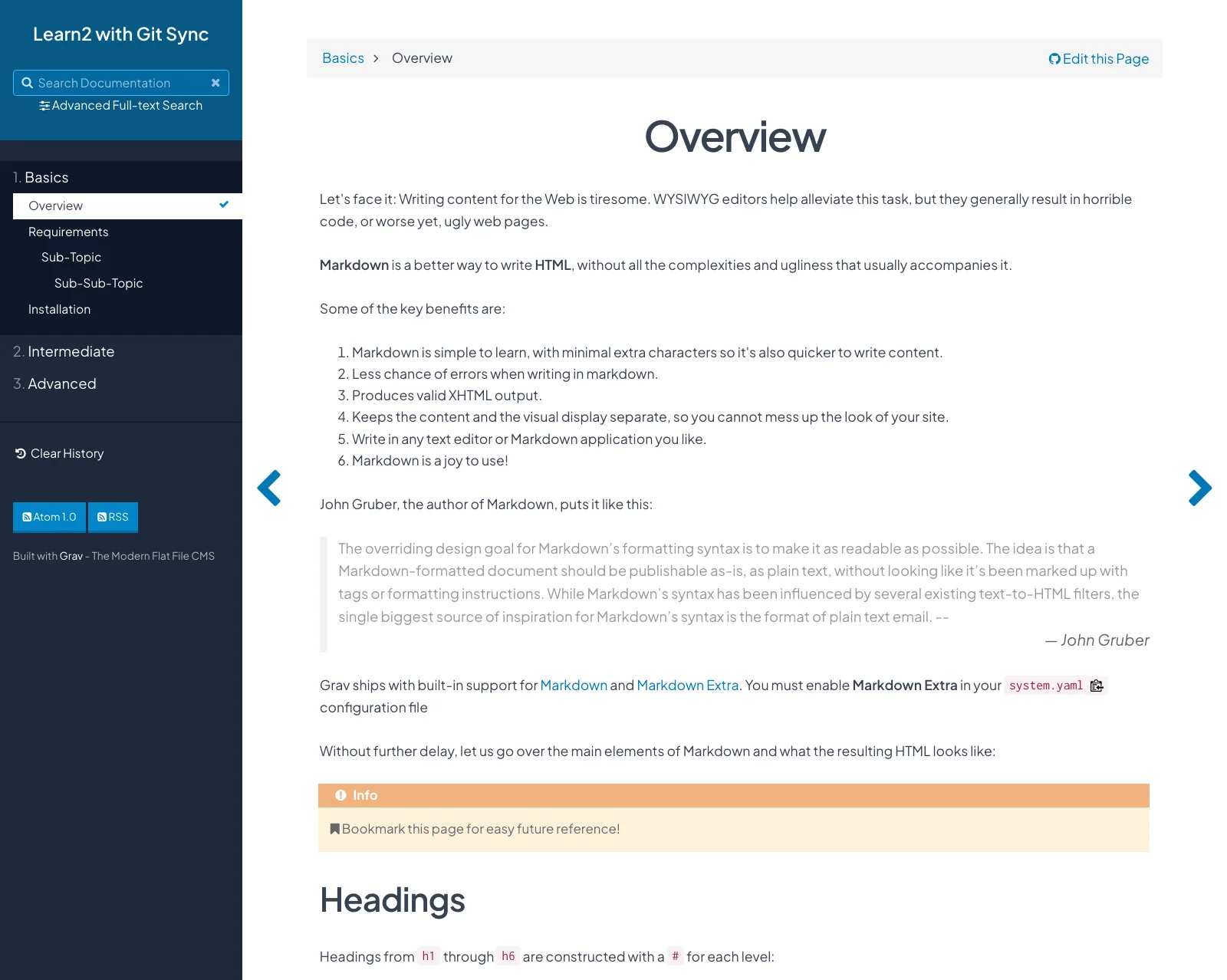
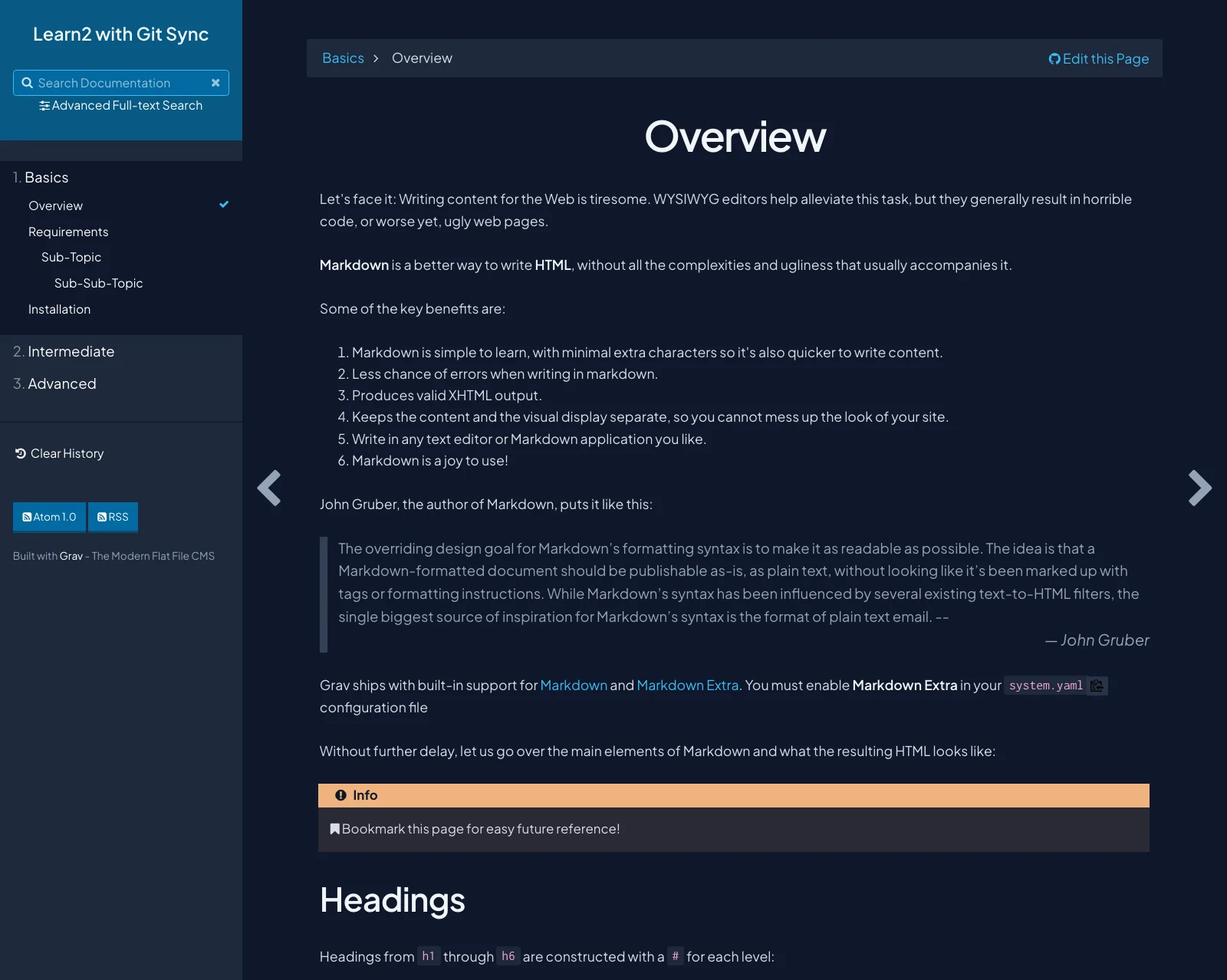
Learn2 with Git Sync – Documentation page in light mode (left) and dark mode (right)
Learn2 with Git Sync adds what open, collaborative documentation sites need on top of the Learn2 theme: an "Edit this Page" link to each page's source in your Git repository, a choice of visual styles with Dark Mode, and shortcodes for rich content.
- Open authoring with Git Sync – an "Edit this Page" link to each page's Markdown source on GitHub, GitLab, or Bitbucket, worked out automatically from your Git Sync setup or a custom repository URL
- Visual styles – 2026 Refresh or Classic, with Dark Mode off, on, or following the visitor's system setting
- Built for documentation – chapter and docs page types, numbered sidebar navigation, previous and next page arrows, and reading history
- Search – instant search with SimpleSearch, plus tag-aware full-text search when the TNTSearch plugin is installed
- Built-in shortcodes – Google Slides, H5P, and PDF
- Feeds and versioning – Atom/RSS feeds and optional document versioning
Learn2 with Git Sync is a good fit when you:
- Want an open documentation site built on Grav's Learn2 theme
- Value "Edit this Page" links so others can suggest and make improvements
- Want a choice of visual styles for your documentation
Other options might be better when you:
- Need only standard documentation without these extras – the Learn2 theme is enough
- Need a full knowledge base with user accounts, comments, or approval workflows
- Want zero-server publishing directly from GitHub – consider Docsify-This
The easiest way to get started is the Learn2 with Git Sync skeleton package, which includes this theme already configured.
- In the Admin Panel, go to Themes → Add and install Learn2 Git Sync, or from the root of your Grav site run
bin/gpm install learn2-git-sync - The parent Learn2 theme and required plugins are installed as dependencies
- In the Admin Panel, go to Themes, select Learn2 Git Sync, and press Activate, or in
user/config/system.yamlset the theme underpages:pages: theme: learn2-git-sync
- Clear the Grav cache (
bin/grav clearcache)
Important
Before setting up Git Sync, remove any README.md file from your Grav site's user folder. This prevents a possible sync conflict when your new Git repository is created with its own default README.md.
Tip
Make your customizations in a child theme (the skeleton package includes one called mytheme), so they are kept when Learn2 with Git Sync is updated.
All options are available in the Admin Panel under Themes → Learn2 Git Sync.
- Visual Style – style (2026 Refresh or Classic) and Dark Mode (Off, On, or Auto (System))
- Git Sync Link Options – link position (top, bottom, or off), a custom Font Awesome icon, and a custom Git repository tree URL
- Learn2 Theme Options – document versioning, hide site title, top-level version, home URL, Google Analytics code, and default taxonomy category
- PHP >= 8.0.2
- Grav CMS 1.7 or 2.0
- The Learn2 theme and required plugins, installed automatically as dependencies
- Share your feedback in the Learn2 with Git Sync Survey
- Follow @hibbittsdesign@mastodon.social on Mastodon for updates
- 👩🏻💻🧑🏻💻 Join the Grav Discord and often find me there
- Add a ⭐️ star on GitHub to the Learn2 with Git Sync project repository
- For bugs or feature requests, open an issue on GitHub
By leveraging his extensive UX design expertise and systems-oriented approach, Paul helps teams and individuals utilize open content in education and publication settings. Professional services include user experience and workflow consulting, premium support subscriptions, workshops, and custom development. Interested? Send a note to paul@hibbittsdesign.org.
MIT – Hibbitts Design