



Assetszy is an enterprise-grade Workflow Integration Plugin for DaVinci Resolve Studio. It bridges the gap between editing and asset sourcing by letting you search, preview, and instantly import premium stock videos, photos, transparent vectors, audio, SFX, and YouTube downloads directly to your active media pool and timeline with a single click.
- 📹 Multi-Source Video & Photo Search: Real-time preview of cinematic footage and high-res photos.
- 🎨 Transparent Vectors & Illustrations: Pre-filtered background-free PNG assets ideal for graphic overlays.
- 🎵 Royalty-Free Music & SFX Search: Real-time audio waveform visualizer and rotating vinyl disk player to test music assets before importing.
- 📥 Zero-Setup YouTube Downloader: Instantly fetch and resolve YouTube clips or high-fidelity audio streams.
- ⚡ Seamless Workflow Ingest: Imports directly into whatever Resolve page you are working on, with no UI interruptions.
- 🎙️ Auto-Transcription & Styled Subtitles: Render and transcribe timeline audio (or isolate specific audio tracks), select Gemini models dynamically from the API, style subtitles globally or individually (font, size, stroke, color, bold/italic) with a real-time preview, and import frame-accurate FCPXML subtitles back into Resolve.
Watch Assetszy in action inside DaVinci Resolve:
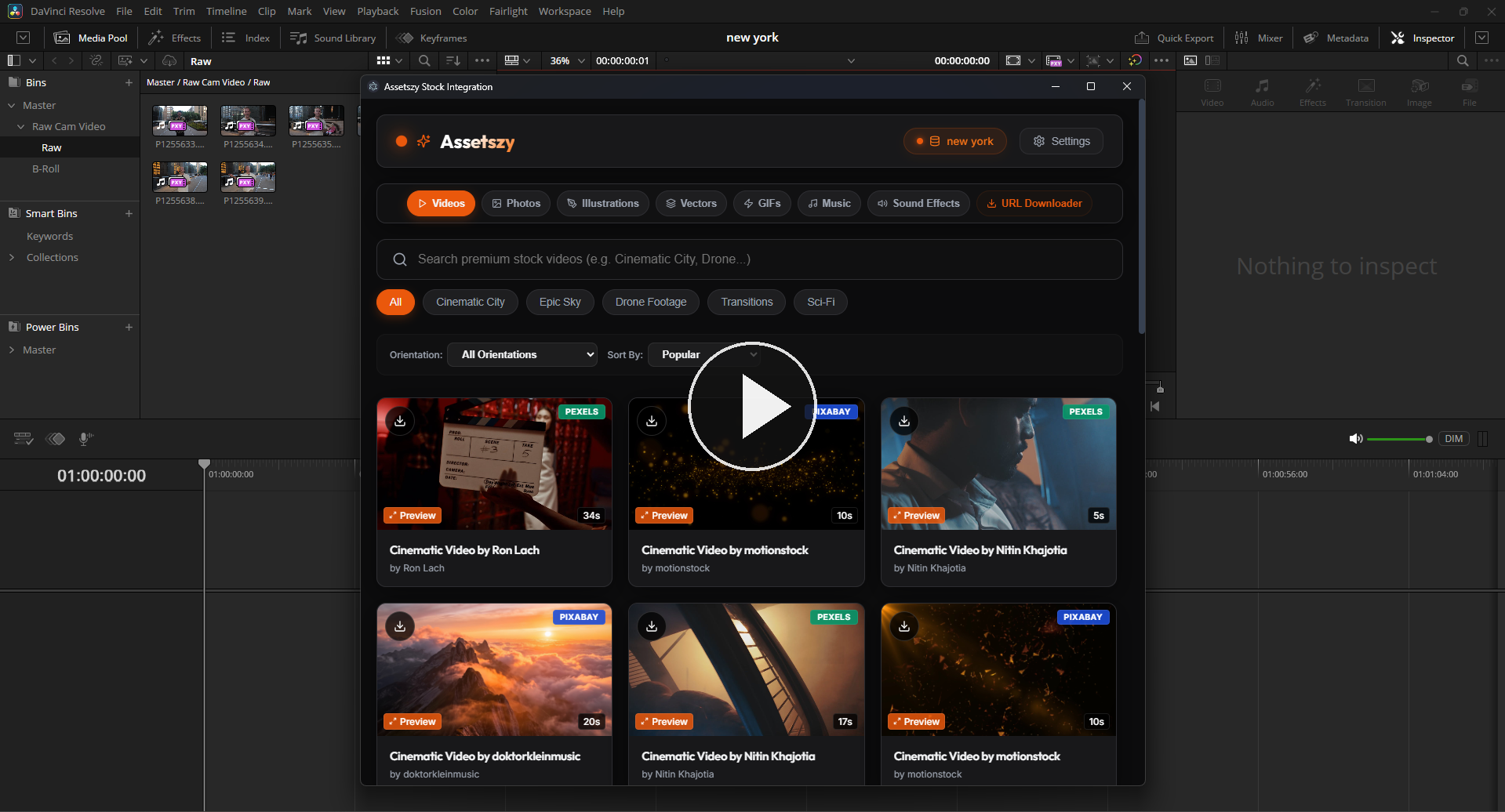
Explore the beautiful dark glassmorphic user interface:
|
1. HD Stock Video Library 
|
2. Premium Stock Photos 
|
|
3. Premium Illustrations 
|
4. Transparent Vectors 
|
|
5. Rich GIF Integration 
|
6. Royalty-Free Music Library 
|
|
7. Free Sound Effects (SFX) 
|
8. Zero-Setup Video Downloader 
|
|
9. Instant Import in Media Pool 
|
10. API Configuration & Settings 
|
Tip
Follow the steps below for your operating system to quickly install and start using the Assetszy plugin inside DaVinci Resolve Studio.
- Download the single-file installer:
Assetszy_Setup.exe - Double-click the setup file.
- Click Install Now (it automatically locates the Resolve directory).
- Restart DaVinci Resolve Studio.
- Launch from: Workspace > Workflow Integrations > Assetszy.
Apple Gatekeeper security restricts unsigned apps. Follow these steps to install:
- Download the zip bundle:
Assetszy_Mac.zip - Extract the files to a folder.
- Double-click on
install-mac.command(this opens Terminal, deploys all assets, and automatically runsxattrto clear security blocks). - Provide Administrator Password: Since this installs the plugin system-wide for DaVinci Resolve, the Terminal window will prompt:
Type your Mac lock-screen password and press Enter (no characters, stars, or dots will display on the screen while typing due to default Unix terminal security).
Password:
- Permission/Execution Fallback (Optional): If macOS displays a permission error when double-clicking the command file, open Terminal, run the following command, and try double-clicking it again:
chmod +x install-mac.command
- Restart DaVinci Resolve Studio.
- Launch from: Workspace > Workflow Integrations > Assetszy.
If you manually copied the folder and macOS displays the "WorkflowIntegration cannot be opened because developer cannot be verified" warning, run this command in terminal (requires administrative rights):
sudo xattr -cr "/Library/Application Support/Blackmagic Design/DaVinci Resolve/Workflow Integration Plugins/com.assetszy.resolve.plugin"All rights reserved. Proprietary software developed for DaVinci Resolve Studio integrations. Unauthorized distribution, decompiling, or modification of the source process is strictly prohibited under international copyright laws.