Site Admin Owner Flow
Download the appropriate Power Automate Flow GetAdminsOwners.zip file from the latest release. The environment will be appended to the file, for example DoD will be appended for the package targeting that environment's endpoints.
This power automate flow will utilize the HTTP Execute premium connector. The accounts used to setup this flow will require the appropriate Premium license. Download the power automate flow package from the releases.
Access Power Automate, and select My Flows from the menu. Click on the Import menu and select Import Package (Legacy) to import the package file.

After selecting the file, you will need to select the accounts to use for this flow. You may need to create a connection if one doesn't already exist. You will need to have a connection for the following:
- SharePoint
Once the connections are set, click on Import to add the flow to your environment.

After the flow is successfully imported, click on the Open Flow link.

Click on the first manual action, and then copy the HTTP URL value for the flow. We will need to reference this in the next step.

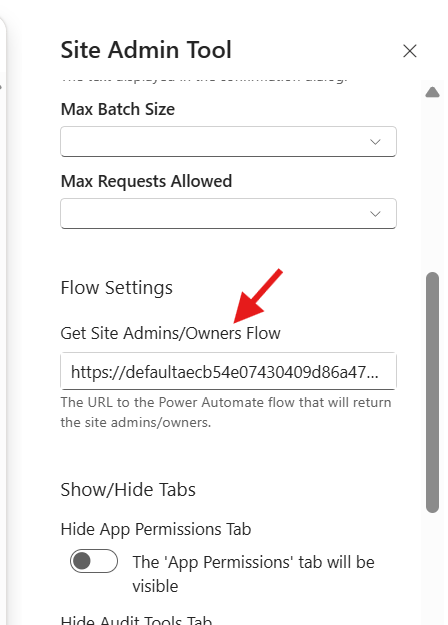
Access the SharePoint page containing the Site Admin Tool webpart. Edit the page and reference the flow uri we noted earlier, and set the Get Site Admin/Owners Flow value to the flow uri.