
The goal of this project is to provide a starting base for an isomorphic (universal) mobx react project.
Features:
async/awaitsupport- Isomorphic
- CSS and SCSS compilation
- MongoDB user register/login/logout
- Token based authentication
- Decorators for easily accessing the state
- Hot reloading and sourcemaps
- Automatic restarts (when server code changes)
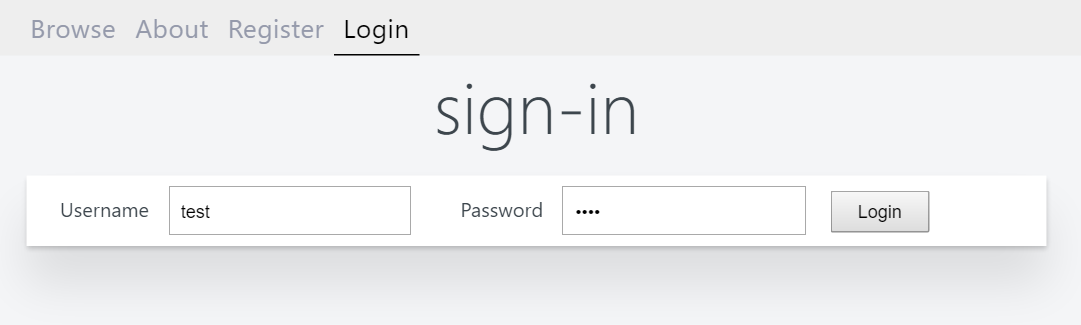
For development:
npm run dev
For production:
npm run prod
Node 6+ or Node 4 with additional babel plugins
MongoDB server
- Optimized for minimal bundle size.
- Optimized for speed.
- Using MobX, the easiest and insanely fast state manager.
- Simple and minimal with routing, authentication, database and server-side rendering.
- Good developer experience with hot-reloading and source-maps.
gb -k=true -c 300 -n 10000 http://localhost:2000/page/about

This is GoHttpBench, Version 0.1.9, https://github.com/parkghost/gohttpbench
Author: Brandon Chen, Email: [email protected]
Licensed under the MIT license

...

Concurrency Level:      300
Time taken for tests:   15.34 seconds
Complete requests:      10000
Failed requests:        0
HTML transferred:       11190000 bytes
Requests per second:    651.80 [#/sec] (mean)
Time per request:       460.263 [ms] (mean)
Time per request:       1.534 [ms] (mean, across all concurrent requests)
HTML Transfer rate:     712.22 [Kbytes/sec] received

Connection Times (ms)
              min       mean[+/-sd]     median  max
Total:        166       1   149.29      412     1527
Tested on i7-6700K @ 4.00GHz 16GB RAM. Single node.js instance.
- Goto
src/server/models - Add
[Name].jswith your model in it
- Goto
src/config/stores - Add
[Name].js(it's just a class, ex:Account.js) - Update
src/config/stores.js
- Goto
server/middleware/render.js - Change
const components = ...toconst components = null
State contains the state of your application (ex: list of your todos, UI state etc). Stores contain the methods that mutate that state (ex: adding a todo, fetching data). Technically our State object is also a store, but we make the differentiation so that our logic is easier to follow by using the same principes as redux (one big state object).
The @inject decorator injects stores into your components.
Additionally by adding @observer your components will efficiently auto update with any changes to your stores.
Example: If you display a messageCount from a Messages store and it gets updated,
then all the visible components that display that messageCount will update themselves.
No, it actually allows the rendering to be done more efficiently. So observe as many as you want !
Make sure you added the @observer decorator to your component.
You cannot use decorators on stateless components. You should instead wrap your component like this:
const MyComponent = inject('myStore')(observer((props, context) => {
  return <p>{props.myStore.something} !</p>
}))Add a static onEnter method to your component like this:
class MyComponent extends React.Component {
    static onEnter({ state, store }, params) {
        return store.myStore.browse()
    }
    // ...
}
The onEnter method is smart, it will be executed either on the server or on the browser depending on how you access the website.
It also passes all your stores and url params as arguments as a convenience.
-
index.jsinitializes the logger, generates a webpack bundle and runs the server -
The server runs a bunch of middleware:
context.jscreates your initial state based on your stores defined insrc/client/stores.jsauthorize.jschecks if you are logged in and have access to protected routes.render.jsfinally renders your components.
-
server.jsalso imports the routes fromserver/routeswhere each route can use a database model defined inserver/models. Just adding a model file there is enough, the models are initialized when they are used.
client.jsinitializes the stores, hot-reloading and other helpers.- It hydrates the state we got from the server and renders
pages/Index.js pages/Index.jsis basically your entry point. What you do afterwards is up to you!
Ryan Megidov