

Creator: Ray Kim Dong Hyun
Contact: rainmankim@gmail.com

* For easier understanding, I am going to call Tableau Server "Ray's Tableau Server".

In my other github repository, I have shown how you can connect Tableau Desktop with Cloudera Hadoop Server
for data source publishing & connection.
(https://github.com/rainmankim/tableau_server_cloudera_data_extraction)
Suppose you have main data source extract on Ray's Tableau Server which contains HR details about your colleagues.
Now, you come across a secret Excel file that containts list of your colleagues who happen to be aliens
You need to quickly match this Excel file with the data on Ray's Tableau Server to stop alien invasion.

Here are four data joining-blending options.  I am going to show Option 1 through Option 4 one by one.

- (Option 1) Directly JOIN  Main HR Data Extract on Ray's Tableau Server  &  Offline Excel File

- (Option 2) Directly blend Offline Excel File with HR Data Extract on Ray's Tableau Server

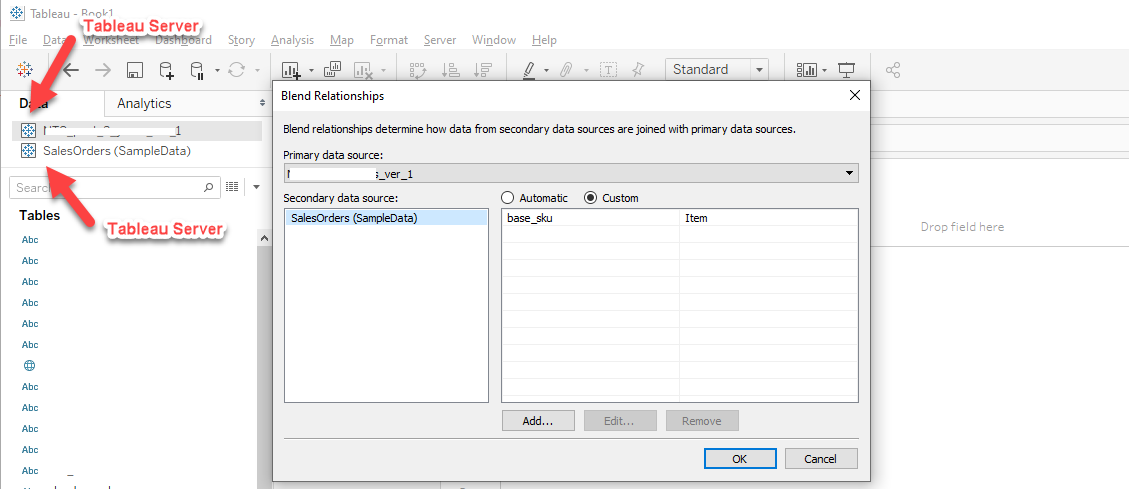
- (Option 3) First publish offline Excel File onto Ray's Tableau Server.   Then, blend main HR Data Extract on Ray's Tableau Server  & Alien Data on Ray's Tableau Server

- (Option 4)  First publish offline Excel File onto Ray's Tableau Server.   Then, join HR Data Extract on Ray's Tableau Server  & Alien Data on Ray's Tableau Server
---> This is simply not allowed. You cannot join with a data table in Ray's Tableau SErver.
--> Connect to HR Data Extract on Ray's Tableau Server. And also connect to offline Excel file as a "NEW Data source"
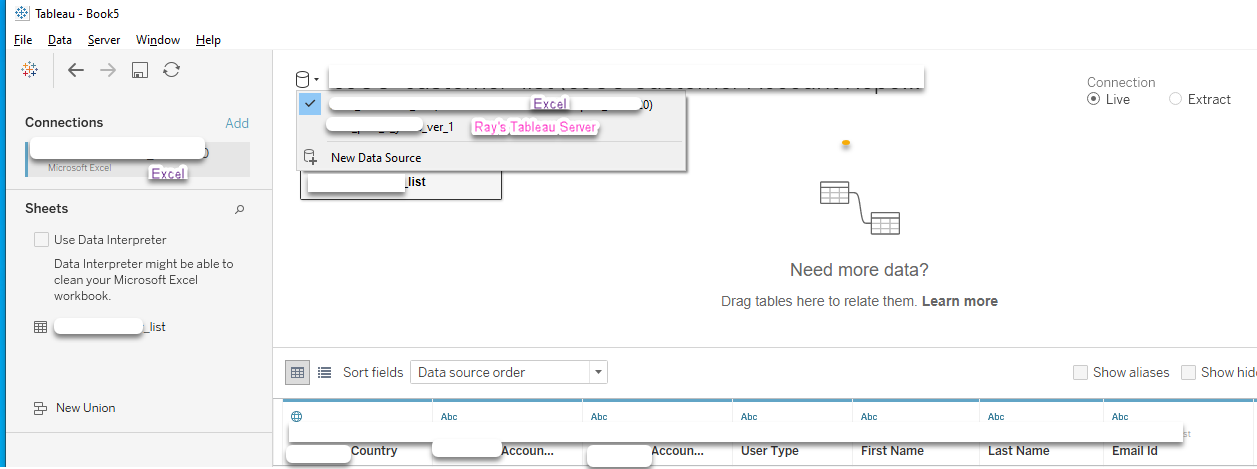
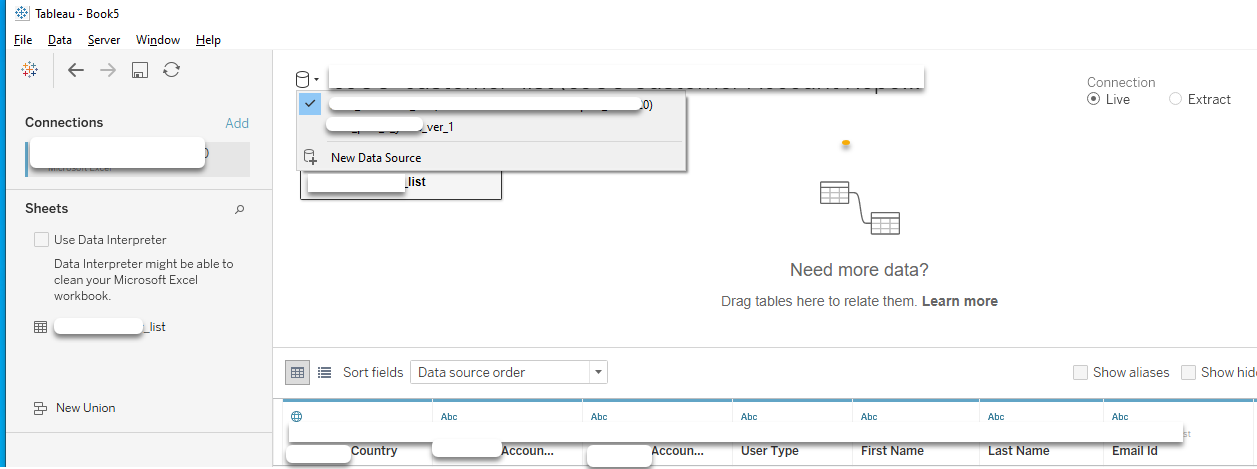
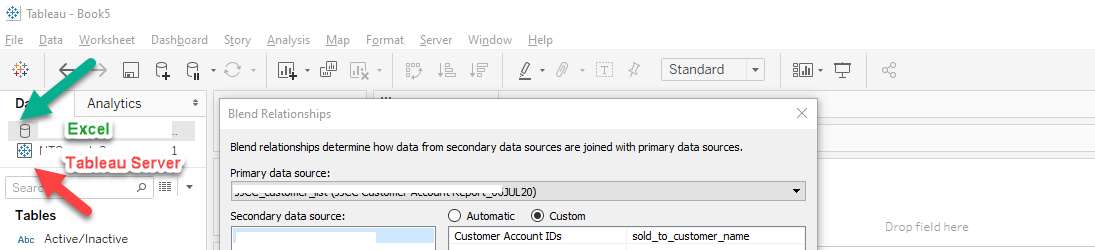
Option 3 First publish offline Excel File onto Ray's Tableau Server. Then, blend main HR Data Extract on Ray's Tableau Server & Alien Data on Ray's Tableau Server
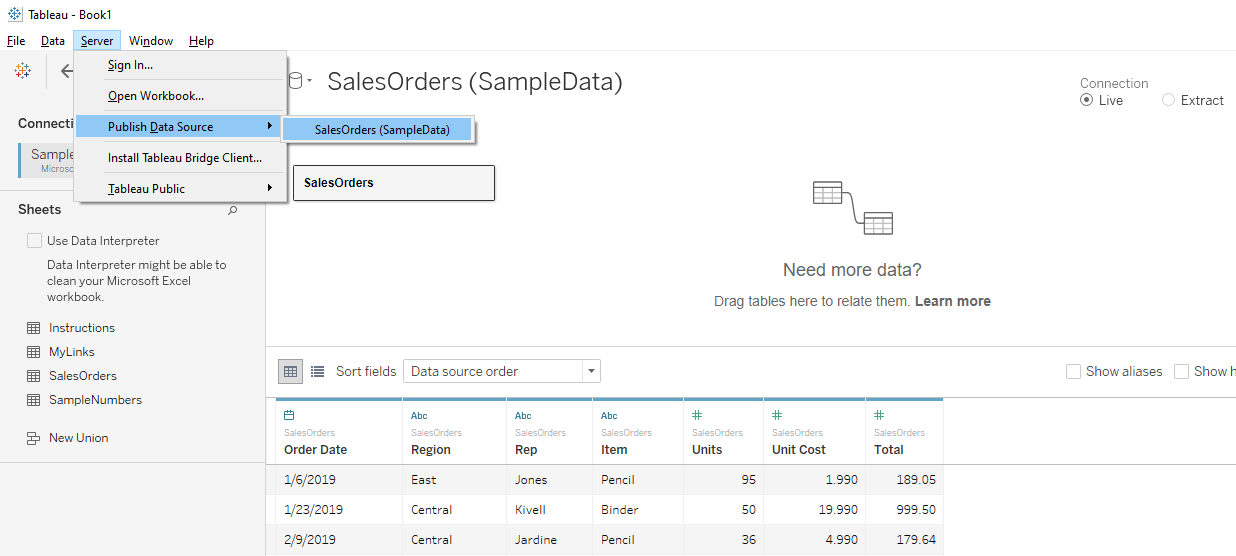
--> Using custom matching, match necessary primary key(s). This time you notice both connections are on Ray's Tableau Server
Option 4 First publish offline Excel File onto Ray's Tableau Server. Then, join HR Data Extract on Ray's Tableau Server & Alien Data on Ray's Tableau Server
- Credits: Mohammed Shameel  (insanely smart and resourceful)
- Secular saints of Tableau Community